I am using a customized PCB (nrf52840) and I have been successfully set up the SPI communication in between the nrf and lsm6dso
I used 0.11 as clk , 0.27 as MISO and 0.25 as MOSI , I have attached the code i used in the overlay file, and it was working
&spi0{
    compatible = "nordic,nrf-spi";
    status = "okay";
    // cs-gpios = < &gpio0 13 GPIO_ACTIVE_LOW>;
    pinctrl-0 = <&spi0_default>;
    pinctrl-1 = <&spi0_sleep>;
    pinctrl-names = "default","sleep";

};
&spi1{
    compatible = "nordic,nrf-spi";
    status = "okay";
    // cs-gpios = < &gpio0 4 GPIO_ACTIVE_LOW>;
    pinctrl-0 = <&spi1_default>;
    pinctrl-1 = <&spi1_sleep>;
    pinctrl-names = "default","sleep";

};


&pinctrl {

    spi0_default: spi0_default {
        group1{
            psels = <NRF_PSEL(SPIM_SCK, 0, 11)>,
				<NRF_PSEL(SPIM_MISO, 0, 27)>,
				<NRF_PSEL(SPIM_MOSI, 0, 25)>;
        };
    };
    spi0_sleep: spi0_sleep {
        group1{
            psels = <NRF_PSEL(SPIM_SCK, 0, 11)>,
            <NRF_PSEL(SPIM_MISO, 0, 27)>,
            <NRF_PSEL(SPIM_MOSI, 0, 25)>;
    };
    };
    spi1_default: spi1_default {
        group1{
            psels = <NRF_PSEL(SPIM_SCK, 0, 6)>,
				<NRF_PSEL(SPIM_MISO, 0, 8)>,
				<NRF_PSEL(SPIM_MOSI, 0, 7)>;
        };
    };
    spi1_sleep: spi1_sleep {
        group1{
            psels = <NRF_PSEL(SPIM_SCK, 0, 6)>,
				<NRF_PSEL(SPIM_MISO, 0, 8)>,
				<NRF_PSEL(SPIM_MOSI, 0, 7)>;
        };
    };
};
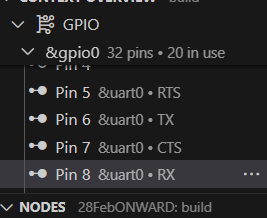
However, when I modify my PCB and change to the following list of pins , it stops working , and gives 0xFF
0.11 as clk, 0.7 as MISO , 0.25 as MOSI
Any pin that I should not use or need to have additional setup ?
&spi0{
    compatible = "nordic,nrf-spi";
    status = "okay";
    // cs-gpios = < &gpio0 13 GPIO_ACTIVE_LOW>;
    pinctrl-0 = <&spi0_default>;
    pinctrl-1 = <&spi0_sleep>;
    pinctrl-names = "default","sleep";

};


&pinctrl {

    spi0_default: spi0_default {
        group1{
            psels = <NRF_PSEL(SPIM_SCK, 0, 11)>,
				<NRF_PSEL(SPIM_MISO, 0, 7)>,
				<NRF_PSEL(SPIM_MOSI, 0, 25)>;
        };
    };
    spi0_sleep: spi0_sleep {
        group1{
            psels = <NRF_PSEL(SPIM_SCK, 0, 11)>,
            <NRF_PSEL(SPIM_MISO, 0, 7)>,
            <NRF_PSEL(SPIM_MOSI, 0, 25)>;
    };
    };

};
I am using nRF Connect SDK v2.5.2


2. Another question that I asked before and is solved by I did not get the reason, hope to clarify again
/ {
    user_dbg_pin: user-dbg-pin {
            compatible = "nordic,gpio-pins";
            gpios = <&gpio0 8 GPIO_ACTIVE_HIGH>;
            status = "okay";
    };
};

&gpio0 {
    status = "okay";
};

// &gpiote0 {
//     status = "okay";
// };
I used the above way to pull up P0.08 but the gpiote0 set up does not work. and I commented it out and it works.
undefined node label 'gpiote0'
.
in which case I can use the set up below to turn on P0.08
#define MY_GPIO0 DT_NODELABEL(gpio0)
#define MY_GPIO1 DT_NODELABEL(gpio1)


gpio_pin_configure(gpio0_dev, GPIO_0_CS, GPIO_OUTPUT);
gpio_pin_configure(gpio1_dev, GPIO_1_INT1, GPIO_OUTPUT);
// gpio_pin_set(gpio0_dev, GPIO_0_CS, 1);
gpio_pin_set(gpio1_dev, GPIO_1_INT1, 0);