Thingy91 light sensor data presentation in nrf cloud

Trying to make Thingy91's asset_tracker_v2 light sensor (BH1749) data to show up in a card on Dashboard in nrfcloud.

By default asset_tracker_v2 code supporting light sensor reports it as
#define APP_ID_LIGHT_THRESHOLD "LIGHT_THRESHOLD_EXCEEDED"

But since there is no card for LIGHT_THRESHOLD_EXCEEDED
we changed it to 
#define APP_ID_LIGHT_THRESHOLD "LIGHT"

After this change - data shows up in LIGHT card, but only the event count (see attached screenshots).
We would like to see chart of timestamped R/G/B/IR datapoints,

Hence the question - how do we make it show up as a chart of datapoints with timestamps ?
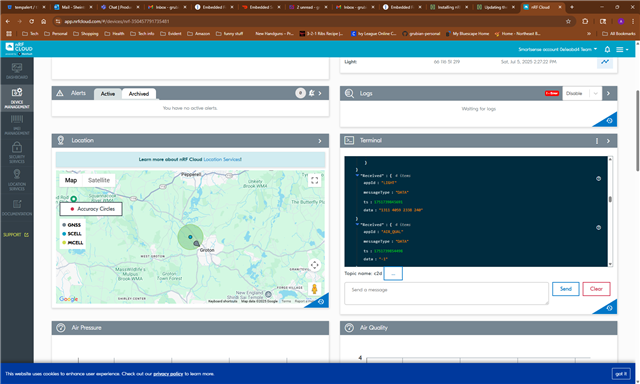
  • Hi,
    Sorry for belated response.
    We used to by by just reporting/tracking one component (on which we have a threshold trigger set).
    We recently implemented sampling/reporting or light sensor data alongside regular environmental data.
    Unfortunately we can only report single APP_ID, i.e. same component we report when threshold is breached (green in our case)
    With that periodic reporting in place, we would like to report all RGB components under the same APP_ID and display them all in one card, showing their respective intensity in Lux

Related