nRF9151 devkit does not enumerate under VS Code

I have upgrade to nRF Connect for Desktop v5.2.0

Under the Desktop, I also upgrade Programmer APP to v4.6.2

and JLink to v818. Added the installation folder at the top of the Path environment variables.

The Programmer App can detect the nRF9151 DK

but VS Code does not

Somehow the JLink version is not detected?! Here is the log

18:13:41.996
Initialising the bundled nrfutil device
18:13:42.177
Using the bundled core version for nrfutil device: 8.0.0
18:13:42.214
Using nrfutil-device version: 2.12.3
18:13:42.214
Using nrf-device-lib version: 0.17.81
18:13:42.214
Using nrf-probe version: 0.40.1
18:13:42.214
Using JLink version: Unknown
18:13:42.214
SEGGER J-Link is not installed. Install at least version 8.18 from https://www.segger.com/downloads/jlink
18:13:42.241
Getting serial port options from the persistent store for 001051267026.pc-nrfconnect-programmer
18:13:42.242
Device connected with the serial number 001051267026
18:13:45.404
Selecting device with the serial number 001051267026
18:13:45.410
Selected device with the serial number 001051267026
18:13:45.410
No operations possible for device.
18:13:45.410
If the device is a MCUboot device make sure it is in the bootloader mode
  • I would like to shift focus to the nRF Connect for Desktop / Programmer Application

    I get this log

    17:08:46.049
    Initialising the bundled nrfutil device
    17:08:46.288
    Using the bundled core version for nrfutil device: 8.0.0
    17:08:46.323
    Using nrfutil-device version: 2.12.3
    17:08:46.324
    Using nrf-device-lib version: 0.17.81
    17:08:46.324
    Using nrf-probe version: 0.40.1
    17:08:46.324
    Using JLink version: Unknown
    17:08:46.324
    SEGGER J-Link is not installed. Install at least version 8.18 from https://www.segger.com/downloads/jlink
    17:08:46.359
    Getting serial port options from the persistent store for 001051267026.pc-nrfconnect-programmer
    17:08:46.361
    Device connected with the serial number 001051267026
    17:08:51.017
    Selecting device with the serial number 001051267026
    17:08:51.022
    Selected device with the serial number 001051267026
    17:08:51.023
    No operations possible for device.
    17:08:51.023
    If the device is a MCUboot device make sure it is in the bootloader mode
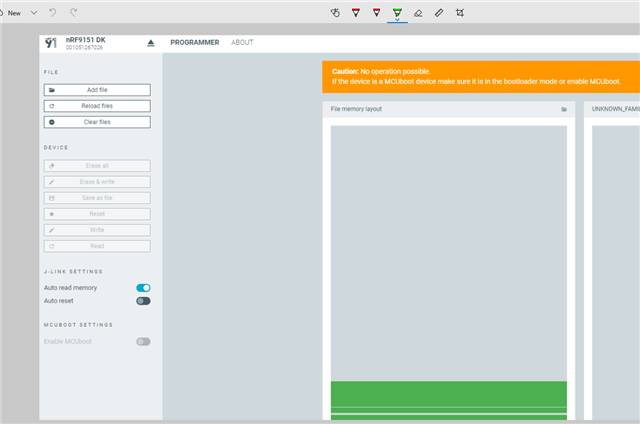
    How do I work around the "No operations possible for device."

    is there a way to enable the MCUboot to program?

    all options under DEVICE are disabled

    this is a blocking issue, so your prompt support is greatly appreciated

    thank you

  • After installing and updating the system's PATH environment variable, have you tried to reboot the PC not just VS Code? It seems the issue (no operation possible) is still related to SEGGER issue that is not detected. 

  • Affirmative. I did reboot the PC, VS Code, and nRF Connect for Desktop.

    I just did reboot the PC again again and the problem still persists.

    Can we please just focus on fixing the issue with the nRF Connect for Desktop.

    I need a way to program my nRF9151DK devkit

    Thanks

  • Do you have any other Nordic dk to check to see if you get same MCU boot error ? I think it is still related to J-link issue not being detected. 

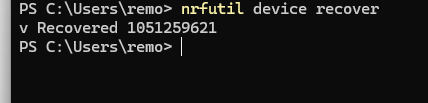
    Do you have nrfutil installed ? can you try with command line the recover command: nrfutil device recover 


    If you don't have nrfutil installed, please get it from here: nRF Util - nordicsemi.com , then place the executable file in a folder and add the folder address to your system's path. Then restart your system, after that you should be able to use it through windows command line.

  • This has to do with the JLink install indeed. After few un-install / re-install, the devkit is being connected now!

    Thanks for your support.

Related