nRF9160 new SDK integration and build procedure

Hi Team,

We are starting new product development using nrF9160 modem.

I saw that new SDK available is v3.0.2. I hope we have to build/compile it in VS code, am I correct?

Can you please provide complete procedure from downloading v3.0.2 SDK from nRF desktop application to build the sample code in VS code.

Regards,

Sravan Rikka

  • Hi Øyvind,

    Thank you.

    1. I have found the mqtt example code at the specified location and build it successfully. Also I read the document at below webpage.

    https://docs.nordicsemi.com/bundle/ncs-3.1.0/page/nrf/samples/net/mqtt/doc/description.html

    https://docs.nordicsemi.com/bundle/ncs-3.1.0/page/nrf/samples/net/mqtt/doc/architecture.html

    The sample does not include a main.c file. To follow the typical flow of the application, see the Sequence diagram section. I found this in architecture webpage.

    Checked in example code folder, observed same that there is no main.c file. Is it possible to provide a main.c file by linking all modules(network, trigger, sampler, transport) it helps to understand the code flow from network registration to publish data over MQTT and start developing our application/features on top of it.

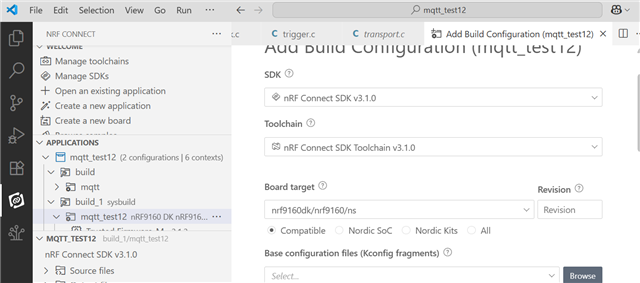
    2. I have kept our modified/updated board files in 'zephyr/boards/arm' folder and also tried by keeping in 'nrf/boards/nordic' folder but still I can't see it under build configuration 'board target' section. In which folder I have to keep board files? and how to select our board files under 'board target' in build configuartion.

    Regards,

    Sravan Rikka

  • Hi Øyvind,

    Awaiting for your response, can you please respond to above email.

    Regards,

    Sravan Rikka

  • Hello, 

    sravan.rikka said:
    The sample does not include a main.c file. To follow the typical flow of the application, see the Sequence diagram section. I found this in architecture webpage.

    Yes, that is correct. There is no main file. I recommend looking at the nrf connect sdk intermediate course and lesson 1 specifically, which provides more information on this. That said, I've reached out to the developers to discuss the use of main.c or lack off.

    sravan.rikka said:
    2. I have kept our modified/updated board files in 'zephyr/boards/arm' folder and also tried by keeping in 'nrf/boards/nordic' folder but still I can't see it under build configuration 'board target' section. In which folder I have to keep board files? and how to select our board files under 'board target' in build configuartion

    Same as above, have a look at the intermediate course and lesson 3 - Adding custom board support. 

    I will update you within 3 business days. 


    Kind regards,
    Øyvind

  • Hi Oyvind,

    Awaiting for your response.

    Can we take 'at_client' sample code as a starting point to start implementation at least drivers etc and later we will add mqtt related changes to this sample code, is the 'at_client' good to use as a starting sample code or do you suggest any other sample code as a starting point?

    'at_client' sample code available at below path in SDK 3.1.0.

    C:\ncs\v3.1.0\nrf\samples\cellular\at_client.

    Regards,

    Sravan Rikka

  • Hello,

    The MQTT sample documentation has been updated to elaborate around the sample and its usage of system threads

    sravan.rikka said:
    Can we take 'at_client' sample code as a starting point to start implementation at least drivers etc and later we will add mqtt related changes to this sample code, is the 'at_client' good to use as a starting sample code or do you suggest any other sample code as a starting point?

    You’re encouraged to begin with the sample that best fits your development needs. If the MQTT sample appears too advanced, consider exploring other examples available in our SDK and the Zephyr repository. These can be combined or adapted to suit your implementation.

    Please note that this particular sample does not include a traditional main.c file. Instead, it follows a modular architecture where each module defines its own thread using the K_THREAD_DEFINE macro. This design removes the need for a central main() function, allowing each module to initialize and operate independently.

    Inter-module communication is handled through Zephyr’s zbus message-passing system, resulting in a loosely coupled, event-driven architecture. For a clearer understanding of the application's flow, refer to the Sequence Diagram section.

    More information can be found under Zephyr's System Thread chapter

    Kind regards,
    Øyvind

Related