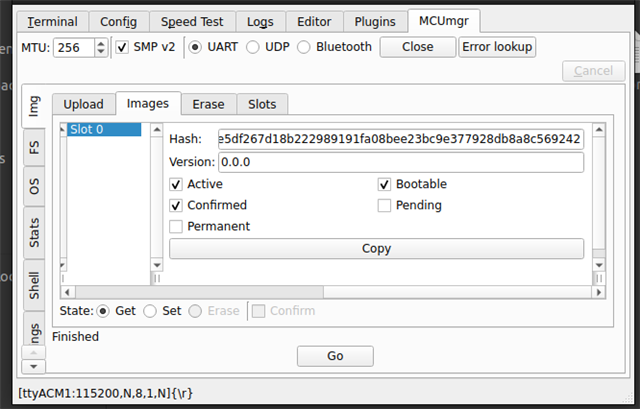
Hello,
I am trying to send the zephyr.signed.bin file to the NRF54L15 through TTL, using "send file" option in TeraTerm (Trying on DK for now, the Custom Device will be taking the Data from another Micro controller through UART in actual case).
But I can see that the Data is getting written into the IMAGE_1 slot of the flash, but the firmware update is not taking place, and the old firmware runs again. I am not able to debug on how to start with solving this issue.
According to me , the doubts are:
1. How to Validate if I am able to write the data into the FLASH properly or not.
2. How to validate if what I have written into the Flash (IMAGE_1 / Secondary Slot) is not corrupted.
3. I am getting an error as well : Image in the secondary slot is not valid! - How to Debug this?
The logs :
SEGGER J-Link V8.18 - Real time terminal output
SEGGER J-Link (unknown) V1.0, SN=1057786512
Process: JLink.exe
*** Booting MCUboot v2.1.0-dev-ae1ee57f3906 ***
*** Using nRF Connect SDK v3.0.2-89ba1294ac9b ***
*** Using Zephyr OS v4.0.99-f791c49f492c ***
[00:42:57.631,091] <inf> mcuboot: Starting bootloader
[00:42:57.631,360] <dbg> mcuboot: boot_slots_compatible: Non-optimal sector distribution, slot0 has 76 usable sectors (84 assigned) but slot1 has 84 assigned
[00:42:57.631,632] <inf> mcuboot: Primary image: magic=unset, swap_type=0x1, copy_done=0x3, image_ok=0x3
[00:42:57.631,819] <inf> mcuboot: Secondary image: magic=unset, swap_type=0x1, copy_done=0x3, image_ok=0x3
[00:42:57.631,988] <inf> mcuboot: Boot source: none
[00:42:57.632,123] <inf> mcuboot: Image index: 0, Swap type: none
[00:42:57.668,235] <inf> mcuboot: Bootloader chainload address offset: 0xf000
[00:42:57.668,384] <inf> mcuboot: Image version: v0.0.0
[00:42:57.668,499] <inf> mcuboot: Jumping to the first image slot
*** Booting nRF Connect SDK v3.0.2-89ba1294ac9b ***
==========data cameee===========
evt->data.rx.len = 50732
wrote data length= 256   from address = 0
wrote data length= 256   from address = 256
wrote data length= 256   from address = 512
wrote data length= 256   from address = 768
wrote data length= 256   from address = 1024
wrote data length= 256   from address = 1280
wrote data length= 256   from address = 1536
.
.
.
.
.
wrote data length= 256   from address = 50432
wrote data length= 44   from address = 50688
Total bytes in image_1: 50732
*** Booting MCUboot v2.1.0-dev-ae1ee57f3906 ***
*** Using nRF Connect SDK v3.0.2-89ba1294ac9b ***
*** Using Zephyr OS v4.0.99-f791c49f492c ***
[00:44:13.027,971] <inf> mcuboot: Starting bootloader
[00:44:13.028,239] <dbg> mcuboot: boot_slots_compatible: Non-optimal sector distribution, slot0 has 76 usable sectors (84 assigned) but slot1 has 84 assigned
[00:44:13.028,509] <inf> mcuboot: Primary image: magic=unset, swap_type=0x1, copy_done=0x3, image_ok=0x3
[00:44:13.028,696] <inf> mcuboot: Secondary image: magic=good, swap_type=0x2, copy_done=0x3, image_ok=0x3
[00:44:13.028,861] <inf> mcuboot: Boot source: none
[00:44:13.028,996] <inf> mcuboot: Image index: 0, Swap type: test
[00:44:13.406,143] <err> mcuboot: Image in the secondary slot is not valid!
[00:44:13.442,267] <inf> mcuboot: Bootloader chainload address offset: 0xf000
[00:44:13.442,415] <inf> mcuboot: Image version: v0.0.0
[00:44:13.442,529] <inf> mcuboot: Jumping to the first image slot
*** Booting nRF Connect SDK v3.0.2-89ba1294ac9b ***
*** Using Zephyr OS v4.0.99-f791c49f492c ***
Opened image_1 flash area successfully.
Erased image_1 flash successfully.
Ready to receive firmware via UART...
no err : device_is_ready
err = -134 : uart_configure
err = 0 : uart_callback_set
Line 228 gives an error.