Can't read from gpio

Trying to read button 3 on the npm1300-ek, which is gpio 1 according to the schematic. The following #defines represent the gpio related registers on the npm1300:

#define GPIOS_MSB         0x06                     // GPIO registers MSB=0x600, individual registers below are added to this 
#define GPIO_MODE1      0x01                     // mode for gpio one (pin)
#define GPIO_STATUS_LOWER    0x1e       // gpio status (all five pins)

I verified that gpio 1 is set to an input using the following:

uint8_t regsy[] = {GPIOS_MSB, GPIO_MODE1};                            
ret = i2c_write_read_dt(&dev_i2c_pmic, regsy, 2, &valRead, 1); 
valRead came back zero indicating to me that the pin is an input
But when I press the button and read the inputs with the following:
uint8_t regsy[] = {GPIOS_MSB, GPIO_STATUS_LOWER};                            
ret = i2c_write_read_dt(&dev_i2c_pmicregsy2&valRead1); 
valRead comes back zero, indicating that the button hasn't affected the pin (it's also zero when the button isn't pressed)
Note that I can perform a write/read to an adc register and get the correct value back, so i2c should be working.
What am I missing?
  • Vidar,

    I upgraded to 3.1.1 and the code builds. It also runs but not very well. When it boots up, it says: Button state (PMIC GPIO2): pressed. I'm surprised by GPIO2 because I'm connected to GPIO3 on the pmic. Also, your screenshot says 'released' on bootup while mine says 'pressed'.

    In addition, I have the following issues:

    1. I see 'led device not ready' errors quite frequently. The fix seems to be power-cycling the pmic. I haven't put a scope on the i2c lines, but they should be ok because my other apps work.

    2. It takes a long time between button presses and any activity in the software. Sometimes I get nothing, and other times I'll get 'Short press' after many seconds (like half a minute). 

    3. I never see 'switched 4 pressed'. It always says 'Short press', no matter how long I press the button.

    Any ideas as to what's going on?

    Thank you

  • Hi,

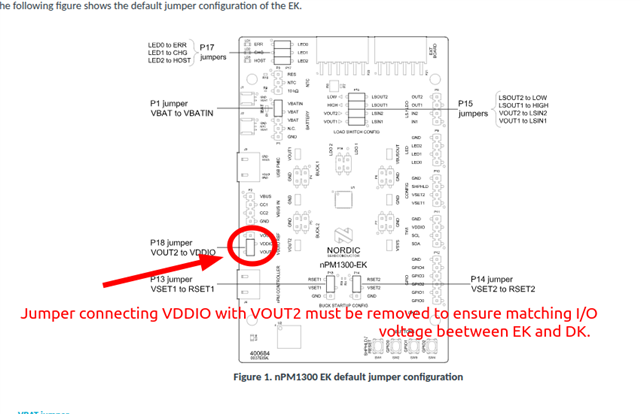
    I discussed this issue with one of the developers who pointed out the importance of following the connections outlined in the Wiring section. The jumper placements must be the same as the default placement except for the one on P18 as highlighted below. 

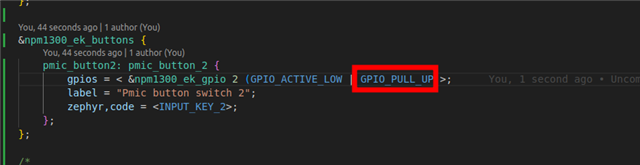
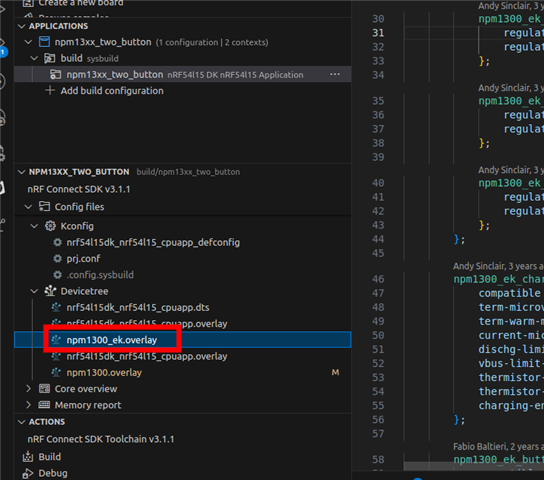
    Another issue is that I had not enabled the internal pull-up on GPIO2. This can be fixed in the npm1300.overlay:

    &npm1300_ek_buttons {
    	pmic_button2: pmic_button_2 {
            gpios = < &npm1300_ek_gpio 2 (GPIO_ACTIVE_LOW | GPIO_PULL_UP)>;
    	    label = "Pmic button switch 2";
    		zephyr,code = <INPUT_KEY_2>;
    	};
    };

    We will look into adding a picture of the EK with the correct jumper placements for this sample.

    Best regards,

    Vidar

  • Vidar,

    I have two follow up questions:

    1. How can I put the extra build command: -DSHIELD=npm1300_ek into a file so it doesn't need to be an extra command? I tried putting it in cmakelists.txt with set( SHIELD "npm1300_ek"), but that didn't do it. 

    2. How can I blink a different led? The example, npm13xx_two_button blinks ld3 (host) with the commands: led_on(leds, 1U); and led_off(leds, 1U); I tried replacing the 1U with 0U, 2U and 3U, but with those values the leds do nothing. 

    Thank you

  • 1.

    I tried putting it in cmakelists.txt with set( SHIELD "npm1300_ek"), but that didn't do it. 

    This should work if it's placed before the find_package() line. Instead of including the shiled, you can also define your own board that includes the definitions from the overlay added by this shield:

    https://github.com/nrfconnect/sdk-zephyr/blob/main/boards/shields/npm1300_ek/npm1300_ek.overlay 

    Or create an overlay for your existing build target (nrf52833dk_nrf52833.overlay) that includes the same definition as the npm1300_ek.overlay.

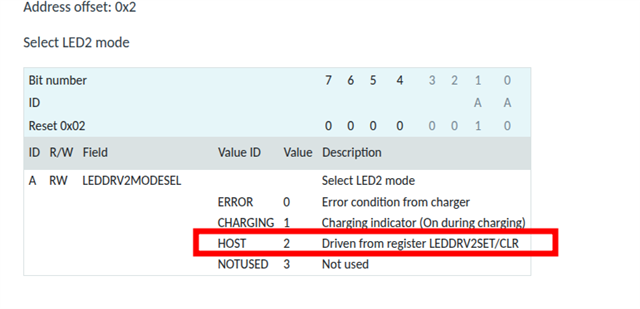
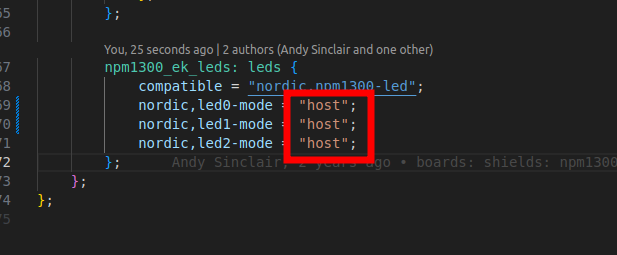
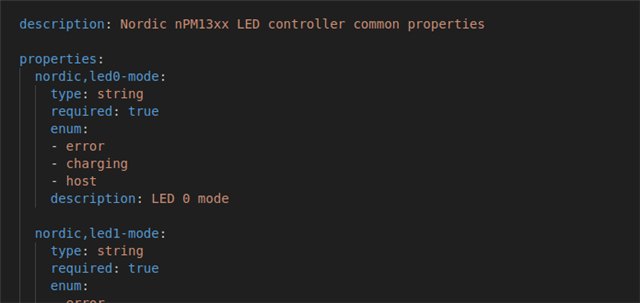
    2. For the LED to be controllable it must configured in the host mode here: 

    The default mode can be selected by changing the overlay here:

    Description of the properties from binding:

    Best regards,

    Vidar

Related