Hi,
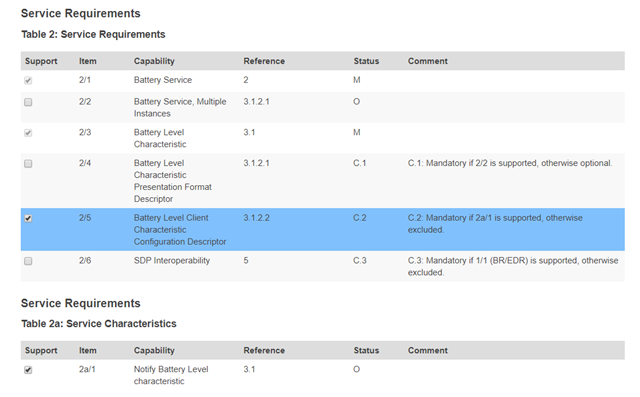
I am using NRF51822 SDK12; S130 and trying to qualify Batter level service with the SIG's PTS device (dongle)
So far encountered a problem with Test Case: BAS/SR/DES/BV-02-C, the Verdict is INCONCE, other test cases were OK.
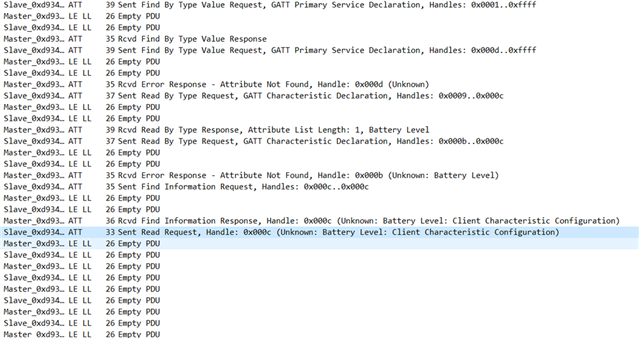
I have monitored the test with nRF sniffer + Wireshark, as you can see there is no response to the read request from the SIG PTS -
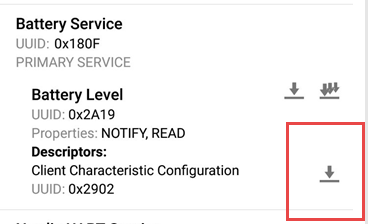
I have attempted to recreate the test myself using nRFConnect and seen the Same issue,
No response and eventually the nRF Connect Application disconnects after pressing the "Client Characteristic Configuration"
However if I enable the notification before that it works out OK,
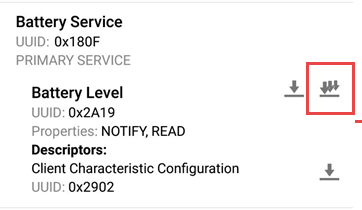
Obviously the PTS does not enable the notification earlier to reading the CCCD and it fails, but that is how the qualification works
I have attempted to do the same thing with a nordic example, only change I introduced was taking off the security key, It has the exact same behavior,
I am wondering if someone has encountered this problem and can help?
How am I suppose to qualify the battery level service?
Thanks!
---------------------------
P:S This is the log from the PTS
- Discover All Characteristics of Service Request completed successfully.
- Discover All Characteristic Descriptors Request completed successfully.
- The IUT successfully returned the Characteristic Properties for Battery Level
- Read Request completed successfully.
- GATTValue::AssignData, Cannot be parsed from the specified buffer. Field Name = Properties.
- GATTValue::CreateFields, Failed to assign data to the Field named 'Properties'.
- The data received for 'Client Characteristic Configuration' did not conform to the schema. An invalid number of bytes were received.
- Connection terminated successfully.
-Final Verdict: INCONC
BAS/SR/DES/BV-02-C finished
This is how I created the test plan