This post is older than 2 years and might not be relevant anymore
More Info: Consider searching for newer posts

create_nordic_project.py failed

I have installed the toolchain according to nRF Connect guideline, on my MAC OSX.

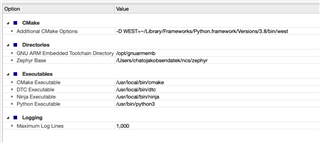
My option settings are listed in the attached image.

I downloaded release 1.4.2.

When I open a project to evaluate my nRF5340 PDK, I get this error:

Creating solution hello_world.emProject
/usr/local/bin/cmake -GNinja -DBOARD=nrf5340pdk_nrf5340_cpuapp -DBOARD_DIR=/Users/chatojakobsendatek/ncs/zephyr/boards/arm/nrf5340dk_nrf5340 -B/Users/chatojakobsendatek/ncs/zephyr/samples/hello_world/build_nrf5340pdk_nrf5340_cpuapp -S/Users/chatojakobsendatek/ncs/zephyr/samples/hello_world -DZEPHYR_TOOLCHAIN_VARIANT=gnuarmemb -DGNUARMEMB_TOOLCHAIN_PATH=/opt/gnuarmemb -DPYTHON_EXECUTABLE=/usr/bin/python3 -DCMAKE_MAKE_PROGRAM=/usr/local/bin/ninja -DDTC=/usr/local/bin/dtc -D WEST=~/Library/Frameworks/Python.framework/Versions/3.8/bin/west -DEXTRA_KCONFIG_TARGETS=menuconfig_ses -DEXTRA_KCONFIG_TARGET_COMMAND_FOR_menuconfig_ses=/Users/chatojakobsendatek/Documents/nordicsemi/arm_segger_embedded_studio_v534a_macos_x64_nordic/html/configure_nordic_project_menuconfig.py
-- Application: /Users/chatojakobsendatek/ncs/zephyr/samples/hello_world
-- Zephyr version: 2.4.0 (/Users/chatojakobsendatek/ncs/zephyr)
-- Found Python3: /usr/bin/python3 (found suitable exact version "3.7.3") found components: Interpreter
-- Board: nrf5340pdk_nrf5340_cpuapp
-- Cache files will be written to: /Users/chatojakobsendatek/Library/Caches/zephyr
-- Found dtc: /usr/local/bin/dtc (found suitable version "1.6.0", minimum required is "1.4.6")
-- Found toolchain: gnuarmemb (/opt/gnuarmemb)
-- Found BOARD.dts: /Users/chatojakobsendatek/ncs/zephyr/boards/arm/nrf5340dk_nrf5340/nrf5340pdk_nrf5340_cpuapp.dts
-- Configuring incomplete, errors occurred!
Including boilerplate (Zephyr base): /Users/chatojakobsendatek/ncs/zephyr/cmake/app/boilerplate.cmake
nrf5340pdk_nrf5340_cpuapp.dts.pre.tmp:55.42-67.3: Warning (unique_unit_address_if_enabled): /soc/peripheral@50000000/flash-controller@39000: duplicate unit-address (also used in node /soc/peripheral@50000000/kmu@39000)
nrf5340pdk_nrf5340_cpuapp.dts.pre.tmp:329.19-335.3: Warning (unique_unit_address_if_enabled): /soc/peripheral@50000000/clock@5000: duplicate unit-address (also used in node /soc/peripheral@50000000/power@5000)
nrf5340pdk_nrf5340_cpuapp.dts.pre.tmp:593.31-594.5: Warning (unique_unit_address_if_enabled): /reserved-memory/image@20000000: duplicate unit-address (also used in node /reserved-memory/image_s@20000000)
also defined at nrf5340pdk_nrf5340_cpuapp.dts.pre.tmp:613.14-615.3
Traceback (most recent call last):
File "/Users/chatojakobsendatek/ncs/zephyr/scripts/dts/gen_defines.py", line 29, in <module>
import edtlib
File "/Users/chatojakobsendatek/ncs/zephyr/scripts/dts/edtlib.py", line 78, in <module>
import yaml
ModuleNotFoundError: No module named 'yaml'
CMake Error at /Users/chatojakobsendatek/ncs/zephyr/cmake/dts.cmake:246 (message):
gen_defines.py failed with return code: 1
Call Stack (most recent call first):
/Users/chatojakobsendatek/ncs/zephyr/cmake/app/boilerplate.cmake:590 (include)
/Users/chatojakobsendatek/ncs/zephyr/share/zephyr-package/cmake/ZephyrConfig.cmake:24 (include)
/Users/chatojakobsendatek/ncs/zephyr/share/zephyr-package/cmake/ZephyrConfig.cmake:35 (include_boilerplate)
CMakeLists.txt:5 (find_package)


error: cmake failed
create_nordic_project.py failed (1)

--

I do not understand where it fails...
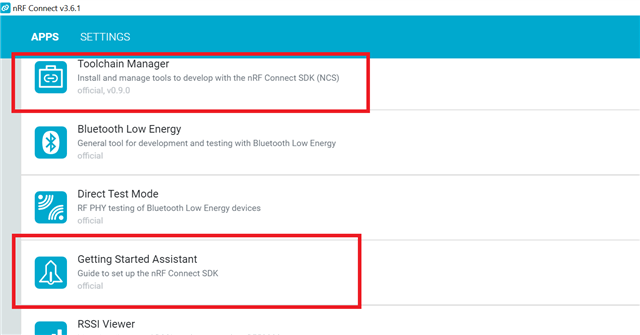
  • In nRF Connect for Desktop, there are two apps that helps you with installing NCS, the Toolchain Manager app and the Getting Started Assistant app:

    The Toolchain Manager is the newest app, and is much simpler to use. You install NCS by simply pressing a button.  It will install SES and all the necessary tools to build a project in NCS. I think the support for this app on MacOS is experimental. But I talked to a colleague with a Mac, and he said it worked withouth any problems.

    So test out that approach and see if you're able to open a project in SES.

    Check out this tutorial for more detailed instruction on how to build a project using SES: https://devzone.nordicsemi.com/nordic/nrf-connect-sdk-guides/b/getting-started/posts/nrf-connect-sdk-tutorial---part-1-ncs-v1-4-0

    If that approach doesn't work, please get back to me and I'll look into the initial issue.

    Best regards,

    Simon

  • Thanks, this solved my problem. I am now able to build and download a sample design. But, is there an overview over which sample project can be used with which kit, somewhere?

    Btw, 

  • Btw, my Safari browser did not allow me to reply to this thread...

  • I followed the things you say here on macOS. Thanks for the hel;p. I'm slowly progressing. But it is not working sofar. What I did

    1. installed everything with getting started assistant on macOS -> fails due to missing yaml import

    2. as suggested installed on macOS using experimental toolchain manager. This fails on   FileNotFoundError: [Errno 2] No such file or directory: 'git'

    3. installed everything on windows -> fails as I do not seam able to install the Segger embedded studio with the Nordic tools

    The full output of 2

    Creating solution peripheral_lbs.emProject
      /opt/nordic/ncs/v1.4.2/toolchain/bin/cmake -GNinja -DBOARD=thingy91_nrf52840 -DBOARD_DIR=/opt/nordic/ncs/v1.4.2/nrf/boards/arm/thingy91_nrf52840 -B/opt/nordic/ncs/v1.4.2/nrf/samples/bluetooth/peripheral_lbs/build_thingy91_nrf52840 -S/opt/nordic/ncs/v1.4.2/nrf/samples/bluetooth/peripheral_lbs -DNCS_TOOLCHAIN_VERSION=1.4.2 -D WEST=/Users/stijnwillems/.pyenv/shims/west -DEXTRA_KCONFIG_TARGETS=menuconfig_ses -DEXTRA_KCONFIG_TARGET_COMMAND_FOR_menuconfig_ses=/Applications/arm_segger_embedded_studio_v534a_macos_x64_nordic/html/configure_nordic_project_menuconfig.py
      -- Application: /opt/nordic/ncs/v1.4.2/nrf/samples/bluetooth/peripheral_lbs
      -- Zephyr version: 2.4.0 (/opt/nordic/ncs/v1.4.2/zephyr)
      -- Found west (found suitable version "0.7.2", minimum required is "0.7.1")
      -- Configuring incomplete, errors occurred!
      Including boilerplate (Zephyr base (cached)): /opt/nordic/ncs/v1.4.2/zephyr/cmake/app/boilerplate.cmake
      -- Using NCS Toolchain 1.4.2 for building. (/opt/nordic/ncs/v1.4.2/toolchain/cmake)
      CMake Error at /opt/nordic/ncs/v1.4.2/zephyr/cmake/zephyr_module.cmake:48 (message):
        Traceback (most recent call last):
      
          File "/opt/nordic/ncs/v1.4.2/zephyr/scripts/zephyr_module.py", line 326, in <module>
            main()
          File "/opt/nordic/ncs/v1.4.2/zephyr/scripts/zephyr_module.py", line 235, in main
            manifest = Manifest.from_file()
          File "/opt/nordic/ncs/v1.4.2/toolchain/Cellar/[email protected]/3.8.2/Frameworks/Python.framework/Versions/3.8/lib/python3.8/site-packages/west/manifest.py", line 252, in from_file
            return Manifest(**kwargs)
          File "/opt/nordic/ncs/v1.4.2/toolchain/Cellar/[email protected]/3.8.2/Frameworks/Python.framework/Versions/3.8/lib/python3.8/site-packages/west/manifest.py", line 413, in __init__
            self._load(source_data['manifest'], manifest_path,
          File "/opt/nordic/ncs/v1.4.2/toolchain/Cellar/[email protected]/3.8.2/Frameworks/Python.framework/Versions/3.8/lib/python3.8/site-packages/west/manifest.py", line 599, in _load
            self._load_projects(manifest, url_bases, defaults, ctx)
          File "/opt/nordic/ncs/v1.4.2/toolchain/Cellar/[email protected]/3.8.2/Frameworks/Python.framework/Versions/3.8/lib/python3.8/site-packages/west/manifest.py", line 800, in _load_projects
            self._import_from_project(project, imp, ctx)
          File "/opt/nordic/ncs/v1.4.2/toolchain/Cellar/[email protected]/3.8.2/Frameworks/Python.framework/Versions/3.8/lib/python3.8/site-packages/west/manifest.py", line 873, in _import_from_project
            self._import_path_from_project(project, imap.file,
          File "/opt/nordic/ncs/v1.4.2/toolchain/Cellar/[email protected]/3.8.2/Frameworks/Python.framework/Versions/3.8/lib/python3.8/site-packages/west/manifest.py", line 884, in _import_path_from_project
            imported = self._import_content_from_project(project, path)
          File "/opt/nordic/ncs/v1.4.2/toolchain/Cellar/[email protected]/3.8.2/Frameworks/Python.framework/Versions/3.8/lib/python3.8/site-packages/west/manifest.py", line 923, in _import_content_from_project
            project.is_cloned():
          File "/opt/nordic/ncs/v1.4.2/toolchain/Cellar/[email protected]/3.8.2/Frameworks/Python.framework/Versions/3.8/lib/python3.8/site-packages/west/manifest.py", line 1332, in is_cloned
            res = self.git('rev-parse --show-cdup', check=False,
          File "/opt/nordic/ncs/v1.4.2/toolchain/Cellar/[email protected]/3.8.2/Frameworks/Python.framework/Versions/3.8/lib/python3.8/site-packages/west/manifest.py", line 1231, in git
            popen = subprocess.Popen(
          File "/opt/nordic/ncs/v1.4.2/toolchain/Cellar/[email protected]/3.8.2/Frameworks/Python.framework/Versions/3.8/lib/python3.8/subprocess.py", line 854, in __init__
            self._execute_child(args, executable, preexec_fn, close_fds,
          File "/opt/nordic/ncs/v1.4.2/toolchain/Cellar/[email protected]/3.8.2/Frameworks/Python.framework/Versions/3.8/lib/python3.8/subprocess.py", line 1702, in _execute_child
            raise child_exception_type(errno_num, err_msg, err_filename)
      
        FileNotFoundError: [Errno 2] No such file or directory: 'git'
      
      Call Stack (most recent call first):
        /opt/nordic/ncs/v1.4.2/zephyr/cmake/app/boilerplate.cmake:150 (include)
        /opt/nordic/ncs/v1.4.2/zephyr/share/zephyr-package/cmake/ZephyrConfig.cmake:24 (include)
        /opt/nordic/ncs/v1.4.2/zephyr/share/zephyr-package/cmake/ZephyrConfig.cmake:40 (include_boilerplate)
        CMakeLists.txt:8 (find_package)


      error: cmake failed
      create_nordic_project.py failed (1)

    So I would appreciate some help thanks!

  • We are aware of the issues regarding installing NCS on macOS, and we are currently working on improving the documentation and make the apps more stable.

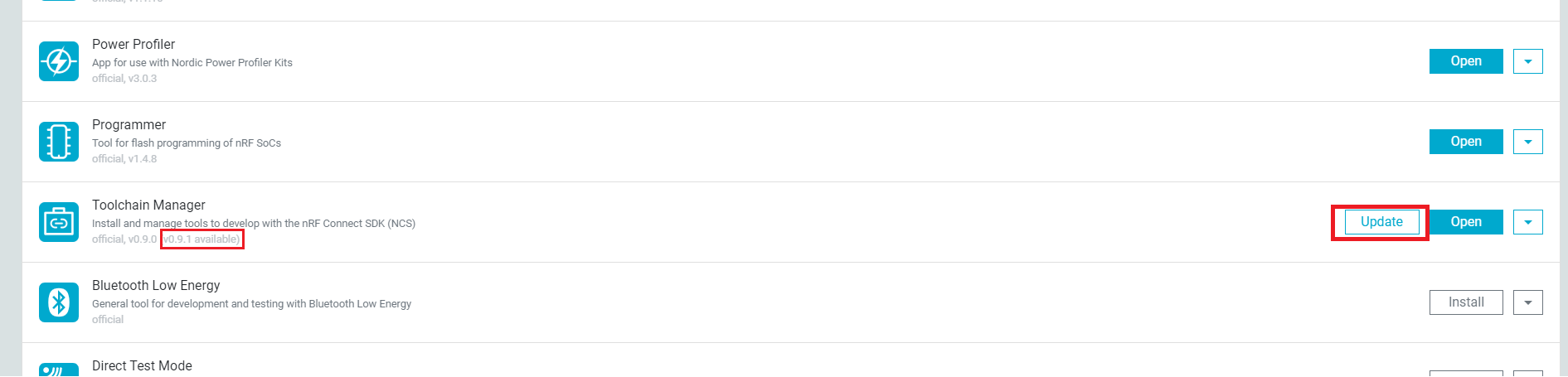
    We have just released a new version of the Toolchain manager, that fixed some bugs. Could you check it out and see if it solves this issue:

    I would like to inform you that it is important to stick 100% to the Toolchain Manager OR 100% with the Getting Started Assistant, if you mix these methods you may encounter trouble. The team working on the Toolchain Manager are aware of this and will fix it.

    Please get back to me if you're still having problems.

    Best regards,

    Simon

Related