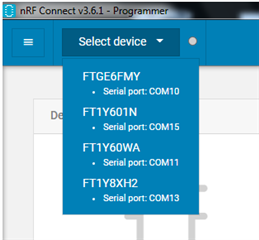
At my system (production) there are 6 serial ports and 2 programmer (ARM-Flasher from Segger) connected.
The nRF Connect - Programmer only display 5 COM-Ports and NO Segger-ARM-Flasher-Programmer.
Also the COM1 not displayed
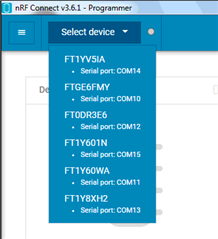
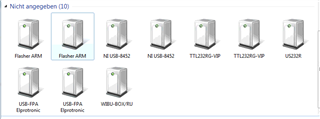
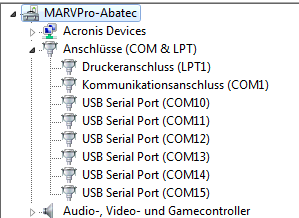
At my system (production) there are 6 serial ports and 2 programmer (ARM-Flasher from Segger) connected.
The nRF Connect - Programmer only display 5 COM-Ports and NO Segger-ARM-Flasher-Programmer.
Also the COM1 not displayed
Hello.
Yes ist only 2 serial ports on the PC i can see the Segger-ARM-Flasher in the device list.
If 6 serial ports on the PC i can not see the Segger-ARM-Flasher in the device list.
J-Link = 6.88a
Hello,
I tryed and disconnect some of the serial ports of out test system, but the Segger-ARM-Flasher will not displayed in the device list.
I also connect the same Segger-ARM-Flasher to the PC (without USB-HUB) and it will not displayed.

The only difference between the 2 PCs are that at the test system PC Windows7 32 bit ist installed. (device not displayed)
At the developement PC Windows10 64 bit is installed (device displayed and can selected)
Hello,
It sounds like the issue may likely be related to the Windows version. Any chance you can upgrade to Windows 10 on this particular PC? We are no longer testing our releases against Windows 7 as Microsoft stopped supporting it last year (link). I also think it would be better to get the Python script working to allow for automation of the programming process. Øyvind will follow up on that.
Hello, no it is not possible to update the PC to Windows 10.
Thank you for the support
Hello, please try to downgrade your Python version as Øyvind suggested. I'm hoping this will fix the issue you're seeing with pynrfjprog.