nRF52833: CDC ACM USB Bootloader example is not available.

Using windows 10 OS, and SES v5.40.

I am using nRF52833 device in my project along with nRF5_SDK_for_Thread_and Zigbee_v4.1.0_32ce5f8 SDK.

As we can see that there is an example of CDC ACM USB Bootloader available for nRF52840 only https://infocenter.nordicsemi.com/topic/com.nordic.infocenter.sdk5.v15.0.0/sdk_app_serial_dfu_bootloader.html but we need for nRF52833.

so is there any example of CDC ACM USB Bootloader available for nRF52833 or supports nRF52833?

  • Hi,

    Thanks for the support now every thing is working fine.

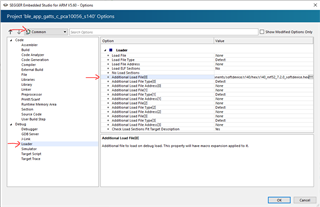
    but still there is some thing strange, if we flash our pcb via SES the every thing working fine but if we flash same .hex file through nrfjprog --program or nrf connect then its not working...

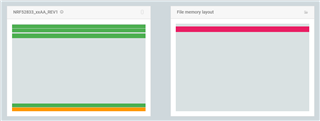
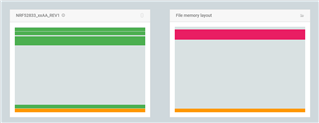
    the left one, device flashed through SES and right one is the same .hex file.

  • Hi,

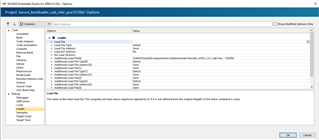
    It seems like you are missing the SoftDevice. If you flash an example project that depend on the SoftDevice from SES, that will also flash the SoftDevice, as it is an additional load file. See here:

    The SoftDevice is not part of your application hex, so if using something else you need to also add and flash the SoftDevice hex file. With nRF Connect Programmer simply add the SoftDevice hex also before you press "Erase & write". You fill find the SoftDevices under <nRF5 SDK>\components\softdevice\.

  • Hi,

    Thanks for the reply and Happy new year.

    we are not using any soft device but in loader section MBR hex is added.

    So at time of flashing we ware added MBR hex file too then its looks good even serial port is detecting too but while updating device through bootloader it's throwing error.

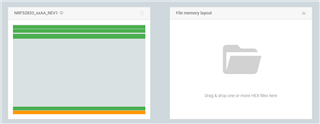
    even in nRf connect we can see that the memory layout is same.


    device flashed through nRf connect.

    device flashed through SES.

    And one strange thing i have observed too if i flash through SES and read device through nRf connect then it's throwing the same error.

  • Hi,

    Akib said:
    we are not using any soft device but in loader section MBR hex is added.

    I see. As long as you flash the MBR hex together with the application from the programmer app, then this should be equivalent and the flash content should be exactly the same and it should work the same.

    Akib said:
    So at time of flashing we ware added MBR hex file too then its looks good even serial port is detecting too but while updating device through bootloader it's throwing error.

    This error states that the serial port cannot be opened. This could for instance be because of an issue on your PC, or that the firmware running on the nRF did not enable the USB properly (like an issue with the USB bootloader not started).

    Akib said:
    And one strange thing i have observed too if i flash through SES and read device through nRf connect then it's throwing the same error.

    This is peculiar, as a simple read does not change the flash content at al.  Could it be that nRF Connect Programmer was holding the USB serial port? What happens if you close it (or even reboot the computer) and try again? What if you reset the nRF instead, or do both?

  • Hi,

    Thanks for quick reply.

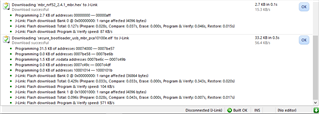
    May be there are some issue with nRF connect because i have flashed same hex through command prompt using nrfjprog cmd and mergehex cmd then every thing is working fine we don't have any issue now.

    once again thanks for the support. Slight smile

Related