Hello,
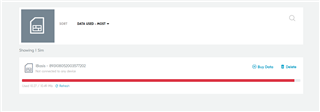
for some days now, my modem is unable to connect to the network, it gets stuck in searching and i don't know why?. I am using an eSIM card from iBasis and i am trying to connect over LTE-M or NB-Iot to the californium server, but it just gets stuck.
Note: The modem hasn't been doing this in the past, it just started getting stuck some days ago until now
Can someone please help me .
2021-11-04T10:28:46.891Z INFO Application data folder: C:\Users\tcheced\AppData\Roaming\nrfconnect\pc-nrfconnect-linkmonitor
2021-11-04T10:28:46.971Z DEBUG App pc-nrfconnect-linkmonitor v2.0.0 official
2021-11-04T10:28:46.971Z DEBUG App path: C:\Users\tcheced\.nrfconnect-apps\node_modules\pc-nrfconnect-linkmonitor
2021-11-04T10:28:46.971Z DEBUG nRFConnect 3.8.0 is not supported by the app (^3.8.0)
2021-11-04T10:28:46.971Z DEBUG nRFConnect path: C:\Users\tcheced\AppData\Local\Programs\nrfconnect\resources\app.asar
2021-11-04T10:28:46.971Z DEBUG HomeDir: C:\Users\tcheced
2021-11-04T10:28:46.971Z DEBUG TmpDir: C:\Users\tcheced\AppData\Local\Temp
2021-11-04T10:28:50.873Z INFO Modem port is opened
2021-11-04T10:28:55.793Z DEBUG modem << *** Booting Zephyr OS build v2.6.0-rc1-ncs1  ***
2021-11-04T10:28:55.807Z DEBUG modem << Flash regionsDomainPermissions
2021-11-04T10:28:55.811Z DEBUG modem << 00 01 0x00000 0x10000 Securerwxl
2021-11-04T10:28:55.814Z DEBUG modem << 02 31 0x10000 0x100000 Non-Securerwxl
2021-11-04T10:28:55.815Z DEBUG modem << Non-secure callable region 0 placed in flash region 1 with size 32.
2021-11-04T10:28:55.859Z DEBUG modem << SRAM regionDomainPermissions
2021-11-04T10:28:55.862Z DEBUG modem << 00 07 0x00000 0x10000 Securerwxl
2021-11-04T10:28:55.866Z DEBUG modem << 08 31 0x10000 0x40000 Non-Securerwxl
2021-11-04T10:28:55.868Z DEBUG modem << PeripheralDomainStatus
2021-11-04T10:28:55.872Z DEBUG modem << 00 NRF_P0               Non-SecureOK
2021-11-04T10:28:55.879Z DEBUG modem << 01 NRF_CLOCK            Non-SecureOK
2021-11-04T10:28:55.881Z DEBUG modem << 02 NRF_RTC0             Non-SecureOK
2021-11-04T10:28:55.888Z DEBUG modem << 03 NRF_RTC1             Non-SecureOK
2021-11-04T10:28:55.890Z DEBUG modem << 04 NRF_NVMC             Non-SecureOK
2021-11-04T10:28:55.897Z DEBUG modem << 05 NRF_UARTE1           Non-SecureOK
2021-11-04T10:28:55.900Z DEBUG modem << 06 NRF_UARTE2           SecureSKIP
2021-11-04T10:28:55.905Z DEBUG modem << 07 NRF_TWIM2            Non-SecureOK
2021-11-04T10:28:55.908Z DEBUG modem << 08 NRF_SPIM3            Non-SecureOK
2021-11-04T10:28:55.913Z DEBUG modem << 09 NRF_TIMER0           Non-SecureOK
2021-11-04T10:28:55.918Z DEBUG modem << 10 NRF_TIMER1           Non-SecureOK
2021-11-04T10:28:55.920Z DEBUG modem << 11 NRF_TIMER2           Non-SecureOK
2021-11-04T10:28:55.922Z DEBUG modem << 12 NRF_SAADC            Non-SecureOK
2021-11-04T10:28:55.930Z DEBUG modem << 13 NRF_PWM0             Non-SecureOK
2021-11-04T10:28:55.931Z DEBUG modem << 14 NRF_PWM1             Non-SecureOK
2021-11-04T10:28:55.933Z DEBUG modem << 15 NRF_PWM2             Non-SecureOK
2021-11-04T10:28:55.934Z DEBUG modem << 16 NRF_PWM3             Non-SecureOK
2021-11-04T10:28:55.939Z DEBUG modem << 17 NRF_WDT              Non-SecureOK
2021-11-04T10:28:55.943Z DEBUG modem << 18 NRF_IPC              Non-SecureOK
2021-11-04T10:28:55.948Z DEBUG modem << 19 NRF_VMC              Non-SecureOK
2021-11-04T10:28:55.950Z DEBUG modem << 20 NRF_FPU              Non-SecureOK
2021-11-04T10:28:55.958Z DEBUG modem << 21 NRF_EGU1             Non-SecureOK
2021-11-04T10:28:55.968Z DEBUG modem << 22 NRF_EGU2             Non-SecureOK
2021-11-04T10:28:55.970Z DEBUG modem << 23 NRF_DPPIC            Non-SecureOK
2021-11-04T10:28:55.971Z DEBUG modem << 24 NRF_REGULATORS       Non-SecureOK
2021-11-04T10:28:55.980Z DEBUG modem << 25 NRF_PDM              Non-SecureOK
2021-11-04T10:28:55.981Z DEBUG modem << 26 NRF_I2S              Non-SecureOK
2021-11-04T10:28:55.986Z DEBUG modem << 27 NRF_GPIOTE1          Non-SecureOK
2021-11-04T10:28:55.987Z DEBUG modem << SPM: NS image at 0x10000
2021-11-04T10:28:55.988Z DEBUG modem << SPM: NS MSP at 0x2001e3a0
2021-11-04T10:28:55.989Z DEBUG modem << SPM: NS reset vector at 0x147f1
2021-11-04T10:28:55.991Z DEBUG modem << SPM: prepare to jump to Non-Secure image.
2021-11-04T10:28:56.215Z DEBUG modem << *** Booting Zephyr OS build v2.6.0-rc1-ncs1  ***
2021-11-04T10:28:56.227Z DEBUG modem <<  CoAP/UDP sample started..
2021-11-04T10:28:56.230Z DEBUG modem << Verbindung zum LTE-Netz wird hergestellt
2021-11-04T10:28:56.234Z DEBUG modem << Das kann ein paar Minuten dauern..
2021-11-04T10:28:56.355Z DEBUG modem << Mit LTE-Netz verbunden
2021-11-04T10:28:57.540Z DEBUG modem << +CEREG: 2,"63AE","01A3F802",7
2021-11-04T10:28:57.555Z DEBUG modem << LTE veränderte Zelle: Zelle ID: 27523074, Tracking area: 25518
2021-11-04T10:28:57.557Z DEBUG modem << Active LTE Modus: LTE-M
BR,
Cedric