NRF5340 with PDM

HI,

 We are using the IM69D120 PDM mic for our audio application. I am able to interface the MIC and record audio with the NRF5340. 

       I have read the PDM data and stored it in an external SRAM connected through SPI. Then I read the data from SRAM and transferred it through BLE and captured the data with the help of the python app.

1) Test Case 1:  PIN mapping.

      At first, I connected the SRAM Pin to port 0 pins. I can get clear audio. But, I changed the SRAM pins to port 1 I can't be able to get the clear audio. The output audio has a clipping sound randomly.

      1) why is the audio coming correctly with port 0 pins alone? why it is not coming with port 1 pins? 

       2) Is there any configurations there to make it work with port 1 pins?

  2) Test Case 2: Zephyr timer and thread.

          Once I started using timer and thread in the same project. Again, I am not getting the non-quality audio.

           1) I need to know if this is because of zephyr. Because I have read the zephyr documentation (https://docs.zephyrproject.org/2.6.0/boards/arm/nrf5340dk_nrf5340/doc/index.html)

                in this documentation, the PDM is not listed in the zephyr supported hardware features list. 

Thanks & Regards

Navin

  • Hi Kenneth,

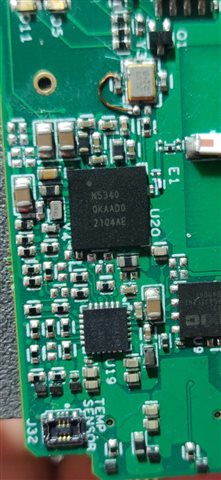
    1) I have attached my soc image for your reference.

    2) My DK version is 2.0.0

    3) also, my nrf connect SDK version is 1.9.1

    Thanks & Regards

    Navin

  • Hi kenneth,

    Are you There. We are waiting for your reply.

    Thanks & Regards

    Navin 

  • Hi,

    The only thing I can think of that have some influence here is that port1 by default is setup to be used by the network core. But I assume you have changed that so that the pdm pins in question does not conflict with this. What analysis have you done on the "clipping sound"? Does it repeat repeatedly at some interval? Is it constant on all audio etc? Is some of the audio good?

    Kenneth

  • Hi Keneth,

    The only thing I can think of that have some influence here is that port1 by default is setup to be used by the network core. But I assume you have changed that so that the pdm pins in question does not conflict with this

      I have mentioned those Pins as Port 1. But I have not changed the pins to application core pins. Kindly tell me the procedure to do that. I will check.

    What analysis have you done on the "clipping sound"? Does it repeat repeatedly at some interval? Is it constant on all audio etc? Is some of the audio good?

    the clipping sounds are random and are not at some regular intervals. in all audio, we get like like one to 3 clipping sound at a random interval.

    If We tried with the Audio application alone (means without adding any timer or interrupt). Then We can able to get clear audio.

    Thanks & Regards

    Navin

  • Mr.NCK said:
      I have mentioned those Pins as Port 1. But I have not changed the pins to application core pins. Kindly tell me the procedure to do that. I will check.

    If the problem was related to pin assignment between cores they should not work at all, you can find relevant information here on how this assignment is done (though this has changed a bit between ncs releases, so I am also adding a link to a devzone case);

    New: https://developer.nordicsemi.com/nRF_Connect_SDK/doc/latest/zephyr/build/dts/api/bindings/gpio/nordic,nrf-gpio-forwarder.html 

    Older:  RE: nrf5340: How to Reconfigure Pins P0.08. P0.09, P0.10, P0.11, P0.12 for SPI Bus  

    You do have good grounding between the mic and DK right, the pin header is proper connected?

    Mr.NCK said:
    the clipping sounds are random and are not at some regular intervals. in all audio, we get like like one to 3 clipping sound at a random interval.

    I doubt this is related to the pin assignment, it sounds much more related to application priority and not a pin conflict. I can not understand reason why changing pin the used by the PDM peripheral should cause what you describe. I suggest to continue debugging and simplify the project to narrow down the root cause, you may also consider looking at the audio source to make sure it's not saturating the input etc.

    Hopefully you will be able to narrow it down and find root cause. If you are unable to make this work, then I guess you need to provide some means of me to recreate this here, but then I likely would need your harware (or at least the mic I can attach to the nRF5340-DK) and a project that I can use to change between the pins when running on the DK.

    Edit; You are on a recent release of ncs?

    Kenneth

Related