Hi Nordic DevZone! I built firmware that turns the Thingy:53 into a Bluetooth LE mouse. Move the pointer with your wrist and use SW3 to click, drag, and navigate back or forward...
Version: ncs-serial-modem v1.0.1 (5945158b6b34) on an nRF54L15 host with an nRF9151 modem ( serial modem firmware) . When using the sm_at_client, gpio_init() sets RI up as...
Hi,
I'm building a round handlebar navigation display for motorcycles and would really appreciate a hardware review before the board goes to layout and production. The board...
Hi Nordic Team,
Issue Description
We are facing an issue while flashing our custom board using west flash with nRF Connect SDK v3.2.1 and the associated toolchain...
Hi everyone,
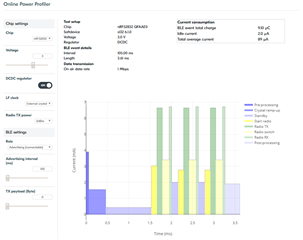
I am working on a low-power wireless sensor node for my engineering degree thesis using the nRF7002 DK and nRF Connect SDK v3.4.2 (Zephyr v4.4.2). The application...
With the release of the nRF51 IoT SDK, I guess quite a few would like to start playing with it.
To ease starting up, and enabling you to do a simple "hello world", I have written a step-by-step guide…
Are you looking to make your first steps with Bluetooth Smart?
Are you looking for hands-on help to get started with Bluetooth Smart ?
Playing could be the best form of learning and its time to play…
I recently blogged about Nordic and Hackathons, but didn't include too much information; I knew already there was something coming. And now it is finally published: #HackDublin - Ireland's First Design…
Today, QuickLogic announced the availability of our TAG-N Wearable Sensor Hub evaluation kit for the Nordic Semi nRF51 DK, Nordic’s all-in-one, multiprotocol development kit for ultra-low power wireless…
Recently we introduced support for CMSIS-Pack into our nRF51 SDK. The nRF51 SDK is natively supported in the Keil IDE. This means that nRF51 SDK latest version and example software for nRF51 are easily…
Hi,
I am planning to design a device based on nRF51-dk but with external programmer. I have ST-Link available so I thought I just provide a simple walk through showing how to set it up.
Firstly, here…