Hello,
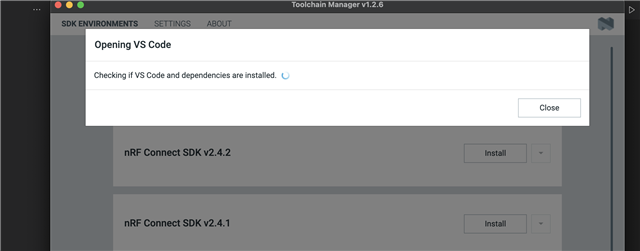
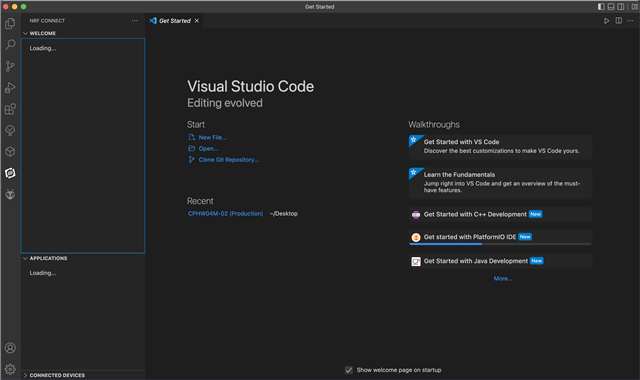
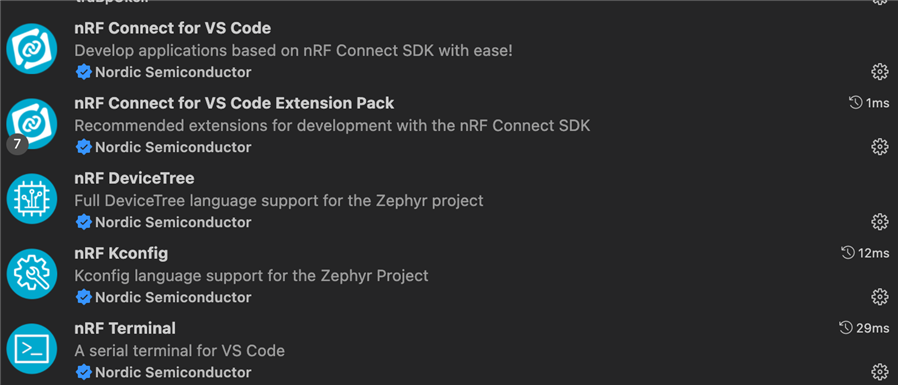
I'm new to NRF. I downloaded NRF Connect for VS Code to do simple development. I also installed other plugins. But no matter what I do, my screen stays like this. Can you help me? 
Hello,
I'm new to NRF. I downloaded NRF Connect for VS Code to do simple development. I also installed other plugins. But no matter what I do, my screen stays like this. Can you help me? 

Hello,
Please follow the steps written in the Getting Started section of the documentation regarding the setup of the SDK.
If you through the steps here, and the use Toolchain Manager application in nRF Connect for Desktop to 'open Visual Studio Code' then this will verify that all the extensions and their dependencies are in place.
Please try this, and let me know if you still see the issue when you give this a try.
If you are new to nRF development I would highly recommend taking a look through the nRF Connect Fundementals course on DevAcademy to quickly familiarize and get up to speed with development with nRF! :)
Please do not hesitate to ask if you should have any follow-up questions to any of this!
Best regards,
Karl
Hello Karl, Thank you very much for your suggestions. I tried but still have the same problem. I opened it via Toolchain manager but it didn't work. Do I need to completely delete everything and reinstall? Could the problem be due to the macOS operating system?

Hello,
fafeyto said:Thank you very much for your suggestions.
No problem at all, I am happy to help!
fafeyto said:I tried but still have the same problem. I opened it via Toolchain manager but it didn't work. Do I need to completely delete everything and reinstall? Could the problem be due to the macOS operating system?
That's strange - I will discuss this with some of my colleagues that work on mac, to see if they have any suggestions.
In the meantime it would be great if you could give it a try to uninstall everything, and then follow the steps in the 'getting started' documentation to set up the SDK and VSC again, and let me know if this makes any difference :)
I have many colleagues who works on mac, and this is regularly tested by the developers too, so this should not be an issue.
Best regards,
Karl
Hi Karl
I uninstalled everything and reinstall it. Theni It works. Thank you for your support. Karl Ylvisaker
Hi Karl
I uninstalled everything and reinstall it. Theni It works. Thank you for your support. Karl Ylvisaker