nRF 9161 AT command for testing TX signal not available?

Hello,

I've been working with both the nRF 9160 and nRF 9161, with checking/testing the RF of TX. 

I have been successful in using AT commands to test 9160, with this command: AT%XRFTEST = 1,1,5,8300,17,0,3,12,0,0,0,0,0
(example from the infocenter.nordicsemi.com)

I also connected to a spectrum analyzer to verify I am getting my expected 830 Mhz. (I am Slight smile)

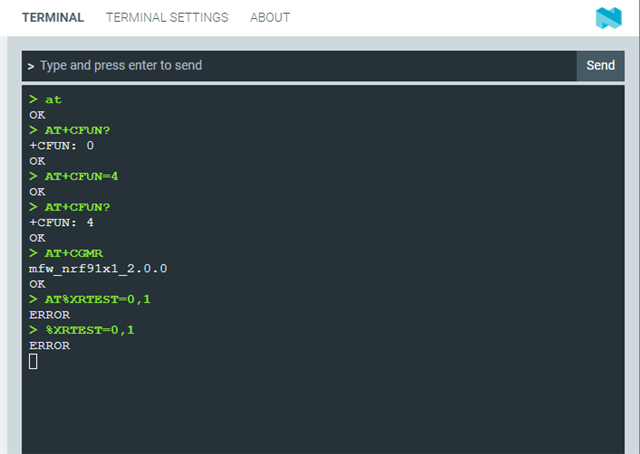
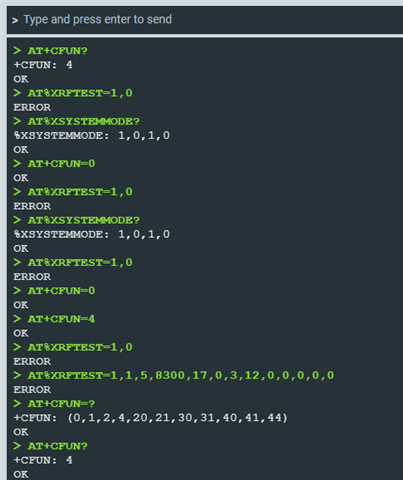
However, I haven't been as successful with 9161. I used the same command and receive the message 'error' no error code, just 'error'. 

I've done a bit of research, and it seems that only RX testing is available for nRF 9161 with AT Commands.

My question is, is there a tool to verify the RF of TX on nRF 9161 with or without AT Commands?
Or when should I expect support for Testing TX on nRF 9161?
My last question, how could I verify if I have the PTI installed on the board or where could I find the PTI to then install it on the board? (As it seems that it does have the test command for TX)

My resources: 

The image below just shows the error message

.
Parents
  • Hi Brittney, sorry for the delay.

    My last question, how could I verify if I have the PTI installed on the board

    EDIT: AT+CGMR should do the trick. Try opening Cellular Monitor from nRF Connect for Desktop. Select the device at the top left and then click 'Start'. This is possibly one way to detect the modem firmware version, however, I have not tried this with PTI.

    where could I find the PTI to then install it on the board?

    The PTI is intended for production testing, not for the customer to use. We therefore do not have this available for download. Why do you need this, and what would you like to test?

    I used the same command and receive the message 'error' no error code, just 'error'. 

    Could you try %XRFTEST=0,1 ? Do you get the same result?

Reply
  • Hi Brittney, sorry for the delay.

    My last question, how could I verify if I have the PTI installed on the board

    EDIT: AT+CGMR should do the trick. Try opening Cellular Monitor from nRF Connect for Desktop. Select the device at the top left and then click 'Start'. This is possibly one way to detect the modem firmware version, however, I have not tried this with PTI.

    where could I find the PTI to then install it on the board?

    The PTI is intended for production testing, not for the customer to use. We therefore do not have this available for download. Why do you need this, and what would you like to test?

    I used the same command and receive the message 'error' no error code, just 'error'. 

    Could you try %XRFTEST=0,1 ? Do you get the same result?

Children
Related