Hello community,
I am stuck on a problem regarding uploading of a new firmware over BLE using smp_svr sample program.
Here are the following steps I am doing :
1. First I am compiling the sample program present at /zephyr/samples/subsys/mgmt/mcumgr/smp_svr with the bluetooth overlay file :
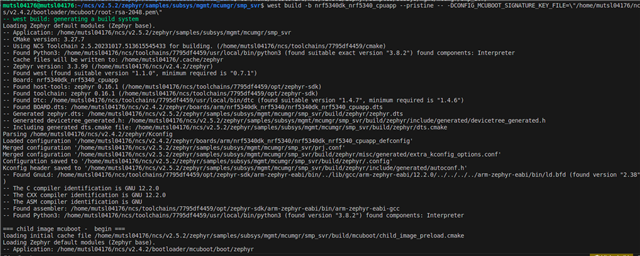
This is the command I am using : west build -b nrf5340dk_nrf5340_cpuapp --pristine -- -DOVERLAY_CONFIG=overlay-bt.conf -DCONFIG_MCUBOOT_SIGNATURE_KEY_FILE=\"/home/mutsl04176/ncs/v2.4.2/bootloader/mcuboot/root-rsa-2048.pem\"
The program compiles successfully:
Then I am flashing the merged.hex file generated at /build/zephyr directory:

To test out the image management functionalities over bluetooth I am using the mcumgr tool:
As you can see that I am able to see the image list using the following command:
sudo ./mcumgr --conntype ble --connstring ctlr_name=hci0,peer_name='Zephyr' image list

Similarly the image upload command also works :
For an example I am using the blink example, compiling it and uploading the app_update.bin file via BLE using mcumgr
sudo ./mcumgr --conntype ble --connstring ctlr_name=hci0,peer_name='Zephyr' image upload /home/mutsl04176/ncs/v2.5.2/zephyr/samples/basic/blinky/build/zephyr/app_update.bin

Once can also see that if I check the image list again, a new image on the second slot is available.
Next I am confirming the second image and then resetting the board in order for the new image to boot up once reset is done :

An the problem arises here. After image reset, the LED is not blinking, i.e. the new program that was flashed is not executing.
Any idea why this is happening? Any steps that I am missing here? Some guidance here will be super helpful!