CONFIG_BT_NUS_UART_BUFFER_SIZE not recognised when I try to implement NUS service

Hello,

I have a project running on a BL653 devkit board (which is a Laird BLE module based on a Nordic NRF52840 device).

I am developing the firmware with Zephyr (this is my first project using this environment).

I started off with the Blinky project and have added routines to start to implement my project requirements.

All was going well until I tried to integrate an NUS service with a large TX/RX buffer (based on the Peripheral UART example).

I have tested the Peripheral NUS example with increased buffer size on a NRF52840 DK and this works well. I increased the buffer sizes by modifying the value in the prj.conf file:

CONFIG_BT_L2CAP_TX_MTU=254
CONFIG_BT_NUS_UART_BUFFER_SIZE=254
CONFIG_BT_BUF_ACL_RX_SIZE=254

This all worked well (handles larger TX/RX data over BLE NUS service - as the stock example restricts the transmission to around 40 bytes).

When I tried to transfer the relevant code from the Peripheral UART example to my project I get an error saying that it does not recognise the 'CONFIG_BT_NUS_UART_BUFFER_SIZE' (even though I have 'CONFIG_BT_NUS=y' enabled).

One thing I have noticed is that when I open the 'nRF Kconfig GUI' in the Peripheral UART sample code, there is an additional menu item displayed right at the bottom of the listing for 'Nordic UART BLE GATT Service Sample':
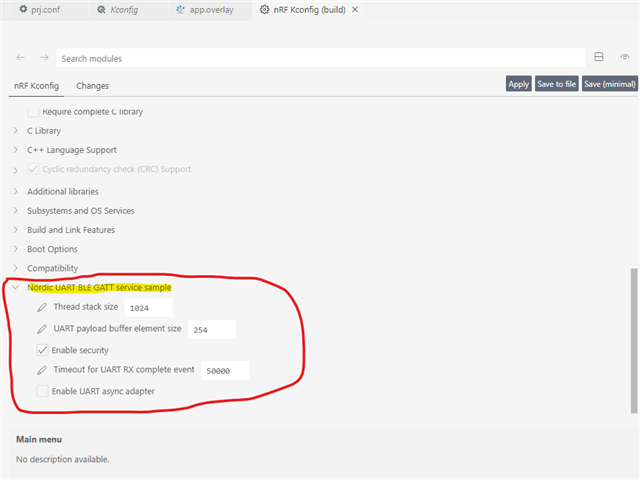
This menu item does not appear in my project that is based on the Blinky project:
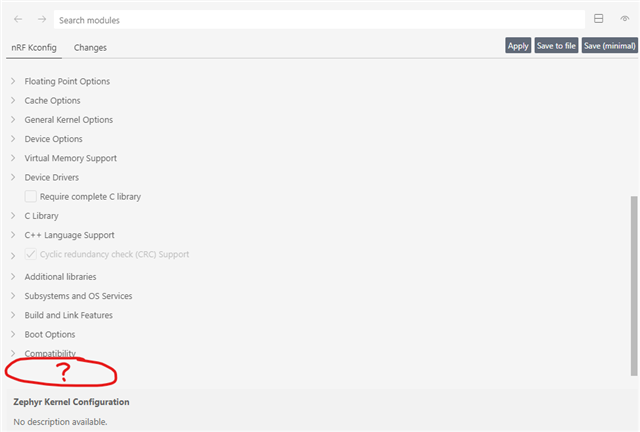
How can I properly port over the Peripheral NUS sample code into my project so that it recognises the 'CONFIG_BT_NUS_UART_BUFFER_SIZE' ??

Kind regards

Michael

Parents
  • Hello Michael,

    The reason you see these additional options in the peripheral_uart sample is that they are defined in the sample's Kconfig file. If you open a folder in ncs\nrf\samples\bluetooth\peripheral_uart, you can see the file called Kconfig. If you open it in a text editor (notepad), you can see where these configs are defined. 

    If you want to bring them over to your blinky sample, just copy the Kconfig file from the peripheral_uart sample into your blinky folder (same folder as the CMakelists.txt). If you want to bring them over to a sample that already has a Kconfig file, you can just copy the configs that you want to use over to the old Kconfig file.

    I hope that clears things up a bit.

    Best regards,

    Edvin

Reply
  • Hello Michael,

    The reason you see these additional options in the peripheral_uart sample is that they are defined in the sample's Kconfig file. If you open a folder in ncs\nrf\samples\bluetooth\peripheral_uart, you can see the file called Kconfig. If you open it in a text editor (notepad), you can see where these configs are defined. 

    If you want to bring them over to your blinky sample, just copy the Kconfig file from the peripheral_uart sample into your blinky folder (same folder as the CMakelists.txt). If you want to bring them over to a sample that already has a Kconfig file, you can just copy the configs that you want to use over to the old Kconfig file.

    I hope that clears things up a bit.

    Best regards,

    Edvin

Children
No Data
Related