Running and creating unit test for nordic application

Hello. 

I am trying to learn how to implement unit tests for embedded c-application. I created simple example about my problem and I am having hard time actually running the tests using native sim or nrf9160dk as target. I am following these instructions from nordic: https://developer.nordicsemi.com/nRF_Connect_SDK/doc/latest/nrf/test_and_optimize/testing_unity_cmock.html 

I have installed these tools: Cmock,Unity & Ruby.

Everytime I try to run this command 'west build -b native_posix -t run', I get this output: 

```

PS C:\Users\OMISTAJA\Projekt\Testeri\Unit\src\test> west build -b native_posix -t run
usage: west [-h] [-z ZEPHYR_BASE] [-v] [-V] <command> ...
west: error: argument <command>: invalid choice: 'build' (choose from 'init', 'update', 'list', 'manifest', 'diff', 'status', 'forall', 'help', 'config', 'topdir', 'selfupdate')

```

I am using nrf connect from vscode.

0160.Unit.zip

Parents
  • Hello,

    Where are you running this command from? That is an error that appears when your environmental variables are set incorrectly.

    If your SDK version is set corrently in VS Code, then please try to open a new terminal of type "nRF Connect" and it should set up the environmental variables accordingly.

    You can also modify your ZEPHYR_BASE environmental variable manually to point to the path of the "zephyr" folder in NCS.

    Best regards,

    Michal

  • Hello,
    Thanks for the reply. I was originally  running the command from powershell.
    Now I switched to nrf Connect and got this error: 

    ´´´

    PS C:\Users\OMISTAJA\Projekt\Testeri\Unit\src\test> west build -b native_posix -t run
    -- west build: running target run
    ninja: error: loading 'build.ninja': No such file or directory .

    FATAL ERROR: command exited with status 1: 'C:\ncs\toolchains\v2.3.0\opt\bin\cmake.EXE' --build 'C:\Users\OMISTAJA\Projekt\Testeri\Unit\src\test\build' --target run

    ´´´

    This looks like Cmake error. I am complete beginner when it comes to cmake, any suggestions what my cmakelist.txt file is missing?

    My SDK version is 2.3

    0640.Unit.zip

    I made slight changes:
    added Cmakelistst.txt to test directory
    created src folder and moved unity and tests module files there.

    Thanks in advance.

  • Running command with -v gives this output:

    ´´´

    PS C:\Users\OMISTAJA\Projekt\Testeri\Unit\src\test> west -v build -b native_posix -t run
    ZEPHYR_BASE=c:\ncs\v2.3.0\zephyr (origin: env)
    -- west build: running target run
    cmake version 3.20.5 is OK; minimum version is 3.13.1
    Running CMake: 'C:\ncs\toolchains\v2.3.0\opt\bin\cmake.EXE' --build 'C:\Users\OMISTAJA\Projekt\Testeri\Unit\src\test\build' --target run -- -v
    ninja: error: loading 'build.ninja': No such file or directory

    FATAL ERROR: command exited with status 1: 'C:\ncs\toolchains\v2.3.0\opt\bin\cmake.EXE' --build 'C:\Users\OMISTAJA\Projekt\Testeri\Unit\src\test\build' --target run -- -v

    ´´´

  • Hi Arttu 

    Michal is on vacation so I will be handling the case while he is away. 

    Just so I can be sure that your build system is up an running and that we start with a known working sample. Could you open the sample found in ncs/ncs_versionnrf\/ests/unity/example_test and try to build the example_test? 

    use native_posix  as build target and if it fails post the build log

    Regards

    Runar

  • Hello.
    after running : C:\ncs\v2.6.0\nrf\tests\unity\example_test> west build -b native_posix -t run
    build log:


    ```

    -- west build: generating a build system
    Loading Zephyr default modules (Zephyr base).
    -- Application: C:/ncs/v2.6.0/nrf/tests/unity/example_test
    -- CMake version: 3.21.0
    -- Using NCS Toolchain 2.6.20240304.889616714482 for building. (C:/ncs/toolchains/cf2149caf2/cmake)
    -- Found Python3: C:/ncs/toolchains/cf2149caf2/opt/bin/python.exe (found suitable version "3.9.13", minimum required is "3.8") found components: Interpreter
    -- Cache files will be written to: C:/ncs/v2.6.0/zephyr/.cache
    -- Zephyr version: 3.5.99 (C:/ncs/v2.6.0/zephyr)
    -- Found west (found suitable version "1.2.0", minimum required is "0.14.0")
    -- Board: native_posix
    -- Found host-tools: zephyr 0.16.5 (C:/ncs/toolchains/cf2149caf2/opt/zephyr-sdk)
    -- Found toolchain: host (gcc/ld)
    -- Found Dtc: C:/ncs/toolchains/cf2149caf2/opt/bin/dtc.exe (found suitable version "1.4.7", minimum required is "1.4.6")
    -- Found BOARD.dts: C:/ncs/v2.6.0/zephyr/boards/posix/native_posix/native_posix.dts
    -- Generated zephyr.dts: C:/ncs/v2.6.0/nrf/tests/unity/example_test/build/zephyr/zephyr.dts
    -- Generated devicetree_generated.h: C:/ncs/v2.6.0/nrf/tests/unity/example_test/build/zephyr/include/generated/devicetree_generated.h
    -- Including generated dts.cmake file: C:/ncs/v2.6.0/nrf/tests/unity/example_test/build/zephyr/dts.cmake
    Parsing C:/ncs/v2.6.0/nrf/tests/unity/example_test/Kconfig
    Loaded configuration 'C:/ncs/v2.6.0/zephyr/boards/posix/native_posix/native_posix_defconfig'
    Merged configuration 'C:/ncs/v2.6.0/nrf/tests/unity/example_test/prj.conf'
    Configuration saved to 'C:/ncs/v2.6.0/nrf/tests/unity/example_test/build/zephyr/.config'
    Kconfig header saved to 'C:/ncs/v2.6.0/nrf/tests/unity/example_test/build/zephyr/include/generated/autoconf.h'
    -- Found GnuLd: c:/programdata/chocolatey/lib/mingw/tools/install/mingw64/bin/../lib/gcc/x86_64-w64-mingw32/12.2.0/../../../../x86_64-w64-mingw32/bin/ld.bfd.exe (found version "2.39")
    -- The C compiler identification is GNU 12.2.0
    -- The CXX compiler identification is GNU 12.2.0
    -- The ASM compiler identification is GNU
    -- Found assembler: C:/ProgramData/chocolatey/bin/gcc.exe
    CMake Error at C:/ncs/v2.6.0/zephyr/arch/posix/CMakeLists.txt:4 (message):
    The POSIX architecture only works on Linux. If on Windows or macOS
    consider using a virtual machine to run a Linux guest.


    -- Configuring incomplete, errors occurred!
    See also "C:/ncs/v2.6.0/nrf/tests/unity/example_test/build/CMakeFiles/CMakeOutput.log".
    ←[91mFATAL ERROR: command exited with status 1: 'C:\ncs\toolchains\cf2149caf2\opt\bin\cmake.EXE' -DWEST_PYTHON=C:/ncs/toolchains/cf2149caf2/opt/bin/python.exe '-BC:\ncs\v2.6.0\nrf\tests\unity\example_test\build' -GNinja -DBOARD=native_posix '-SC:\ncs\v2.6.0\nrf\tests\unity\example_test'
    ←[0m
    PS C:\ncs\v2.6.0\nrf\tests\unity\example_test>

    ```
    So I cant use native_posix in windows?

  • I can execute tests by flashing them to nrf9160dk. I am wondering if im using windows is this my only option? Is there a way to use native_posix, native_sim or qemu cortex_m3 simulation layers in windows. This would speed up the test process alot.

    Thanks in advance.

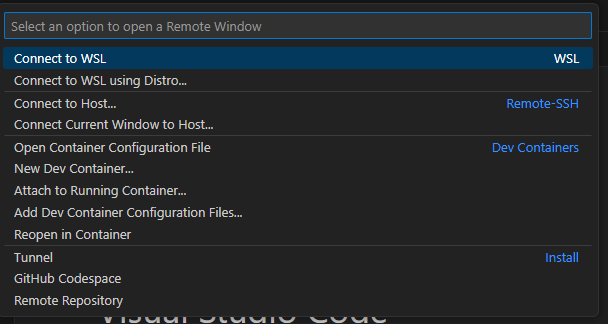
  • Interesting, it was new to my also, I do run ubuntu on my computer so that might be why I did not see it. In a previous company we used ceedling( test suite from the makers of Cmock and Unity). We used WSL as a build environment for our testing and it worked like a charm. If you install windows subsystem for linux you can setup VScode to use it as a remote window. The downside to this is that you will need to install our SDK for WSL also. 

    Regards

    Runar

Reply
  • Interesting, it was new to my also, I do run ubuntu on my computer so that might be why I did not see it. In a previous company we used ceedling( test suite from the makers of Cmock and Unity). We used WSL as a build environment for our testing and it worked like a charm. If you install windows subsystem for linux you can setup VScode to use it as a remote window. The downside to this is that you will need to install our SDK for WSL also. 

    Regards

    Runar

Children
  • Thank you for great response.
    I have wsl installed, I try to make this work with wsl.
    This comment really helped a lot.  
    Final question: does nordic have tutorial/guide how to set up sdk with wsl?

  • I think it should be as simple as:

    1. install wsl,

    2. install ubuntu, I recommend 22.04 LTS.

    3 open VScode and select remote windows 

    4. Install the NCS extensions (they need to be reinstalled for the remote window) 

    5. Start developing 

    Regards

    Runar

  • Thank you 
    for other beginners:
    I needed to install cmake and ruby in wsl also.
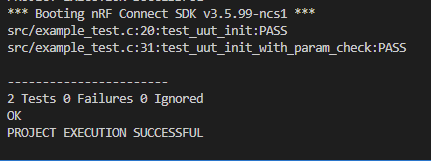
    aftter running  unity/example_test in wsl I encountered this build error:

    /home/anicare/ncs/v2.6.0/zephyr/arch/posix/core/offsets/offsets.c
    In file included from /usr/lib/gcc/x86_64-linux-gnu/11/include/stdint.h:9,
    from /home/anicare/ncs/v2.6.0/zephyr/include/zephyr/types.h:11,
    from /home/anicare/ncs/v2.6.0/zephyr/include/zephyr/kernel_includes.h:21,
    from /home/anicare/ncs/v2.6.0/zephyr/include/zephyr/kernel.h:17,
    from /home/anicare/ncs/v2.6.0/zephyr/arch/posix/core/offsets/offsets.c:26:
    /usr/include/stdint.h:26:10: fatal error: bits/libc-header-start.h: No such file or directory
    26 | #include <bits/libc-header-start.h>
    | ^~~~~~~~~~~~~~~~~~~~~~~~~~
    compilation terminated.
    [9/95] Generating include/generated/version.h
    -- Zephyr version: 3.5.99 (/home/anicare/ncs/v2.6.0/zephyr), build: d96769faceca
    ninja: build stopped: subcommand failed.
    FATAL ERROR: command exited with status 1: /home/anicare/ncs/toolchains/2be090971e/usr/local/bin/cmake --build /home/anicare/ncs/v2.6.0/nrf/tests/unity/example_test/build --target run

    I tried to add #include <bits/libc-header-start.h> in offsets.c file but that  didnt fix the issue.

    You already helped me alot and pointed me in right direction. I alrdy got answer to my original ticket and this thread is getting quite long. I can try to solve this on my own.


    Thank you  Runar.

  • Hi all,
    I posted a question earlier about this not being completed, then solved it myself, and deleted the question. I realize this may be frustrating to those who were in the same boat as me. I solved this by building for native_posix_64, rather than native_posix. 

    My next issue is just running the test which I cannot seem to figure out. Will keep this updated as I move along.

  • Alternatively if you run this command

    sudo apt-get install gcc-multilib

    you should be able to compile for a 32-bit system

Related