CONFIG_DEBUG_OPTIMIZATIONS does not allow setting breakpoints anywhere

When debugging the exercise 1 application from `Lesson 2 – Reading buttons and controlling LEDs` of `nRF Connect SDK Fundamentals`, I cannot set a breakpoint wherever I want.

Somehow it is either not picked up or it gets picked the line below.

However, if I debug step by step from the beginning, it can stop on all lines.

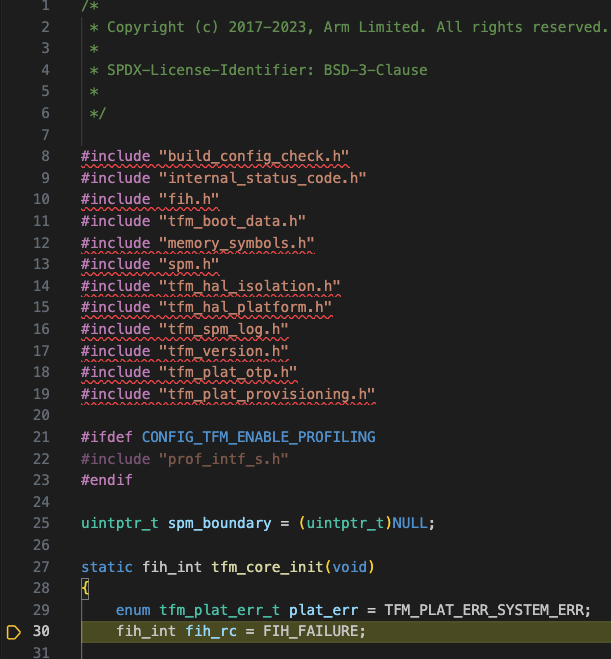
In this code:
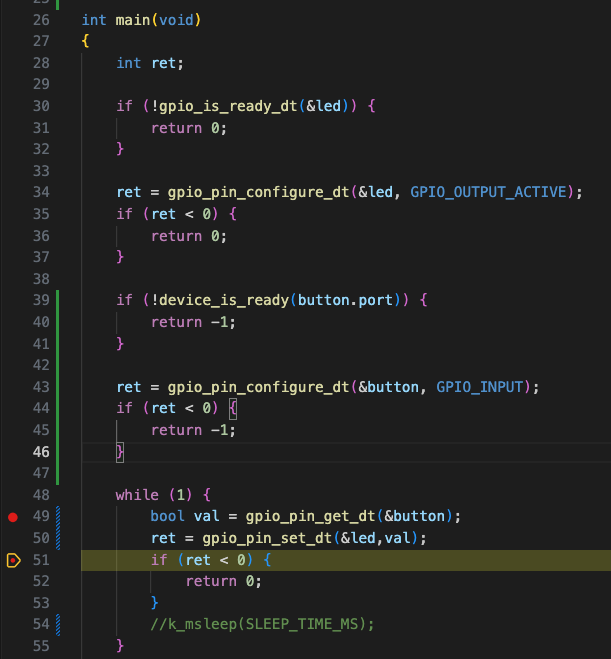
The 2 lines below get ignored, I cannot break on them:

I am setting CONFIG_DEBUG_OPTIMIZATIONS by selecting:

However, it seems not sufficient as there are probably some optimisations that are made on the code.

I remember when debugging on nRF52, I had to set:
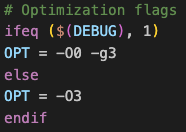
so `-O0 -g3` flags in order to propely debug and I think I need to also enable `CONFIG_NO_OPTIMIZATIONS` but I can't override its value together with `CONFIG_DEBUG_OPTIMIZATIONS`.

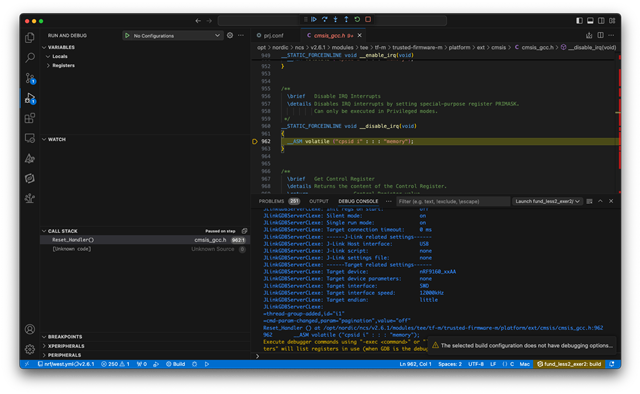
Another issue I see is if I put a breakpoint here just before starting to debug:
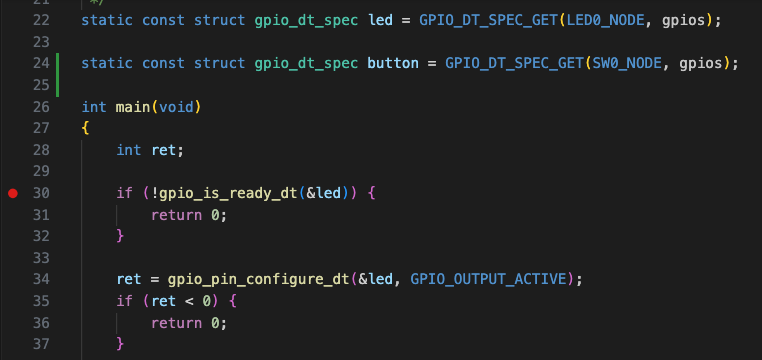
I get the debugger to stop here:
Any hints?

  • Hello

    Still not able to put breakpoints where I want and also I get the notification "The selected build configuration does not have debugging options enabled" even though I enable either  CONFIG_NO_OPTIMIZATIONS or CONFIG_DEBUG_OPTIMIZATIONS in the prj.conf file.

  • Hi,

    The breakpoint issue you are facing is because of the optimizations that take place. This changes the machine code so that it does not exactly map the C code, so it makes debugging harder. So the only way is to disable all optimizations when debugging. Please take a look at this ticket.

    Regards,

    Priyanka

  • I'm sorry but something is wrong with debugging using the dev kit nRF9160 DK.

    This should be straightforward.

    Below a video, please try to reproduce the issue, I'm not doing anything fancy, just using "fund_less2_exer1_solution" sample code and trying to put a breakpoint in the while loop.

    CONFIG_NO_OPTIMIZATIONS=y
    CONFIG_DEBUG_OPTIMIZATIONS=y

    Please check the following video and let me know:

  • Hi,

    I a unable to view the video that you attached. Would it be possible to zip the view and attach the file?

    I nevertheless tried to reproduce the issue on my DK here and was not successful. It would be great if you could attach the video once again so that I can see what's happening at your end.

    Could you also tell me which SDK version you are working with? And what is your DK revision?

    -Priyanka

  • video.zip

    Please try this one, it should work better if you are using Windows.

    To let you know, the other video could be downloaded and watched via VLC application on any OS.

    I am using SDK 2.6.1 with VS Code on Mac.

    The board I am using is:

     PCA10090
    1.1.3

Related