"High Duty Directed advertising" appears repeatedly and then Disconnected and Connected.

I am developing a keyboard using "ble_app_hids_keyboard" of SDK17.1.0 version.
When I look at the log during testing, "High Duty Directed advertising" appears repeatedly and then Disconnected and Connected.

What is this function and why does it appear like this?
And is there a detailed document about this?

High Duty Directed advertising.
Disconnected
Connected
High Duty Directed advertising.
Disconnected
Connected
High Duty Directed advertising.
Disconnected
Connected
High Duty Directed advertising.
Disconnected
Connected
High Duty Directed advertising.
Disconnected
Connected
High Duty Directed advertising.
Disconnected
Connected
High Duty Directed advertising.
Disconnected
Connected  

Parents
  • Hello,

    This is just an advertising method used directly after the disconnection so that if the disconnection was caused by packet loss, they would have a higher probability to reconnect faster. 

    So I guess the real question here is why do you get these continuous disconnections. You can start by adding:

            case BLE_GAP_EVT_DISCONNECTED:
                NRF_LOG_INFO("Disconnected - reason %02x", p_ble_evt->evt.gap_evt.params.disconnected.reason);

    Then you can look up this reason in ble_hci.h.

    My guess is that there is an issue with bonding. One of your devices, either the keyboard that you are developing, or the central device (Computer? Phone?) has an old set of bonding data stored, while the other device does not. Try erasing the bonding information on both devices, and try again. On the nRF, it can be done by erasing the chip, and re-programming the application (nrfjprog -e), or by holding button 1 (0 indexed) while powering on the device. 

    On the central side it depends on what device it is. On a computer you will typically remove the device from the computer's bluetooth settings, and the same goes for a phone, really. 

    Best regards,

    Edvin

  • Thank you.

    I put the code you gave me and I got the following log:

    Disconnected - reason 08

    What does this mean? Where can I find the meaning of 08?

    Best Regards,

  • Disconnect reason 8 refers to:

    #define BLE_HCI_CONNECTION_TIMEOUT                         0x08   /**< Connection Timeout. */

    You can find them in ble_hci.h.

    What are you trying to connect to this device? PC? Phone? Another nRF?

    What does the other device say? If it is another nRF, do you have any logs from that device?

    BR,

    Edvin

  • The keyboard product under development connects to a PC (Windows 10, 11).
    I don't know why it keeps disconnecting and reconnecting.
    Is there anything I should look into?

    Best Regards,

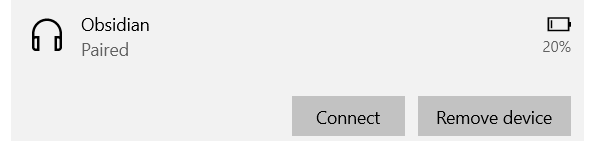
  • It should have reported a different disconnect reason, but did you try to delete the bonding information on both sides? On Windows that would be done by clicking "remove device" from the Bluetooth menu under settings:

    On the nRF, you can delete the flash using "nrfjprog --eraseall" before re-programming the application.

    Make sure that both sides are deleted at the same time, and check if the behavior changes.

    If that doesn't change anything, can you please try to capture a sniffer trace using the nRF Sniffer for Bluetooth LE?

    Upload the .pcapng file here.

    Is there a way for me to reproduce what you are seeing?

    Best regards,

    Edvin

  • 1.
    The problem occurs frequently on Windows laptops. I erase use [eraseall] the BLE devices and downloaded the firmware again and I removed the BLE device from Windows and reconnected it.
    The above problem occurs when connected to windows for a long time.

    2.
    It does not appear on Android.

    3.
    How to know if the device connected to BLE (nRF52840) is Windows, Android, or Macbook.

    4.
    And I will also try the method you mentioned(sniffer).

    Best Regards,

  • Hello,

    I understand. Well, if it happens only after being connected to Windows for a long time, does it mean that it goes away if you use "eraseall" and remove the BLE device from Windows? 

    Do you know if the log says something right before it falls into this state?

    High Duty Directed advertising.
    Disconnected
    Connected
    High Duty Directed advertising.
    Disconnected
    Connected
    High Duty Directed advertising.
    Disconnected
    Connected
    High Duty Directed advertising.
    Disconnected
    Connected
    ...

    At this point, I believe a sniffer trace will be helpful. When you flash the sniffer FW to another DK or Dongle, remember to select the advertiser from the drop down menu close to the top of WireShark, so that it filters out everything not belonging to the peripheral. Then it will also follow into a connection with this device. You may need to enter the 6-digit passkey when the device pair into wireshark as well.

    Best regards,

    Edvin

Reply
  • Hello,

    I understand. Well, if it happens only after being connected to Windows for a long time, does it mean that it goes away if you use "eraseall" and remove the BLE device from Windows? 

    Do you know if the log says something right before it falls into this state?

    High Duty Directed advertising.
    Disconnected
    Connected
    High Duty Directed advertising.
    Disconnected
    Connected
    High Duty Directed advertising.
    Disconnected
    Connected
    High Duty Directed advertising.
    Disconnected
    Connected
    ...

    At this point, I believe a sniffer trace will be helpful. When you flash the sniffer FW to another DK or Dongle, remember to select the advertiser from the drop down menu close to the top of WireShark, so that it filters out everything not belonging to the peripheral. Then it will also follow into a connection with this device. You may need to enter the 6-digit passkey when the device pair into wireshark as well.

    Best regards,

    Edvin

Children
No Data
Related