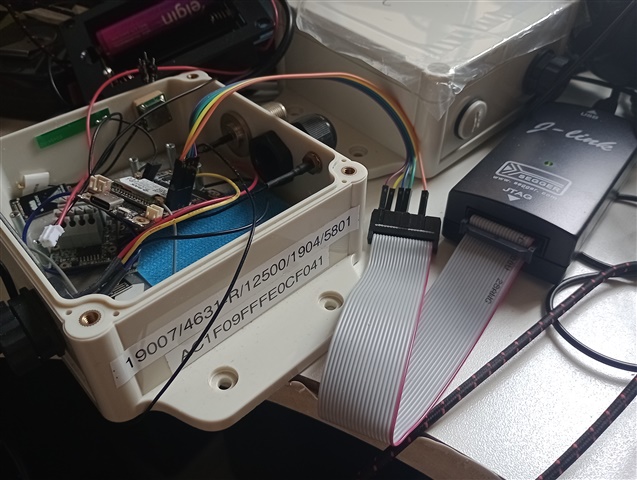
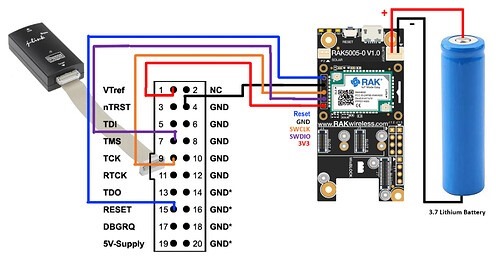
I have a nRF52840-DK that I know that it has a JLink on board, but the RAK4631 don´t have JLink, then I am following the RAKWireless bootloader update(Bootloader update ):
- Press quickly two times the Reset Button, the RAK4631 will go to bootloader mode, and LED green will be on
- Execute the bootloader conversion using the command
nrfutil.exe dfu serial -pkg rak4631_factory_bootloader.zip -p COM5. Make sure that you have the right.zipfile name andCOM port numberto avoid errors. - When I need to become Arduino BSP compatible, I do the follow steps
- The previous step updated the bootloader of RAK4631. Another requirement is to ensure that the softdevice is compatible with the expected version by the Arduino BSP. To do this, execute the command
adafruit-nrfutil --verbose dfu serial --package rak4631_factory_softdevice.zip -p COM15. You also have to make sure that you have the right.zipfile name andCOM port numberto avoid errors. The COM port will likely be different compared to step 5.
- The previous step updated the bootloader of RAK4631. Another requirement is to ensure that the softdevice is compatible with the expected version by the Arduino BSP. To do this, execute the command
I would like to know how to prepare the RAK4631 to receive MCUBoot and Zephyr.
Could you help me?
Claudio