Based on sdk15.3, nrf connect app version 4.28.1 does the following:
1. Change the dfu code to the ble_app_hrs example, and the bootloader also enables pairing and binding;
3. Compile the bootloader and app, and burn the softdevice, app, bootloader, and settings to nRF52840-DK.
4. Open the nrf connect app and see that the device is broadcasting normally, click to connect the device.
5. Click the DFU icon in the nrf connect app and select the app as version 3.zip, and see that the upgrade can be completed normally (the new image has two versions, version 3 and version 4).
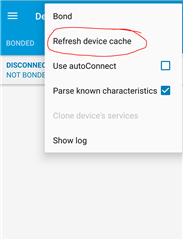
6. After the upgrade is completed, reconnect and continue to click the DFU icon, and select the app as version 4.zip. When the OTA progress bar is halfway through, disconnect the mobile phone system Bluetooth, then turn on the system Bluetooth, switch to the nrf connect app, and continue to connect the device to see two identical Bluetooth names.
The operation video of step 6 is as follows:
Why are there two identical Bluetooth names?
BR,
Zero