I'll ask you an example question for "visual study code"

Hello.
The visual study code uses toolchain v2.7.0, SDK v2.7.0
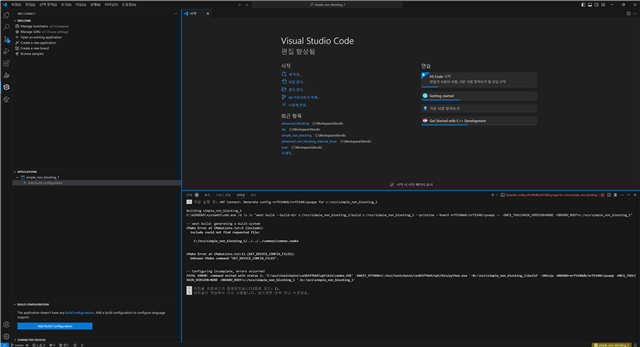
I'm trying to test the saadc example (in modules/hal/nordic/nrfx/samples/src/nrfx_saadc/) in "creat a new application -> copy a sample", but 'confuiguratiom' is not generated with the same error as the image attached below.
What can I do to solve this problem?
(The wifi-related example is created without any problems with confuiguratiom)
Parents Reply Children
  • To check the board configuration:

    1. Open the CMakeLists.txt file in your project folder.
    2. Look for a line like set(BOARD nrf5340dk_nrf5340_cpuapp). Make sure it's set to the correct board.
    3. If it's missing, you can add it there or use "Add Build Configuration" in the left sidebar of VS Code.
    4. After checking, delete the build folder and rebuild the project to apply changes.

    Let me know if that helps!

    Regards, 

    Bharani Dharan

Related