DevAcademy : Cellular ioT Fundamentals Lession 7 - Tracing issue with the example

Hello,

I am following the cellular IoT fundamental course with nRF9151-DK.

I didn't have any issue until Lesson 7, but I found that the screen shot of the lesson is different from mine.

Environment

1. DK : nRF9151-DK

2. Modem : 2.0.1

3. SDK version : 2.6.1


- Test and issue -

1. Firmware : Lesson 7-1 (I also tried Lesson-7-1 solution, but the same result)

   (1) First of all, I followed the instruction including Wireshark installation, then I started monitoring with Cellular monitor.

        - Modem trace database is "Autoselect"

        - I got the error "Error when creating trace: unable to locate db directory plugin path:c:\users\.......
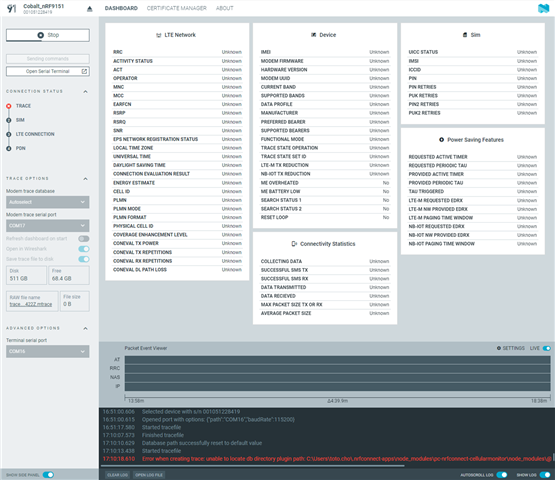
   (2) As the modem version is 2.0.1, I selected the modem trace database as 2.0.1

         - It didn't have error, and the "Trace" on Connection Status was passed.

         - But the connection status is stuck at "TRACE" and it doesn't move to the SIM or LTE Connection.

         - All parameters in LTE Network, Device, Sim, Connectivity Statistics and Power Saving features are "Unknown"

         - Packet Event Viewer shows only IP event (No AT or RRC or NAS event)

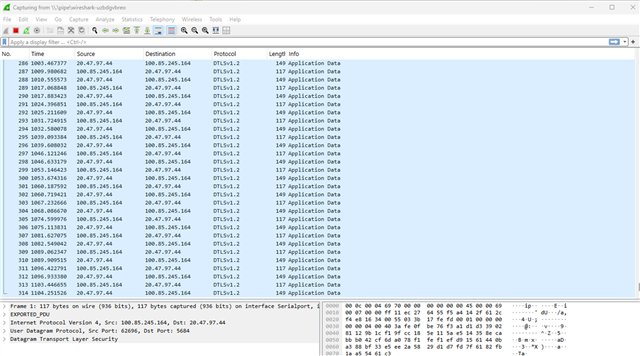
         - I also opened the Wireshark, so I can see the protocol and length.

            -> But it has only DTLSv1.2 protocols.
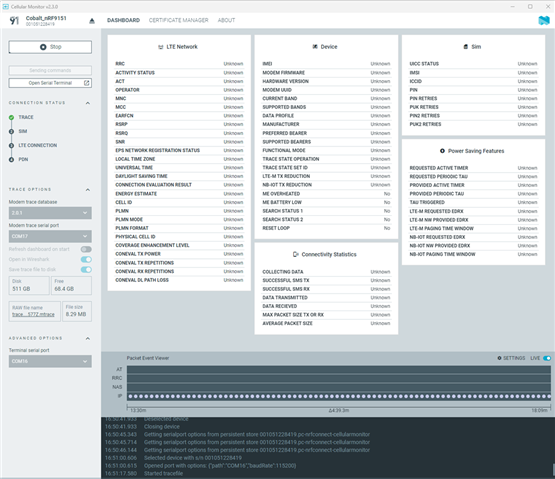
  

2. Firmware : Lesson 4-2 (added the trace configuration in PJT.CONF)
    (1) As Lesson 7-1 firmware doesn't look working, I decided to try it with another firmware which is from Lesson 4-2. (MQTT)

    (2) I added the trace option on PJT.CONF, then flashed new firmware to nRF9151-DK.

    (3) When I started the cellular monitor, it had the same error if Modem trace database is auto-select.

    (4) But when I selected the correct modem version, it started tracing.

    (5) it looks like working even though I couldn't see full information about LTE Network, Device, Sim, connectivity statistics and power saving features.

    (6) Connection status also shows that Trace, SIM and LTE connection are good.

    (7) Packet event viewer also shows some operation in AT, RRC NAS and IP. RRC has the most of action.
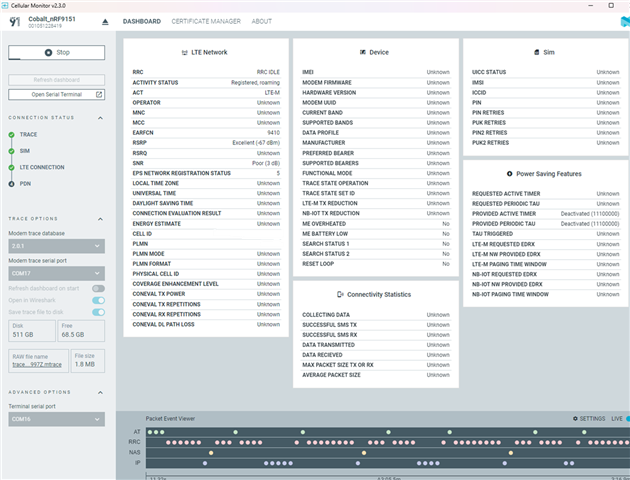
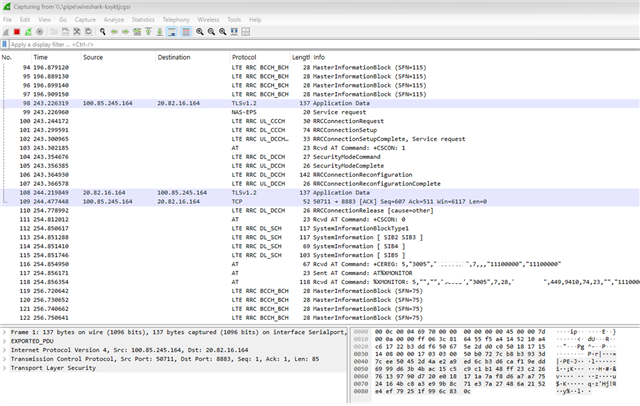
So, I wonder if the screen shots in Cellular IoT Fundamentals are wrong, or I still have some problem with firmware lesson 7-1.
If the screen shots of Lesson 7.1 on the Devacademy are correct and I might make any mistake, can anyone help what I should check and rectify this issue?

Parents
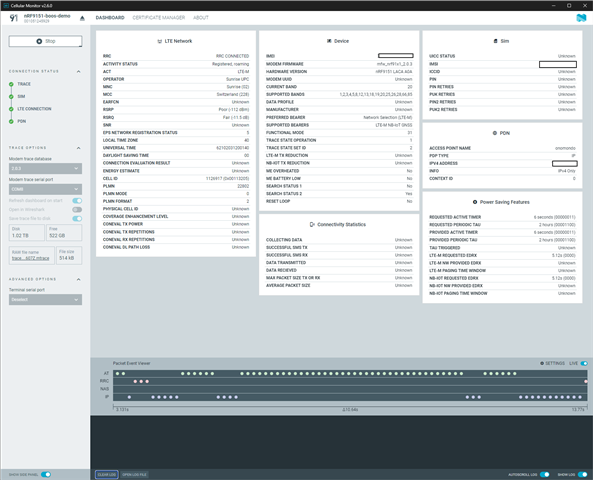
  • I had a similar behavior like the discussion in this thread.

    Here are my observations.

    Setup

    • Hardware: nRF9151 LACA A0A development kit
    • nRF Connect SDK v3.1.0-6c6e5b32496e
    • nRF Connect for Desktop v5.2.1
    • git rev-parse --short HEAD 68c5cd3
      from https://github.com/NordicDeveloperAcademy/cell-fund. Required for the exercise
    • Zephyr OS v4.1.99-1612683d4010
    • CMake version: 3.21.0
    • Python 3.12.4
    • west 1.4.0
    • Quick Start v1.7.0
    • Cellular Monitor v2.6.0

    I tried

    1. Build and flash the Exercise 1 from Lesson 7: only few data updated in Cellular Monitor
    2. Build and flash the Exercise 1 solution from Lesson 7: only few data updated in Cellular Monitor
    3. Flash Asset Tracker Demo via Quick Start: Values updated I would expect

    First Try

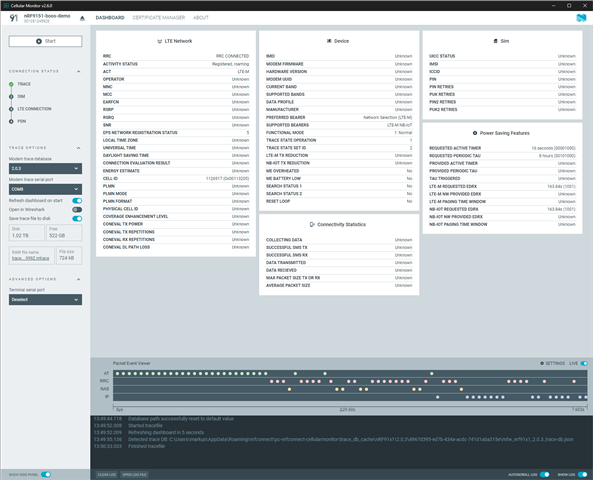
    Build and flash the Exercise 1 from Lesson 7: only few data updated in Cellular Monitor.

    First Try

    Second Try

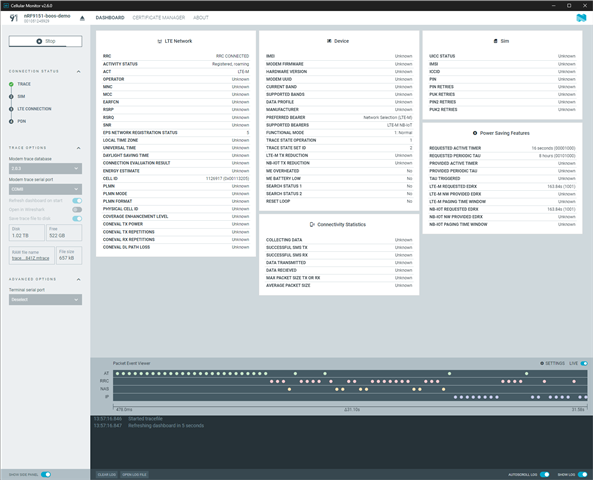
    Build and flash the Exercise 1 solution from Lesson 7: only few data updated in Cellular Monitor

    Second Try

    Third Try

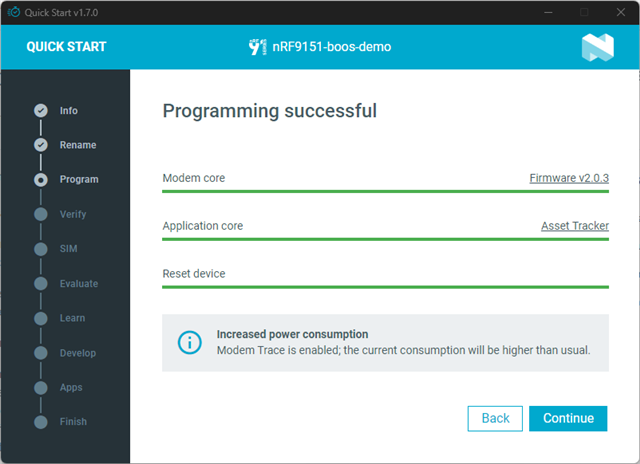
    Flash Asset Tracker Demo via Quick Start: Values updated I would expect

    Asset Tracker Demo

    Asset Tracker CM

    Questions

    Why does the Asset Tracker reveal more data in the cellular monitor?

    Are there any additional settings required in the exercise code to activate/enable?

Reply
  • I had a similar behavior like the discussion in this thread.

    Here are my observations.

    Setup

    • Hardware: nRF9151 LACA A0A development kit
    • nRF Connect SDK v3.1.0-6c6e5b32496e
    • nRF Connect for Desktop v5.2.1
    • git rev-parse --short HEAD 68c5cd3
      from https://github.com/NordicDeveloperAcademy/cell-fund. Required for the exercise
    • Zephyr OS v4.1.99-1612683d4010
    • CMake version: 3.21.0
    • Python 3.12.4
    • west 1.4.0
    • Quick Start v1.7.0
    • Cellular Monitor v2.6.0

    I tried

    1. Build and flash the Exercise 1 from Lesson 7: only few data updated in Cellular Monitor
    2. Build and flash the Exercise 1 solution from Lesson 7: only few data updated in Cellular Monitor
    3. Flash Asset Tracker Demo via Quick Start: Values updated I would expect

    First Try

    Build and flash the Exercise 1 from Lesson 7: only few data updated in Cellular Monitor.

    First Try

    Second Try

    Build and flash the Exercise 1 solution from Lesson 7: only few data updated in Cellular Monitor

    Second Try

    Third Try

    Flash Asset Tracker Demo via Quick Start: Values updated I would expect

    Asset Tracker Demo

    Asset Tracker CM

    Questions

    Why does the Asset Tracker reveal more data in the cellular monitor?

    Are there any additional settings required in the exercise code to activate/enable?

Children
No Data
Related