Hello everyone, I took the example code "ble_app_hrs" and added a pin toggle to verify that the code is loaded correctly onto my custom board, which is programmed via the evaluation board 10056 (v2.0.1) and through the P19 connector (Debug Out). I noticed that when I download the code from SEGGER Embedded Studio, it always works, while when I try to flash the .hex file contained in the project folder, there are loading issues. Specifically:
- To flash the code, I have tried several methods: I used J-Flash Lite V8.10, I also used the command line directly with the command "nrfjprog --program filename.hex --verify --reset," and I even used SEGGER Embedded Studio directly by going to Target -> Download File -> Download Intel HEX File, and it seems that the result is the same regardless of the method used.
- When I try to flash the code on the evaluation board, initially it doesn't work (not even pressing the reset button), but if I remove the power from the board and then restore it, the code starts working. Why is that?
- When I try to load the code onto the microcontroller on my board, even if no errors are reported (the .log file says that the code was loaded correctly), the code does not work, even if I remove and reapply power. However, when I download from SEGGER, it always works. I don't understand what the differences are. I noticed that SEGGER first loads the .hex file and then the .elf file, but if I do the same, it still doesn't work, and shouldn't it be sufficient to just flash the .hex file?
- The .hex file I am using is the one located at this path: "C:\nRF5_SDK_17.1.0_ddde560\examples\My Projects\ble_app_hrs\pca10056\s140\ses\Output\Debug\Exe". Is that correct?
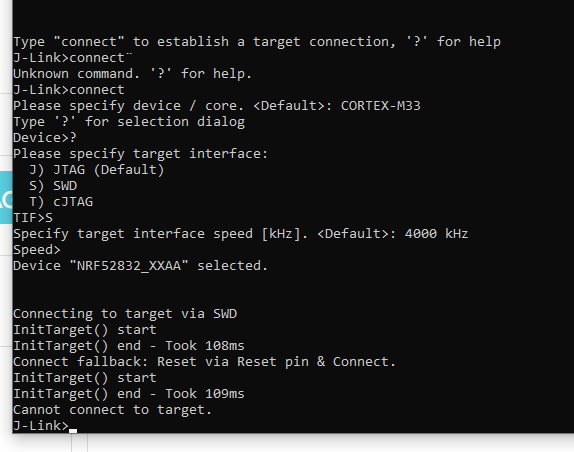
- Lastly, is there a way to know which microcontroller I am connected to when I do Connect J-Link? Because I always have the doubt about which one I am loading the code onto (whether it's the one on the evaluation board or the one on my custom board).
I hope you can help me because I am having a lot of difficulties understanding what the problem is.
Thank you in advance,
Gabriele