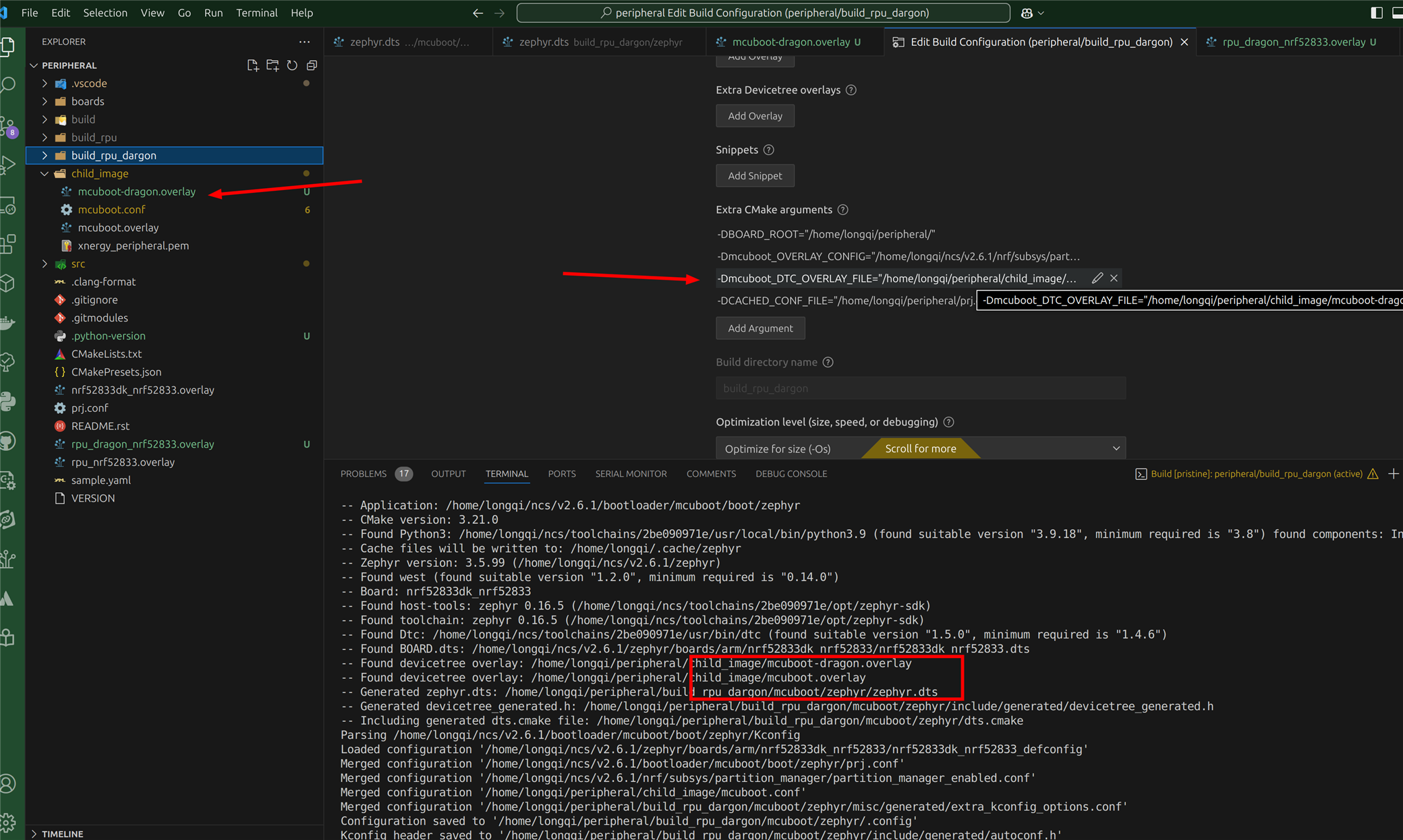
I tried to use `-Dmcuboot_DTC_OVERLAY_FILE` to use different mcuboot overlay for different builds but it always use all the overlay files in the folder.
The same way works for main application but not mcuboot.

I tried to use `-Dmcuboot_DTC_OVERLAY_FILE` to use different mcuboot overlay for different builds but it always use all the overlay files in the folder.
The same way works for main application but not mcuboot.
Hi,
Did you add mcuboot-dragon.overlay manually to the build configuration at some point? The mcuboot.overlay file will be added automatically, but mcuboot-dragon.overlay should not be added unless you manually add it using -Dmcuboot_DTC_OVERLAY_FILE. If you do not want to include mcuboot.overlay you need to rename it to something else, similar to mcuboot-dragon.overlay.
Best regards,
Marte
I do have -Dmcuboot_DTC_OVERLAY_FILE in my config, you can see it if you fully open the screenshot. It works after I renamed mcuboot.overlay to something else.
1. so mcuboot.overlay is a special file for common overylay? Is there any document for how this naming works?
2. is there similar rule for the application also? can share the document link?
Hi,
Yes, there are some cases where files will be automatically added based on the filename.
app.overlay is always added if it exists in the application directory.<board>.confboards/<board>.conf<board>.overlayboards/<board>.overlayboards/<board>_<revision>.overlayACI_NAME is the name of the child_image, then the following files are included:
child_image/<ACI_NAME>.overlaychild_image/<ACI_NAME>/<board>.overlaychild_image/<ACI_NAME>/<board>_<revision>.overlaychild_image/<ACI_NAME>/boards/<board>.overlaychild_image/<ACI_NAME>/boards/<board>_<revision>.overlaychild_image/<ACI_NAME>.confchild_image/<ACI_NAME>/<board>.confchild_image/<ACI_NAME>/<board>_<buildtype>.confYou can read more about this in the following links:
Best regards,
Marte