Nrf connect desktop for VS code extension is not loading

Hi,

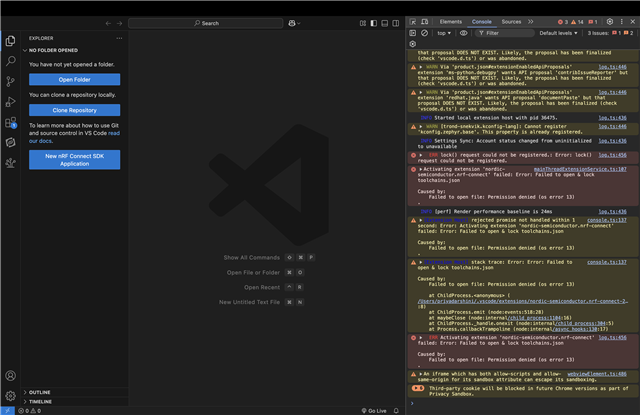
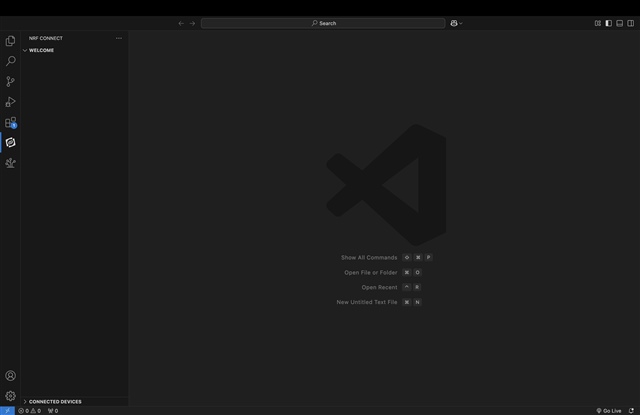
The nrf connect for desktop extension in VS code is not loading anything under welcome, when I try to open the documentation or any other nrf related command it says command not found and the following error: 

Error running command nrf-connect.openOnlineDocumentation: command 'nrf-connect.openOnlineDocumentation' not found. This is likely caused by the extension that contributes nrf-connect.openOnlineDocumentation.
. I tried uninstalling and reinstalling extensions and VS code itself this did not fix it. I followed a few tickets on nordic: nordic devzone but nothing seems to work.

system: Chip: Apple M2 Pro, macOS: Sequoia 15.0.1.

Any help is much appreciated.

Thanks!
Parents Reply
  • Sorry, but without a reply from you I seem to have forgotten a bit about this case.

    The issue still behaves the same way? Did the temporary workaround I mentioned in my previous response work for you?

    I got some other questions here for you from the relevant R&D team:

    1. do you have any antivirus or similar software that might mess with file access?
    2. are you willing to test with a custom build that might provide more detailed logs about the issue?
    3. as this is a file access issue, we are interested how is it possible that /opt/nordic/ncs/toolchains/toolchains.json not accessible, whether it exists, has wrong permissions. Everything under /opt/nordic/ should be under the user's permissions. If that differs we'd like to know how the system was installed.

    Regards,

    Elfving

Children
Related