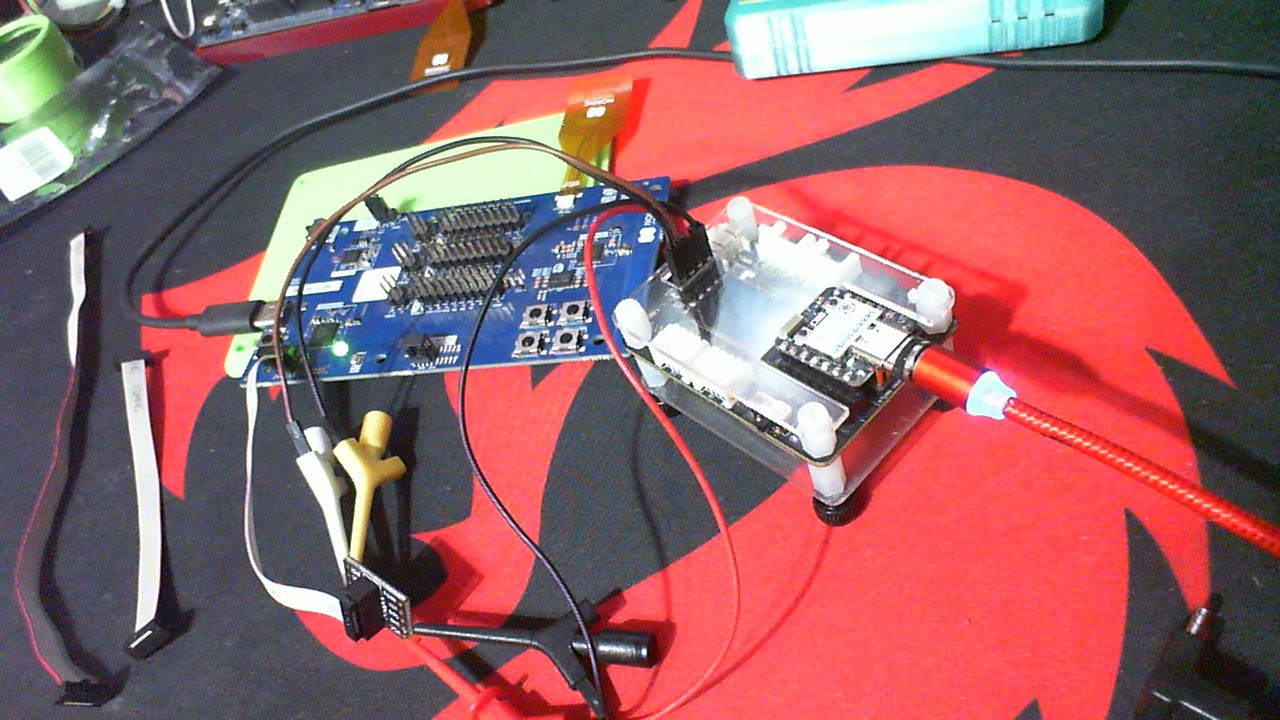
How to use nRF54L15DK to programming the external nRF54L15 customer board

Hi Support Team

We want to use the J-Link of nRF54L15DK to program customer's nRF54L15 board. We follow the guideline of below link to connect the Pins of P19 of nRF54L15DK and customer's board like the table below. But it can not program normally. What the Pins of P19 are necessary for the customer's board and how to connect it? And how are these pins arranged on P19? Many thanks.

Program an external board

Pin number nRF54L15DK Customer's board
1 SWD0_VTG VDD
2 SWD0_SWDIO SWDIO
3 SWD0_SELECT GND
4 SWD0_SWDCLK SWDCLK
5 GND

  • Those seems to be the ones you need, roughly. But you also need to connect GND to GND, and you need to power the external board. You can power it from the DK if you like, but SWD0_VTG doesn't power the external board. 

    Best regards,

    Edvin

  • Same isue here and i can not program external boards: 

    SWDO_VTG to external board VDD
    SWDO_SWDIO to external board SWDIO 
    SWDO_SELECT  shorted to GND 
    SWDO_SWDCLK to external board SWDCLK 
    GND to external board GND 

    I power the external board ( so the VTG pin will be 3V now ) 

    I always get this unles i disconnect SEL from GND 


    19:08:58.927
    Failed "reading readback protection status for application core". Error: code: 1, description: Generic, message: Batch task protection-get failed, Device error: Setting the debug port SELECT register failed while powering up sys and debug regions (Unknown Error in J-Link DLL (error code =-1)). This might indicate that the debug port is unavailable. Please double-check device power supply and SWD lines, and that SWD isn't disabled
    19:08:58.946
    Error: Failed with exit code 1. One or more batch tasks failed: * 1057785450: Device error: Setting the debug port SELECT register failed while powering up sys and debug regions (Unknown Error in J-Link DLL (error code =-1)). This might indicate that the debug port is unavailable. Please double-check device power supply and SWD lines, and that SWD isn't disabled (Generic) Message: Batch task protection-get failed, Device error: Setting the debug port SELECT register failed while powering up sys and debug regions (Unknown Error in J-Link DLL (error code =-1)). This might indicate that the debug port is unavailable. Please double-check device power supply and SWD lines, and that SWD isn't disabled.
    19:08:58.946
    Error: Failed with exit code 1. One or more batch tasks failed: * 1057785450: Device error: Setting the debug port SELECT register failed while powering up sys and debug regions (Unknown Error in J-Link DLL (error code =-1)). This might indicate that the debug port is unavailable. Please double-check device power supply and SWD lines, and that SWD isn't disabled (Generic) Message: Batch task protection-get failed, Device error: Setting the debug port SELECT register failed while powering up sys and debug regions (Unknown Error in J-Link DLL (error code =-1)). This might indicate that the debug port is unavailable. Please double-check device power supply and SWD lines, and that SWD isn't disabled.


  • Try to run this command first:
    nrfutil device recover

    Does that change anything?

  • Hi there, 

    So The cables must be very short or you WILL get that error. Check out the thread and Video on it. I'm usina a Xiao and SWD connection to P19 (4 wires) SWDCLK, SWDIO, GND, VDD (from my device) If I use anything longer than 3-4 inches Plus 3-4" for jumpers (see Video) Total length not to exceed 6.25" 

    Video shows what is going on , Full screen.

    HTH

    GL :-) PJ :v:

Related