Hi:
I'm doing the exercise L3-E1.
I used nRF Connect SDK Toolchain v2.7.0 because it didn't work with v2.8.0
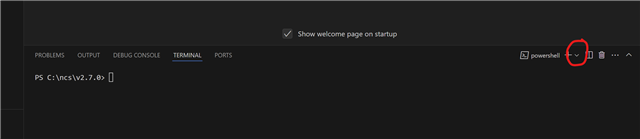
How do I make NRF Terminal appear?
Thanks and Best Regards
Luiz Miranda
Hi:
I'm doing the exercise L3-E1.
I used nRF Connect SDK Toolchain v2.7.0 because it didn't work with v2.8.0
How do I make NRF Terminal appear?

Thanks and Best Regards
Luiz Miranda
Hi Luiz,
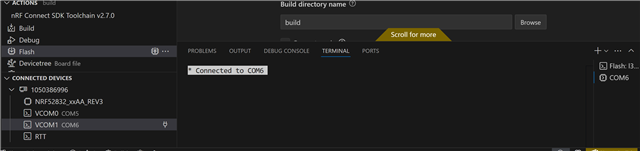
If you click on the drop - down menu and select the "nRF Connect", "nRF Serial Terminal" or anything else that you need, then you should be able to see the terminal:

Is this what you were looking for?
-Priyanka
It's really simple. Go to the menu to select "nRF Connect", "nRF Serial Terminal" or whatever is simple. Simple to learn and apply.
scratch games, thanks!
It is quite easy. Choose "nRF Connect" or "nRF Serial Terminal" or any other straightforward option from the menu. Easy to understand and use.
If you're working through an nRF Connect SDK exercise and can't get the nRF Terminal to appear in VS Code, you're definitely not alone. Toolchain versions can sometimes behave differently, so checking the SDK version, extensions, and terminal configuration is a good place to start.
For developers who also enjoy gaming projects in their spare time, Minecraft Bedrock resources are worth checking out.
You are not alone if you are having trouble getting the nRF Terminal to show up in Visual Studio Code while going through a nRF Connect SDK exercise. Checking the SDK version, extensions, and terminal setup is a good place to start because toolchain versions might occasionally act differently. skibx executor