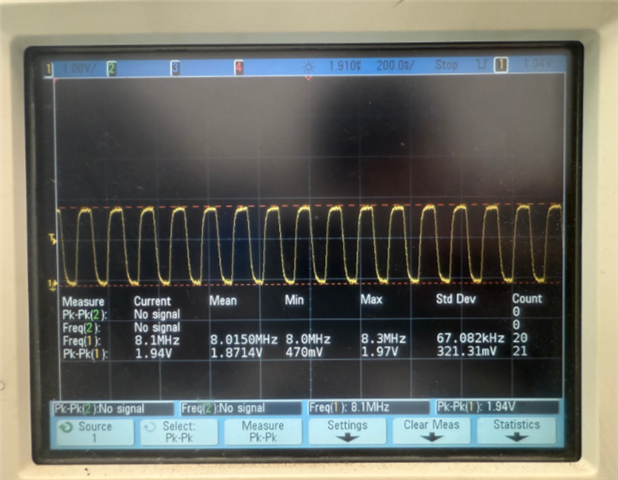
How to increase the rate of sQSPI to 32MHz

SDK: nRF Connect SDK v3.0.2

DK: nRF54L15-DK

Sample: spi_flash

3513.nrf54l15dk_nrf54l15_cpuapp_sqspi.overlay
8304.nrf54l15dk_nrf54l15_cpuapp.overlay

default: 

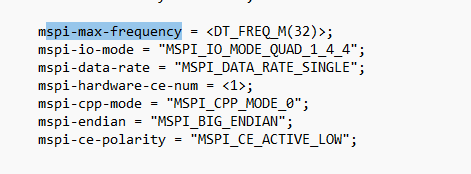
mspi-max-frequency = <DT_FREQ_M(8)>;

If I change it to 32, it will printf these log:

[00:00:00.003,384] <err> flash_mspi_nor: Failed to change IO mode: -5

[00:00:00.010,584] <err> flash_mspi_nor: Failed to switch to default io mode: -5

Parents
  • Hello Leo,

    I am not sure why you are not getting it work with 32M. 

    I have not done any change, just have changed he frequency 

    It works here. I run the prorgam from command prompt using west build command. 

    I have some idea what you can do:

    power-cycling and fully erasing the external flash.

    You can try to erase external memory erase by this command

    nrfutil device program --firmware zephyr.hex --options ext_mem_erase_mode=ERASE_ALL --serial-number 1050065027

    inside the build folder ( for example : in my case C:\ncs\v3.0.2\nrf\samples\zephyr\drivers\spi_flash\build\spi_flash\zephyr). 

Reply
  • Hello Leo,

    I am not sure why you are not getting it work with 32M. 

    I have not done any change, just have changed he frequency 

    It works here. I run the prorgam from command prompt using west build command. 

    I have some idea what you can do:

    power-cycling and fully erasing the external flash.

    You can try to erase external memory erase by this command

    nrfutil device program --firmware zephyr.hex --options ext_mem_erase_mode=ERASE_ALL --serial-number 1050065027

    inside the build folder ( for example : in my case C:\ncs\v3.0.2\nrf\samples\zephyr\drivers\spi_flash\build\spi_flash\zephyr). 

Children
Related