Hello,
We are encountering issues in our application where we aim to use Bluetooth Secure Pairing (Secure Connections) and bonding for our Bluetooth service.
Our application operates as a Bluetooth peripheral.
Secure pairing and bonding work correctly on the first connection attempt.
However, if the connection is lost—e.g., due to moving out of range or unplugging the Bluetooth USB dongle from the central device (in our case, a Windows PC)—subsequent reconnection attempts fail. It appears that the pairing/bonding no longer functions properly after the initial connection.
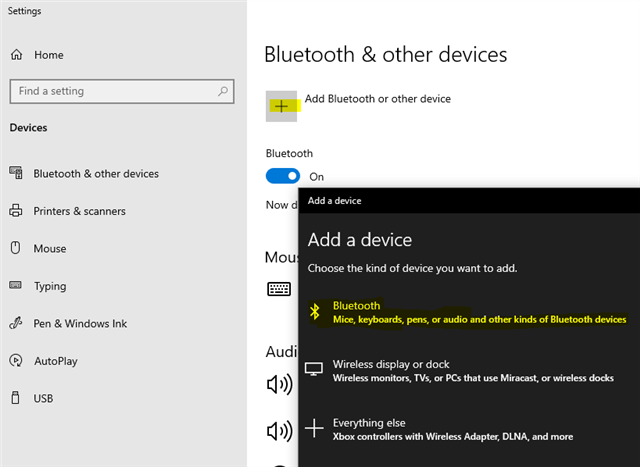
To reconnect, we typically need to manually remove the bond information from the central device (i.e., delete the Bluetooth device entry in Windows settings). In some cases, even this isn't sufficient, and we are forced to perform a full chip erase and reflash the nRF54L15 to restore connectivity.
We’ve observed a similar issue when testing Zephyr’s Bluetooth samples—for example, zephyr/samples/bluetooth/peripheral_hids on the nRF54L15 board. When connecting with the nRF Connect for Desktop (Bluetooth Low Energy) with secure pairing and bonding enabled, only the initial connection is successful. Subsequent reconnections fail unless bonding information is deleted.
Hardware: nRF54L15-DK 0.9.1 (PCA10156)
Sdk: 2.8.0 (but it was also tested with the latest 3.0.2 SDK) with the same behavior.
To help reproduce the issue, please refer to the attached peripheral_hids example.
The only modification made to the original Zephyr sample is the advertising flag in the bt_le_adv_start() function, where we replaced the default with: peripheral_hids.zipBT_LE_ADV_CONN
*** Booting nRF Connect SDK v2.8.0-a2386bfc8401 ***
*** Using Zephyr OS v3.7.99-0bc3393fb112 ***
[00:00:00.006,743] <inf> fs_nvs: 2 Sectors of 4096 bytes
[00:00:00.006,749] <inf> fs_nvs: alloc wra: 0, fd0
[00:00:00.006,753] <inf> fs_nvs: data wra: 0, 0
[00:00:00.006,808] <inf> bt_sdc_hci_driver: SoftDevice Controller build revision:
                                            fe 2c f9 6a 7f 36 22 2e  a0 79 c0 40 be 2c 03 20 |.,.j.6". .y.@.,.
                                            40 c2 f3 32                                      |@..2
[00:00:00.007,997] <inf> bt_hci_core: HW Platform: Nordic Semiconductor (0x0002)
[00:00:00.008,012] <inf> bt_hci_core: HW Variant: nRF54Lx (0x0005)
[00:00:00.008,025] <inf> bt_hci_core: Firmware: Standard Bluetooth controller (0x00) Version 254.63788 Build 573996906
[00:00:00.008,217] <inf> bt_hci_core: No ID address. App must call settings_load()
Bluetooth initialized
[00:00:00.008,447] <inf> bt_hci_core: Identity: C6:DF:F5:E6:57:32 (random)
[00:00:00.008,463] <inf> bt_hci_core: HCI: version 6.0 (0x0e) revision 0x304e, manufacturer 0x0059
[00:00:00.008,477] <inf> bt_hci_core: LMP: version 6.0 (0x0e) subver 0x304e
Bluetooth authentication callbacks registered.
Advertising successfully started
Connected F6:68:70:6A:6C:DF (random)
Security changed: F6:68:70:6A:6C:DF (random) level 2
Disconnected from F6:68:70:6A:6C:DF (random), reason 0x13
Connected F6:68:70:6A:6C:DF (random)
Security failed: F6:68:70:6A:6C:DF (random) level 1 err (9)
Disconnected from F6:68:70:6A:6C:DF (random), reason 0x3d