Hello everyone,
Having previously programmed the nRF52840 in the Arduino IDE, I decided to switch to an environment supported by Nordic for more complex projects.
Unfortunately, after weeks of struggling, I still can't get anything to work.
In particular, I am trying to install the SDK in VSCode as indicated in the official Nordic documentation and Nordic videos.
Unfortunately, I'm encountering a major bug that prevents me from installing the SDK (the toolchain installs fine).
The first step goes well :

But fails after:
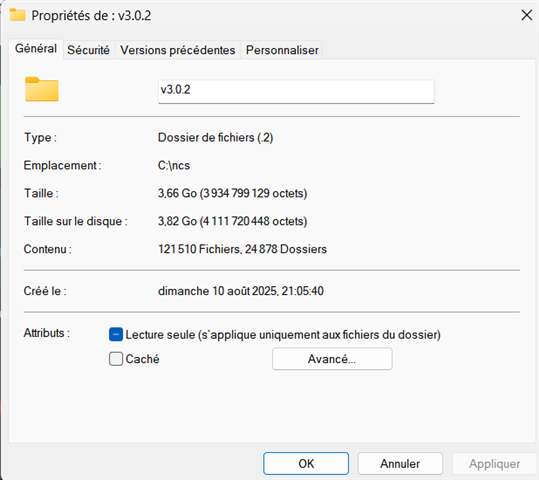
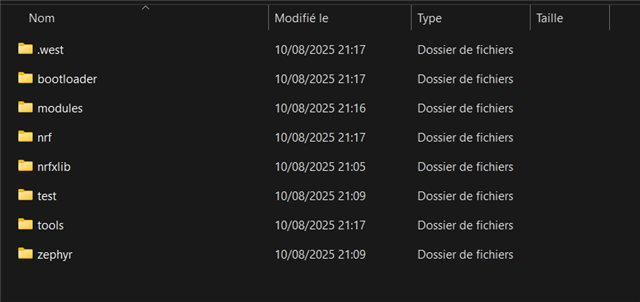
An ncs folder installs fine on the computer, but it is quite large ().
Here is the OUTPUT:
[21:01:03] nrfutil-sdk-manager sdk,install,v3.0.2,--sdk-path,c:\ncs\v3.0.2: Download SDK v3.0.2
[21:05:16] nrfutil-sdk-manager sdk,install,v3.0.2,--sdk-path,c:\ncs\v3.0.2: null: success
[21:05:16] nrfutil-sdk-manager sdk,install,v3.0.2,--sdk-path,c:\ncs\v3.0.2: Calculating SDK checksum
[21:05:40] nrfutil-sdk-manager sdk,install,v3.0.2,--sdk-path,c:\ncs\v3.0.2: Verified download: success
[21:05:40] nrfutil-sdk-manager sdk,install,v3.0.2,--sdk-path,c:\ncs\v3.0.2: Unpack SDK v3.0.2
[21:17:36] nrfutil-sdk-manager sdk,install,v3.0.2,--sdk-path,c:\ncs\v3.0.2: Unpacked SDK tarball: success

[west]: exited with code 1.
I'm using Windows 11.
I have read previous responses to the same problem on this forum, but have not found a solution. I have tried the following:
- Changing the Wi-Fi network
- Reinstalling VSCode from scratch (including extensions)
- Trying to do part of it via the command line
- Trying to install the GitHub version instead of the pre-packaged version
- I installed the extension pack, not just nRFConnect
- Trying to install an SDK via the nRFConnect for Desktop toolchain manager (failed, error message)
Thank you in advance for your help.
Have a good evening,
Ulysse