Thingy 91X will not connect to nrf.cloud out-of-the-box

I just received a Thingy 91X, and am having problems out-of-the-box.
I used the "Quick Start" module of the SDK. I selected the option that programs the hello.nrf.cloud connectivity app. After finishing with the "Quick Start" without any problems, I cannot connect to hellow.nrf.cloud. I've tried entering in the fingerprint, and I've tried scanning the QR code. I always receive the same error, which is given below. Does nrf cloud just not recognize my particular device? If this is the case, can you please add my device to the list of devices recognized by nrf.cloud?
Thank you for your help.

I receive the following error:

Connection failed.

The fingerprint you have provided is not recognized, and we were unable to identify the device it belongs to.

Parents
  • Hello, did you test the Thingy:91X out of the box, before programming it with the Quick Start app? The Thingy:91X comes pre-programmed with the Hello nRF Cloud application.

    Could you please provide some screenshot of the issue? In nRF Connect for Desktop, open the Serial Terminal and connect to your Thingy:91X. What output do you get from the device? Please copy and paste full application log here. 

    Kind regards,
    Øyvind

  • Thank you for your help.

    I did not try it before using the quick start. I programmed the Thingy 91X with the hello.nrf.cloud program (through the quick start wizard). I'm using nrfConnect 5.2.0. 

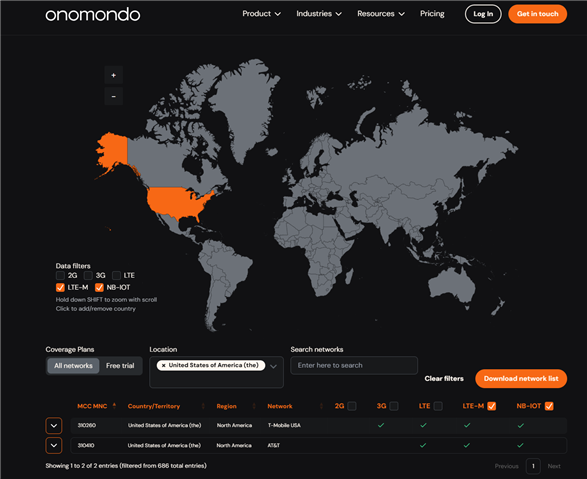
    The Thingy 91X has a slow yellow blink when turned on, which according to the documentation means that it is trying to reconnect to the cellular network. Please see the image below for the message I get in the terminal. I am using a linux OS, and the Onomondo SIM card that came with the Thingy 91x, which I registered. I previously owned a Thingy 91X that worked after going through the quick start program and inserting the Onomondo SIM card, so I am a bit concerned that this device is not working. I am in Spokane, WA USA. 

Reply
  • Thank you for your help.

    I did not try it before using the quick start. I programmed the Thingy 91X with the hello.nrf.cloud program (through the quick start wizard). I'm using nrfConnect 5.2.0. 

    The Thingy 91X has a slow yellow blink when turned on, which according to the documentation means that it is trying to reconnect to the cellular network. Please see the image below for the message I get in the terminal. I am using a linux OS, and the Onomondo SIM card that came with the Thingy 91x, which I registered. I previously owned a Thingy 91X that worked after going through the quick start program and inserting the Onomondo SIM card, so I am a bit concerned that this device is not working. I am in Spokane, WA USA. 

Children
Related