Can PC do the FOTA over BLE?

Hi Support Team 

We want to use Windows PC to do the BLE FOTA for nRF52840 BLE device. The following DevAcademy exercise mentions that AuTerm can be used to do the FOTA on PC, is it support FOTA over BLE? Is there any guidance for how to use AuTerm to do the FOTA over BLE? Many thanks.
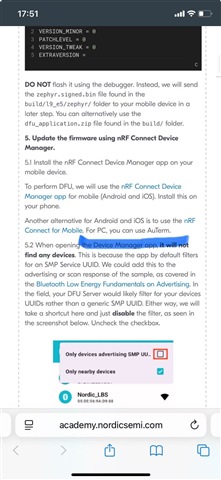
academy.nordicsemi.com/.../

Parents
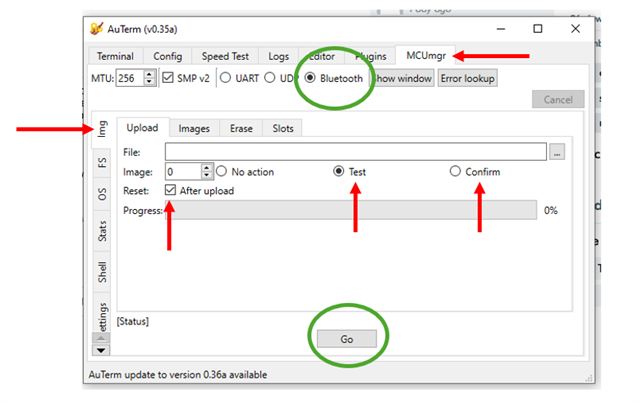
  • I have used AuTerm to do an upgrade on firmware that has MCUboot and copies the needed functionality from the smp_svr sample also mentioned in the DevAcademy exercise. If you've used Nordic's device manager phone app to do DFU over bluetooth it works the same way pretty much (although their app has more functionality). You need to:


    1. Make sure your device is advertising the SMP service (this is what the smp_svr sample shows how to do) and connect to it with AuTerm
    2. Upload the image
    3. Test the image

    4. Reset the device and wait for it to swap images and boot

    5. Reconnect and confirm the image

    6. Reset and wait to boot (this should happen quicker than step 4 since no swap needs to happen

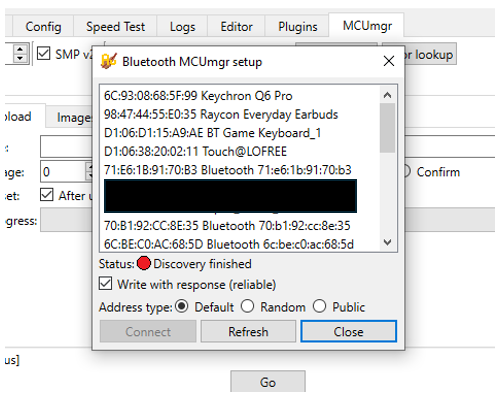
    To connect to a bluetooth device, Click the bluetooth button circled above and you may need to click "show window" beside that to get the selection screen.

Reply
  • I have used AuTerm to do an upgrade on firmware that has MCUboot and copies the needed functionality from the smp_svr sample also mentioned in the DevAcademy exercise. If you've used Nordic's device manager phone app to do DFU over bluetooth it works the same way pretty much (although their app has more functionality). You need to:


    1. Make sure your device is advertising the SMP service (this is what the smp_svr sample shows how to do) and connect to it with AuTerm
    2. Upload the image
    3. Test the image

    4. Reset the device and wait for it to swap images and boot

    5. Reconnect and confirm the image

    6. Reset and wait to boot (this should happen quicker than step 4 since no swap needs to happen

    To connect to a bluetooth device, Click the bluetooth button circled above and you may need to click "show window" beside that to get the selection screen.

Children
No Data
Related