Hi nordic:
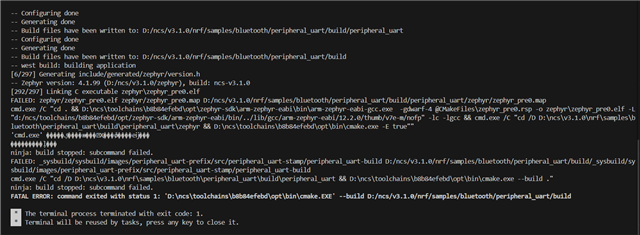
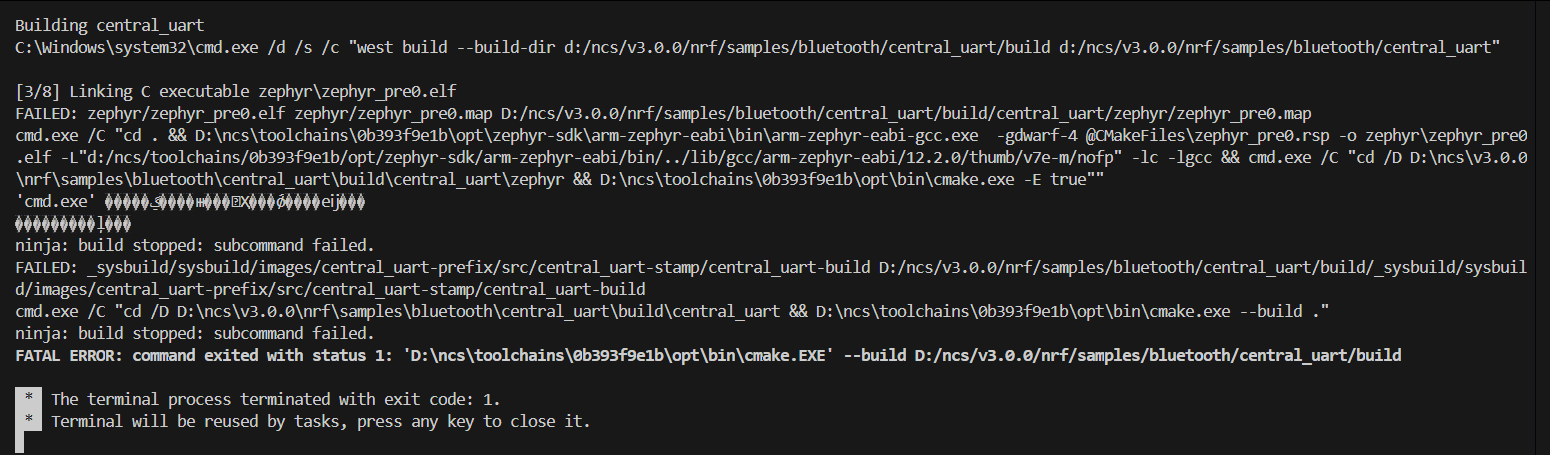
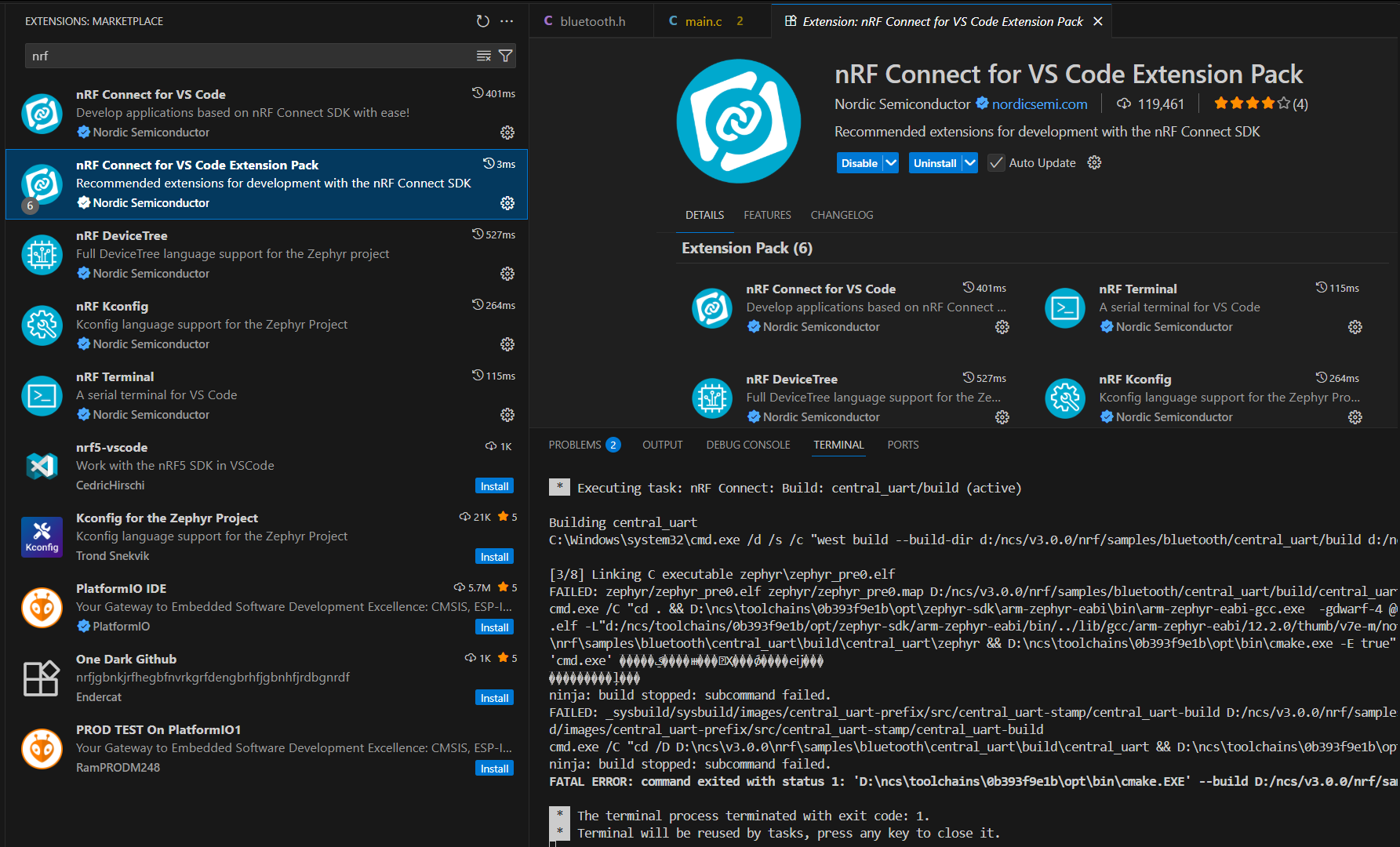
I am using NCS 3.0.0 and VSCode. I was able to compile the sample code in the SDK some time ago, but now I am getting the following error when compiling the sample code in the SDK. How should I handle this?
jermi.jin
Hi nordic:
I am using NCS 3.0.0 and VSCode. I was able to compile the sample code in the SDK some time ago, but now I am getting the following error when compiling the sample code in the SDK. How should I handle this?


jermi.jin
here are some things you can try,
1. Delete current build manually and build without Sysbuild option
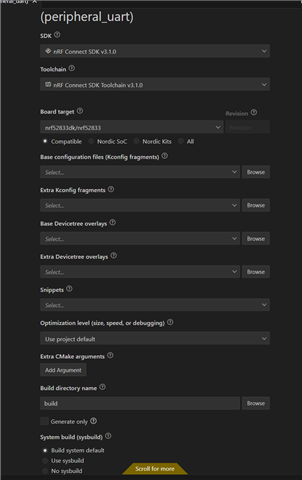
2. Check the toolchain and SDK version, see if it matches the example of the ncs.
3. Check if you have selected the correct prj.conf
Hi:
I reinstalled NCS 3.1.0 and used the standard peripheral_uart routine to compile, but I am still getting the following error.


Both stools and the SDK have been updated without any errors.
What might be the cause of this error?
Best regards
jermi
Hi Jermi,
Could you please upload the complete debug log as a text file so I can check if it provides any additional clues? It seems that an error is being reported by Windows, but the VS Code terminal is unable to display the actual error message.
Best regards,
Vidar
Hi:
The attached file is the compilation log. Please help analyze what caused the error。
Best regard
jermi4834.LOG.TXT
Unfortunately, I was unable to find any hints or clues in your build log. Everything seems correct apart from the unreadable error message from Windows when executing "cmd" at the end of your build process. The reason for this is likely a mismatch in the locale/encoding used in the VS code terminal and the windows terminal. But not sure what could have changed on your system to suddenly cause this. To help narrow down the problem, please try to build the hello world sample from the command line following the steps below.
1. Open "cmd" and run "nrfutil sdk-manager toolchain launch --ncs-version v3.1.0 --terminal" (Ref. https://docs.nordicsemi.com/bundle/ncs-latest/page/nrf/installation/install_ncs.html#get_the_nrf_connect_sdk_code). Note: this requires that you have nRF Util installed.
2. From the terminal opened by nrfutil, change directory to <sdk_folder>/zephyr/samples/hello_world.
3. Run "west build -b nrf52833dk/nrf52833" to build the sample.
Unfortunately, I was unable to find any hints or clues in your build log. Everything seems correct apart from the unreadable error message from Windows when executing "cmd" at the end of your build process. The reason for this is likely a mismatch in the locale/encoding used in the VS code terminal and the windows terminal. But not sure what could have changed on your system to suddenly cause this. To help narrow down the problem, please try to build the hello world sample from the command line following the steps below.
1. Open "cmd" and run "nrfutil sdk-manager toolchain launch --ncs-version v3.1.0 --terminal" (Ref. https://docs.nordicsemi.com/bundle/ncs-latest/page/nrf/installation/install_ncs.html#get_the_nrf_connect_sdk_code). Note: this requires that you have nRF Util installed.
2. From the terminal opened by nrfutil, change directory to <sdk_folder>/zephyr/samples/hello_world.
3. Run "west build -b nrf52833dk/nrf52833" to build the sample.
Hi:
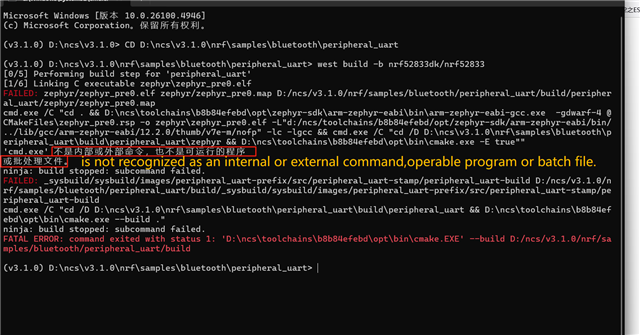
The attached file is the compilation log

Thank you. The error indicates that the cmd executable is not found in any of the directories listed in your Windows PATH environment variable. cmd should be located in <Windows drive>\windows\system32. I don't know if you have Windows installed on c:\, d:\, or another drive. But it seems like you need to update the PATH variable so cmd can be found: https://www.wikihow.com/Change-the-PATH-Environment-Variable-on-Windows
Hi Vidar:
I've found the cause of the error, The environment variable is not set of “windows\system32”。
Thank you so much for your patient guidance!!
jermi