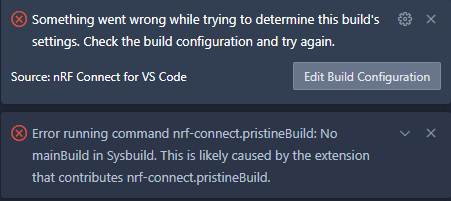
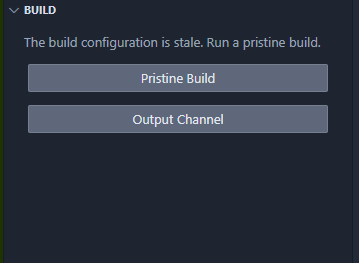
VS Code extension updated to 2025.8.654. Now when I click flash it says
Executing task: nRF Connect: Flash: application/build_reactor_release (active)

Flashing build_reactor_release to nRF52 DK
And sits there spinning. Running west flash manually works.
Extension Features > Runtime status has 5 uncaught errors, all "No mainBuild in Sysbuild"
Extension output:
[06:30:03] ENOENT: no such file or directory, open '/Users/nick/Documents/Repos/.west/config' (/Users/nick/Documents/Repos)
[06:30:05] =========== Toolchain validation report for nRF Connect SDK Toolchain v3.1.0 ===========
📦 Using the nRF Connect SDK 4.3.0.6-b.6 at /Users/nick/Documents/Repos/AirTurn-Firmware-PG
No issues were detected with the toolchain.
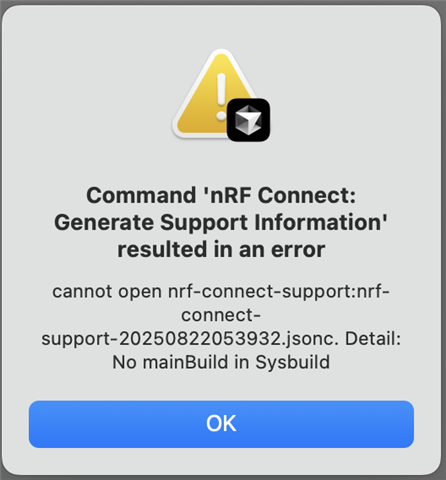
I'm using a west workspace. my app is in "/application". /application/west.yml:
manifest:
  self:
    path: application
  remotes:
  - name: nrf
    url-base: https://github.com/nrfconnect
  projects:
  - name: sdk-nrf
    remote: nrf
    path: nrf
    revision: v3.1.0
    import:
      path-prefix: external-3.1.0
    clone-depth: 1
The extension says the SDK is "third party" with the version being the version of my App. This seems incorrect.
How can I revert to the previous extension version? I can't select it from "install specific version"