Nrf DFU Application Library

Hi all,

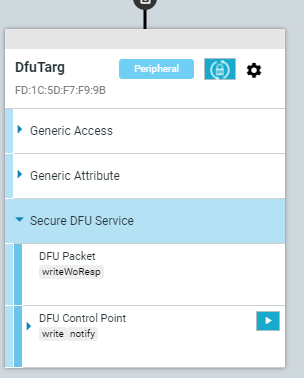
I have Nrf52 devices that use Nrf DFU with "Buttonless Secure DFU Service".

I would like to integrated the ability do to firmware update the devices to our "fleet management software". 

I could not find a clear definition of the internal services and characteristics used and what exact control logic / payloads are needed to properly do a firmware update via ble.

I know that the update works with nrf tools like nrf connect. But I need it in my own software. Are there any open libraries / deeper documentation?

Thanks


Best

Mark

Parents Reply Children
  • Hi Edvin,

    Do you know if Nordic has any guidance or examples on handling BLE-specific edge cases during DFU, like packet loss or reconnection after a dropped link? Pips NYT

    Thanks!

  • Hello,

    Packet loss is always handled by the Bluetooth stack, so that is not something you need to take into consideration. It is specified in the specification, so as long as the application that you develop for your management fleet uses a certified Bluetooth controller, then that is already handled for you. All packets are retransmitted until they are acknowledged correctly.

    In events of a disconnect, it is a bit up to you. One way is to start over, but it is possible to save the progress, and continue where you left off. This depends on the configurations in the bootloader, but there should be something in sdk_config.h in your bootloader called "Save progress in flash" or something. It depends on what SDK version you are using for your bootloader. Let me know what version you are using if you can't find it. In SDK 17.1.0, it is called NRF_DFU_SAVE_PROGRESS_IN_FLASH.

    So if you disconnect, and resume directly after, the progress will be saved either way, but if your nRF e.g. runs out of battery, or has a reboot for some other reason, then you will need to start over, if this option is not set. 

    For the computer side, please read the sections: "Transfer of an init packet" and "Transfer of a firmware image" from the second link in my previous reply.

    Best regards,

    Edvin

  • Hi Edvin,

    Thanks for the reply.

    The solution is coming along. But while implementing I noticed several strange things.

    1. https://docs-be.nordicsemi.com/bundle/nrf5_SDK_v17.1.1/page/msc_inline_mscgraph_20.png?_LANG=enus
    This shows that for the transfer of the data a "Response PRN Success" should be notified. I have never received this response from the device. But it seems to work nevertheless.

    2. In the actual firmware transfer. After sending the "Select Command" with 0x06, 0x02. The Device responses with "max_size" 4096. What does this max_size refer to? I expected it is the Image size. but its way to small and with nordic connect the app will also allow to send bigger files, which the devices accepts without issue.

    Thanks Best regards

    Mark

  • Hello Mark,

    Mark G. said:
    This shows that for the transfer of the data a "Response PRN Success" should be notified. I have never received this response from the device. But it seems to work nevertheless

    Did you enable indications on the DFU service?

    I believe you did, since you are receiving other packets from the DFU Target, right?

    Can you try setting NRF_DFU_PROTOCOL_REDUCED to 0 in your bootloader's sdk_config.h.

    Mark G. said:
    In the actual firmware transfer. After sending the "Select Command" with 0x06, 0x02. The Device responses with "max_size" 4096. What does this max_size refer to?

    It has been a while since looking into this, but I believe that it is the object size. This is aligned with the flash page size.

    Best regards,

    Edvin

Related