nRF70 Wi-Fi BLE Image Transfer Demo – Camera power modification causes Serial Terminal input failure in STA mode

I am running the nRF70 Wi-Fi BLE Image Transfer Demo:
https://github.com/NordicPlayground/nrf70-wifi-ble-image-transfer-demo?tab=readme-ov-file

For the camera and board voltage mismatch problem, the official solution is to replace resistors R63 or R60. However, due to the precision required for soldering, I could not complete this modification.

Instead, I used another approach:

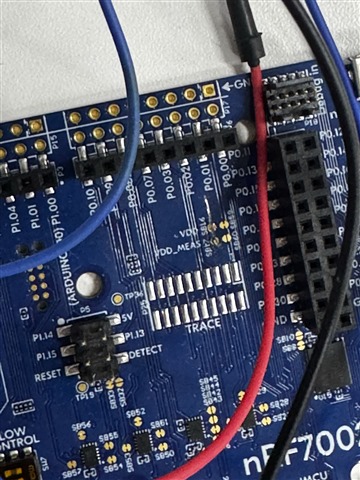
  • I supplied an external 3.3 V power source.

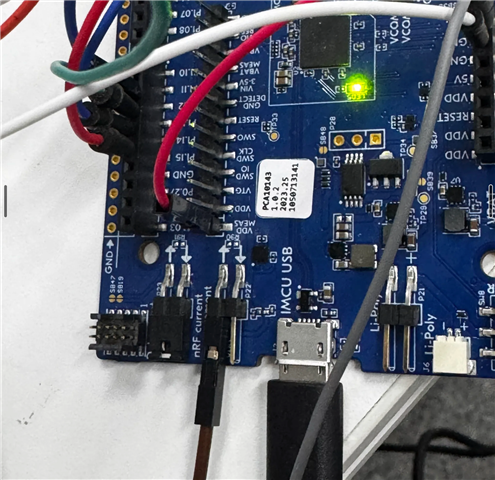
  • Connected the power line to header P22.

  • Bridged SB12 by soldering.

  • Cut SB16 to disconnect it.

Now, VDD_MEAS is powered, and the camera is supplied through the VDD_MEAS pin.

With this setup:

  • The camera is successfully detected.

  • AP mode works fine, and I can view real-time video transmission through the UI.

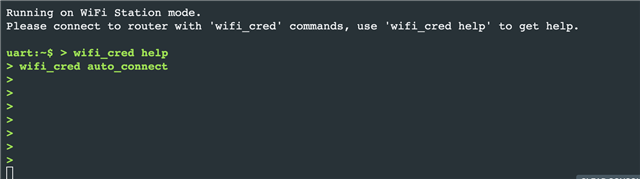
  • However, when I switch to STA mode and try to input Wi-Fi connection commands in the Serial Terminal (nRF Connect for Desktop), my command line no longer works — I cannot type any input.

I did not change anything in prj.conf.
I suspect the issue is related to powering the board through P22 jumper.

Parents
  • Hi,


    • However, when I switch to STA mode and try to input Wi-Fi connection commands in the Serial Terminal (nRF Connect for Desktop), my command line no longer works — I cannot type any input.

    I did not change anything in prj.conf.
    I suspect the issue is related to powering the board through P22 jumper.

    I believe your line of thought is correct. The reason why it will not work in this setup, is because the debugger IC, running the USB/UART bridge, is running on 1.8V. This creates a mismatch when your device runs on 3.3V


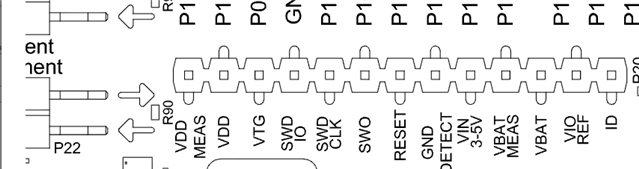
    If your apply 3.3V to the pin "VIO REF" on pin header P22, this should also power the debugger IC at 3.3V:


    Could you try this?


    Kind regards,

    Håkon

Reply
  • Hi,


    • However, when I switch to STA mode and try to input Wi-Fi connection commands in the Serial Terminal (nRF Connect for Desktop), my command line no longer works — I cannot type any input.

    I did not change anything in prj.conf.
    I suspect the issue is related to powering the board through P22 jumper.

    I believe your line of thought is correct. The reason why it will not work in this setup, is because the debugger IC, running the USB/UART bridge, is running on 1.8V. This creates a mismatch when your device runs on 3.3V


    If your apply 3.3V to the pin "VIO REF" on pin header P22, this should also power the debugger IC at 3.3V:


    Could you try this?


    Kind regards,

    Håkon

Children
No Data
Related