Issue with programming multiple nRF52840 boards – J-Link DLL error after first programming in Programmer v4.6.2

Hello,

I am experiencing a recurring issue when programming multiple nRF52840 boards using the nRF Programmer.

  • Problem description:
    When programming the first board, everything works fine.
    However, when I try to program the second and subsequent boards, after performing Reset and Erase & Write, I always get the following error:

13:04:07.646 Failed "loading core information for application core". Error: code: 1, description: Generic, message: Batch task core-info failed, Device error: Failed to read from memory address 0x10000130: Failed to write DebugPort register 0x08: Unknown Error in J-Link DLL (error code = -1) 13:04:07.663 Error: Failed with exit code 1. One or more batch tasks failed: * 801050888: Device error: Failed to read from memory address 0x10000130: Failed to write DebugPort register 0x08: Unknown Error in J-Link DLL (error code = -1)

If I press reset and run Erase & Write again, the programming works successfully.
Then on the next board, the same error appears again, and I need to repeat the reset/erase cycle.

  • Additional information:
    This issue only started appearing with the current version of the software.
    In the previous version of nRF Programmer, I did not have this problem.

Could you please help me understand what is causing this error and how to fix it?

Thank you in advance.

  • Hi Maria,

    I tested with versions 2.10.2 and 2.12.3, and everything works perfectly using nrfutil from the command line.
    This is my batch file:

    @echo off
    nrfutil device --version
    pause
    :loop
    nrfutil device recover
    nrfutil device program --firmware builds/Intovoice_3_1_2.hex --family nrf52 --options chip_erase_mode=ERASE_ALL,verify=VERIFY_READ,reset=RESET_SYSTEM
    echo.
    pause
    goto loop

    And this is the result of multiple programming runs:

    nrfutil-device 2.12.3 (474e1e0 2025-07-07)
    commit-hash: 474e1e10297377fb713aa5b02f8dc882954f32d88
    commit-date: 2025-07-07
    host: x86_64-pc-windows-msvc
    build-timestamp: 2025-07-07T13:56:47.267083500Z
    classification: nrf-external

    Detected SEGGER J-Link version: JLink_V8.18
    Press any key to continue . . .
    v Recovered 801050888
    [00:00:05] ###### 100% [4/4 801050888] Programmed
    Press any key to continue . . .
    v Recovered 801050888
    [00:00:05] ###### 100% [4/4 801050888] Programmed
    Press any key to continue . . .
    v Recovered 801050888
    [00:00:05] ###### 100% [4/4 801050888] Programmed
    Press any key to continue . . .
    v Recovered 801050888
    [00:00:05] ###### 100% [4/4 801050888] Programmed
    Press any key to continue . . .

    Thanks for this information. Using the command line for programming produces no errors and is faster.

    Best regards,
    Tomasz

  • Hi Tomasz, 

    Thank you for testing this. And I'm also glad that using the command line to program proved to be an improvement to your workflow.

    I'll notify the team that there may be an issue with the Programmer v4.6.2. If they are not able to reproduce this, they may want logs of the issue with the "Verbose Logging" enabled to properly diagnose what is happening. I appreciate if you could share those whenever convenient for you. 

    Best regards,

    Maria

  • Hi Maria,

    This is the log with "Verbose Logging" enabled and showing this error.

    Best regards
    Tomasz

  • Thank you! 

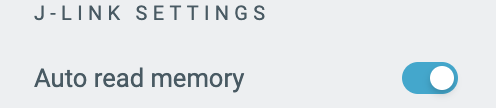
    Could you also let me know what the Auto-read memory switch is set to? 

  • Hi Maria,

    Auto read memory is off.

    Best regards
    Tomasz

Related