can we download and install sdk by a clever way?

in fact , I have the while sdk directorys. in c:/ncs/v3.1.0
but,the nrf extension in vscode cannot recognize it. it always info me to install a sdk in welcome page.
so, I must re download and install sdk again.
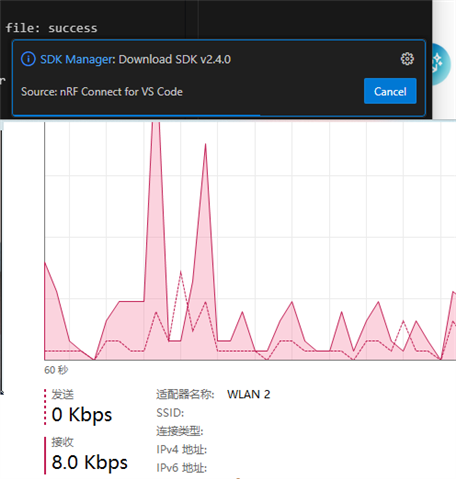
but, when I download to 50%, the bandwidth slow down. I try it for several times。

can I get a clever way to download the sdk?
for example. when I stop the download and close vscode. and then I open vscode and continued to download from the stop point ?
or, I downloa the sdk offline. and make the vscode extension knows the sdk is ready?
how much time is wast on this downloading sdk.

fk

  • That internet connection looks well below acceptable not just for the SDKs but also for this forum here or the online docs to be used effectively. Try using a cable instead of WLAN.

    The SDK consists mostly of git repos, which can resume br0ken connection somewhat. But its not all downloaded in a single step, its multiple git repos downloaded one after the other.

  • Hi  ,

    in fact , I have the while sdk directorys. in c:/ncs/v3.1.0

    How did you install this SDK copy?

    Do you have a toolchain? If yes, can you try running west zephyr-export?

    but, when I download to 50%, the bandwidth slow down. I try it for several times。

    can I get a clever way to download the sdk?

    What happened eventually after the bandwidth slow down? Does the download continue?

    I don't claim that this has nothing to do with Nordic, but as far as downloading go, there could also be some limitation impose by your internet provider or your organization IT. Have you checked there is nothing that could go wrong on those parts?

    There is an alternative way to install the SDK describe here: Installing the nRF Connect SDK. Check the command line option.

    Hieu

Related