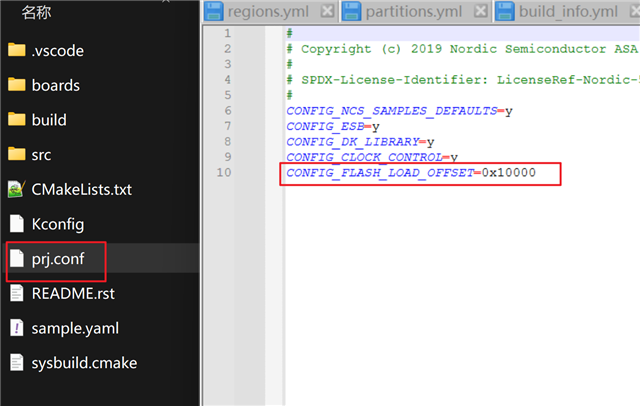
how to change start address of app in ncs/nrf54

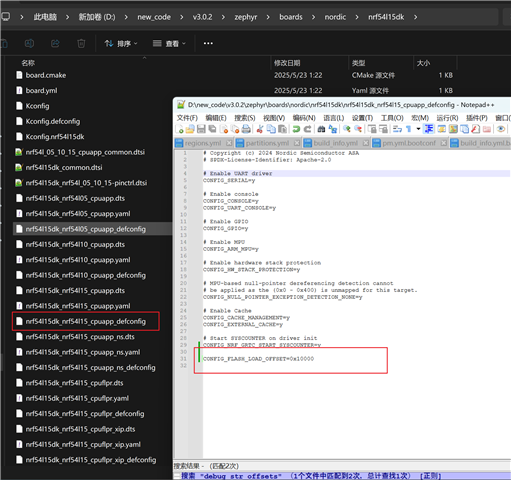
I want to change the start address of the app in the ESB example from nCS 3.0.2. By default, after compiling and flashing, the program runs from address 0x0. I want to change it to, for example, 0x10000. I tried defining CONFIG_FLASH_LOAD_OFFSET=0x10000in the following two places, but it did not achieve the expected effect. How should I proceed?

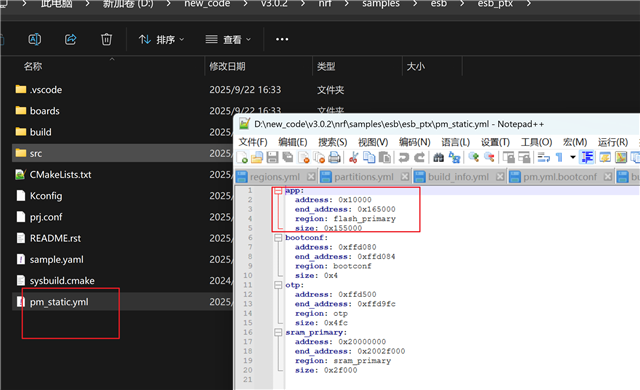
Additionally, I also tried the Partition Manager (PM) approach by defining a pm_static.ymlfile in the app directory, but it still didn’t work.
  • Hi,

    This looks mostly good, except for pm_static.yml. Try defining what the first region is (in this example it is called nrf5_mbr for historical reasons, but it does not matter). Like this:

    app:
      address: 0x10000
      region: flash_primary
    nrf5_mbr:
      address: 0x0
      end_address: 0x10000
      placement:
        after:
        - start
      region: flash_primary
      size: 0x10000

    Testing on my end when also adding CONFIG_FLASH_LOAD_OFFSET=0x10000 in prj.conf, I see that the app is placed at 0x10000. (Of course, with nothing placed at address 0 this application will never run, so you will need a bootlaoder or something else at address 0 in addition).

Related