Show "Debug options not enabled" while upgrade nRF Connect for VS Code Extenstion Pack

Hi I have updated th nRF Connect for VS Code Extension Pack to the newest version. But when I want to enter Debug in VSCODE, the error comes out. Before upgrade, the debug is ok.
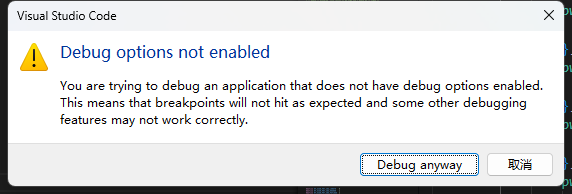
Here are the version number of installed nRF Connect VS Code:

nRF Connect for VS Code  v2025.9.798 

nRF Connect for VS Code Extension Pack  v2025.4.4 

nRF DeviceTree  v2025.8.140 

nRF Kconfig  v2025.9.123

nRF Terminal  v2025.8.103


How can I fix it?

  • I'm dealing with something similar to this.  Is there a mechanism to disable this check and pop-up dialog.  I enable debugging settings through a different mechanism because I want to debug the code with -Os rather than -Og optimization and the default settings prevent this configuration.  This means for my use case, the dialog is completely useless and incorrect.  I would rather turn it off completely.

Related