VS code can not recognize sdk and toolchain after moving the NCS sdk from C: drive to D: drive of windows PC

Hi Support Team

Due to there is very little space of C: drive of computer, so I moved the NCS SDK from C: drive to D: drive. The VS code can't recognize the SDK and toolchain anymore. Do you have any approach to  make the VS code recognize the SDK and toolchain again? Many thanks.

Parents Reply Children
  • I have a very similar / the same issue setting up a new PC. Attempting to install to D (but otherwise default path)

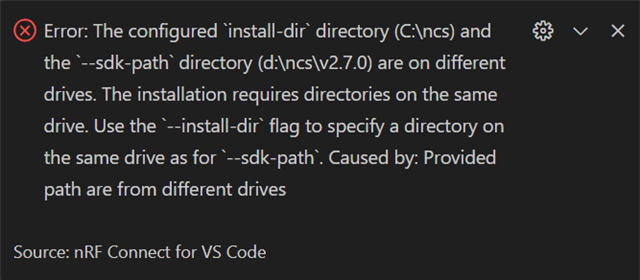
    The toolchain install goes as expected (if incredibly slowly? 55 minutes for the 2.7.0 toolchain download and install?) but the SDK install that follows uses the default C drive path and then fails with this error

    It also appears to have installed the toolchain in the C drive anyway

Related