nRF9160DK board continuously blinking LED 5

I have a nRF9160DK board that was working. I am trying to flash zephyr/samples/hci_uart into the nrf52840 and zephyr/samples/central_uart into the nrf9160. I was able to build and flash the central_uart into the nRF9160 and see messages on the UART. when I tried to flash hci_uart into the nRF51840 I was able to build and I was able to flash (the first time). I did not see any activity on any of the 3 UARTS associated with the nRF9160DK board. The nRF9160 board is continuously blinking the LED 5. I no longer see 3 COM ports when I power up and I do not see the device in Visual Stufio.

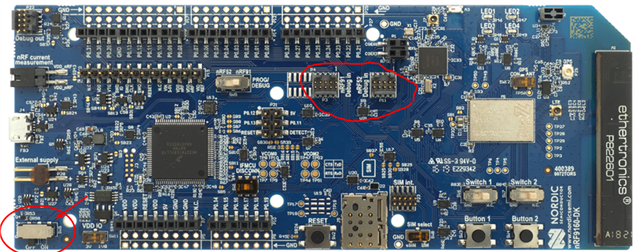
How do I get the nrf9160 working again and how can I program the nRF52840 and get the application to run? I did switch SW5 before I programmed the nRF52840.

any help would be greatly appreciated. I am trying to get the BLE application to be able to recognize my advertising device and receive notifications. The application to advertise and send notifications is running on a nRF52832 and is working. I can connect to my device and see messages on my iPhone using nRF Toolbox. I just need to be able to see those messages on the nRF9160DK board.

Parents Reply Children
  • It sounds like there is an issue with the communication to the debugger chip. 

    You can try and use the external debugger ports to connect to the nRF91 or nRF52 to see if there is any communication there and that they work as intended. 

    Sometimes the power switch can brake, can you measure voltage the SW8 to make sure it is power correctly. 


    Regards,
    Jonathan

  • The connector on the Segger J-Link cable will not connect to P4 or P11. It does not fit my connector is twice the size of p4/p11.  SW8 is set to SIM. how can I fix this. is there a procedure to factory reset?

  • Here is a better reference, but you say that the debugger you have does not fit the connectors on the board? Then you would need a converter for the debug cable. 

    As for the power switch you can check the voltage on the pin there to see if there is power or on one of the VDD pins on the header. 

    If you are not able to communicate with the device then it can be difficult to factory reset as there is no hold one button solution for that. Does your computer detect anything when it is connected? 

    If it is detected then you can try and run a recover command on both the 91 and 52 and you should be able to re-flash them. But that is only if the DK still works as expected. 

    You can use nrfjprog or nrfutil with a terminal or use the nRF connect for desktop app and use the programmer app to recover the board.

    Regards,
    Jonathan

Related