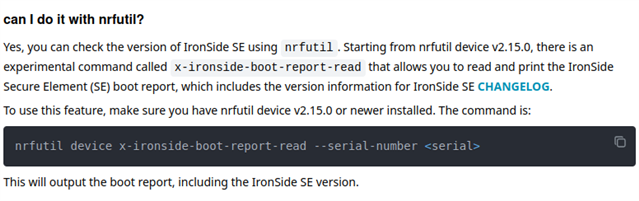
We have designed a custom board around nRF54H20 EngC revision and testing it on NCS 3.1.1.
We were able to do provisioning and bring up using iron-side binaries. But got two of our board get into soft-bricked state for some unknown reason. we have not enabled any protection and were testing USB, CAN and PDM peripheral, before it get into soft brick state.
"west flash --recover" end with "Failed to attach to target: The Application core access port is protected (All) (NotAvailableBecauseProtection)"
(.zpenv) PS D:\ZephyrApps\nordic> west flash --recover
WARNING: ignoring project matter extension command "zap-append"; command "zap-append" is already defined as extension command
-- west flash: rebuilding
[0/3] Performing build step for 'audio'ninja: no work to do.

[3/3] Completed 'audio'
-- west flash: using runner nrfutil
-- runners.nrfutil: reset after flashing requested
Using board 001051127131
-- runners.nrfutil: Recovering and erasing flash memory for both the network and application cores.
-- runners.nrfutil: Flashing file: D:\ZephyrApps\nordic\build\audio\zephyr\zephyr.hex
-- runners.nrfutil: Recover
Error: One or more batch tasks failed:
 * 1051127131: Failed to attach to target: The Application core access port is protected (All) (NotAvailableBecauseProtection)


The operation was unavailable for some of the devices because they had readback protection enabled. These devices might be possible to unlock using the `recover` subcommand. See `nrfutil device recover --help` for more information.

ERROR: runners.nrfutil: Flashing failed because the target must be recovered.
  To fix, run "west flash --recover" instead.
  Note: this will recover and erase all flash memory prior to reflashing.
FATAL ERROR: command exited with status 24: nrfutil --json device x-execute-batch --batch-path 'D:\ZephyrApps\nordic\build\audio\zephyr\generated_nrfutil_batch.json' --serial-number 1051127131
When trying with nrfutil device commands recover succeed but erase fails
(.zpenv) PS D:\ZephyrApps\nordic> nrfutil device recover
v Recovered 1051127131
(.zpenv) PS D:\ZephyrApps\nordic> nrfutil device erase
x Failed to erase 1051127131, Failed to attach to target: The Application core access port is protected (All)                                          Error: One or more erase tasks failed:
 * 1051127131: Failed to attach to target: The Application core access port is protected (All) (NotAvailableBecauseProtection)


The operation was unavailable for some of the devices because they had readback protection enabled. These devices might be possible to unlock using the `recover` subcommand. See `nrfutil device recover --help` for more information.
Any help is highly appreciated,