nRF54L15-DK: Burning the hci_uart Example and Using Bluez

Regarding the nRF54L15-DK development board and its use with BlueZ on an Ubuntu virtual machine: After flashing the hci_uart example onto the nRF54L15-DK board, I used the command "sudo btattach -B /dev/ttyACM0 -S 1000000 -R“. When using Btmon, the manufacturer is recognized and prints ”Manufacturer: Nordic Semiconductor ASA (89)“. However, when I run the command ”sudo hciconfig hci0 up“, it displays ” Can't init device hci0: Operation not supported (95)“. Querying with ‘hciconfig’ shows the ”BD Address“ as all zeros and the status as ‘DOWN’. Why is this happening? I'd appreciate help resolving this. Additionally, when I send HCI hexadecimal commands directly via serial port tools like ”UartAssist 5.0.2“—such as the reset command ” frame format 01 03 0C 00“, it responds with ”04 0E 04 01 03 0C 00", indicating an unknown HCI command. Why is this happening? After flashing the hci_uart example onto the nRF54L15-DK board, can I directly flash it onto the development board, or do I need to perform additional steps?

  • Hello,

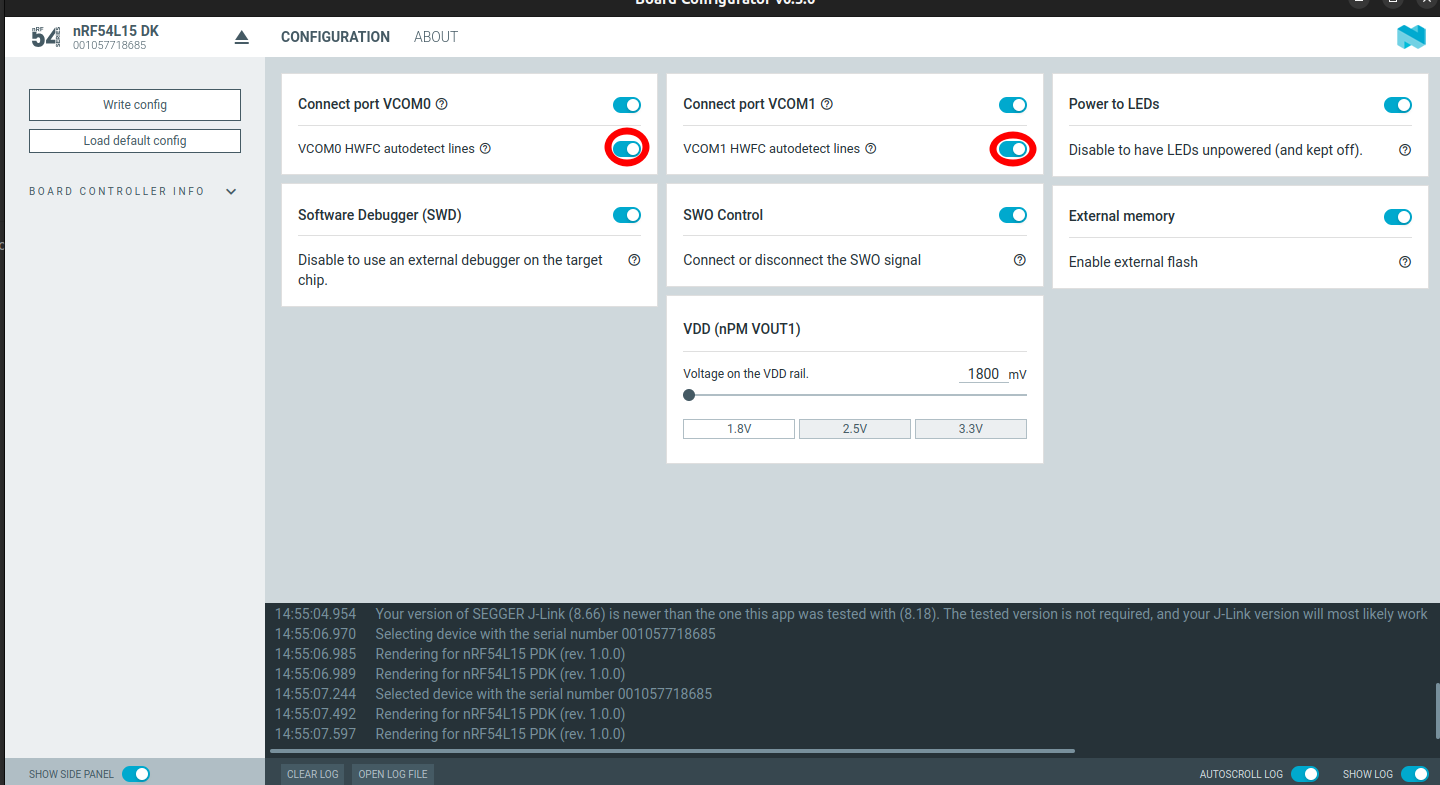
    First, please ensure you the flow control lines enabled for the USB - UART bridge. This is required as the hci_uart sample enables HW flow control by default. 

    then run sudo btattach -B /dev/ttyACM1 -S 1000000 -P h4 followed by "sudo btmgmt info" from another terminal to confirm if your new hci inferface got added.

    Best regards,

    Vidar

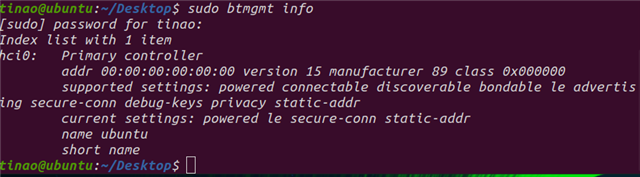
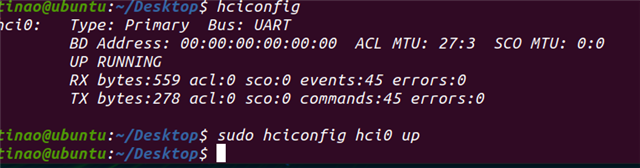
  • I was thrilled to receive your reply. I tried the method you suggested. After ensuring the flow control line was enabled for the USB-UART bridge, I reflashed the program. Running `sudo btmgmt info` displayed the information shown in the image below. It appears the configuration succeeded, but all addresses are still showing as 0. This prevents other devices from detecting the development board, making subsequent operations like establishing connections impossible. When I run ‘hciconfig’, it shows the information in the image below. Executing “sudo hciconfig hci0 up” also doesn't produce any errors. So the current issue remains: the board's address is still displayed as 0. Do you have any better suggestions? I look forward to your reply.

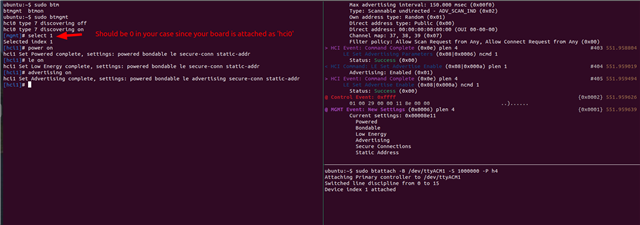
  • Please try the following commands in 'btmgmt' and see if you can get the board to start BLE advertising:

    You can use nRF connect on Android/iOS to verify that it's advertising.

    The host does not set a public address and is therefore shown as 00:00:.., but the controller will use it's default random static address.

  • Hello, if the host is not configured with an address and all values are set to zero, how can I subsequently configure it as an HCI controller to connect with other devices for tasks like testing throughput or transmit power? This doesn't seem feasible. Can this default address serve as the development board's address for devices like smartphones? Alternatively, can I assign a fixed address to the board? Also, I need to confirm one crucial point: does the nRF54L15-DK support and comply with standard HCI commands?

  • Yes, but lets verify that you can get the board to do LE advertising with Bluez first.

Related