nrf5340 Audio App with MCUBoot app verification timing

I am porting and existing app to nRF Connect SDK 2.7.0 from 2.6.1. Using sysbuild, MCUBoot and the app are building and I am able to load the firmware onto the PCB and it runs. The problem is in the bootloader it takes about 2 seconds to jump to the application. We have a requirement that it basically needs to jump to the application transparently to the user. For this reason I am attempting to disable the SLOT 0 Verification. The application is quite large so I don't have room for dual slot so in the sysbuild.conf I have 

SB_CONFIG_MCUBOOT_MODE_SINGLE_APP=y.
This seems to be working fine, but the problem is I am unable to set 
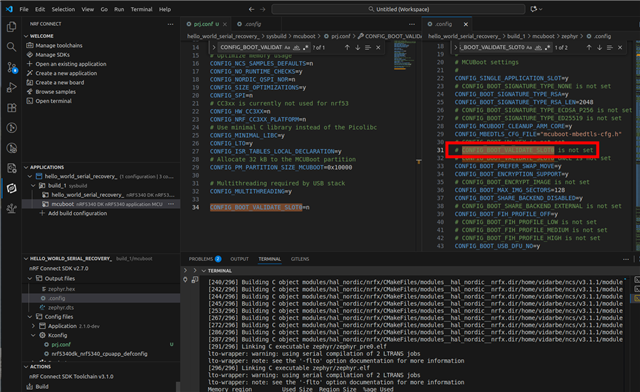
CONFIG_BOOT_VALIDATE_SLOT0=n
I also tried:
CONFIG_BOOT_SIGNATURE_TYPE_NONE=y
Neither one of these last 2 are properly set when I look at the output .config file. The VALIDATE_SLOT0=y. Is there any way to have the single app option and not verify the slot0 CRC?
It looks like in the previous app, we had the 2nd slot setup as external flash but we were just not using the 2nd slot so no validation was required. I don't want to do this again because we are not using external flash to store an image.
Any assistance would be appreciated.
Parents
  • Previously I was able to see that the these settings were not taking effect by looking at the .config file in the build/mcuboot/zephyr folder. It was also obvious that the validation was taking place due to the 2 second delay before entering the application. Regardless of what settings I changed in the sysbuild/mcuboot/prj.conf file, they weren't being applied to the project.

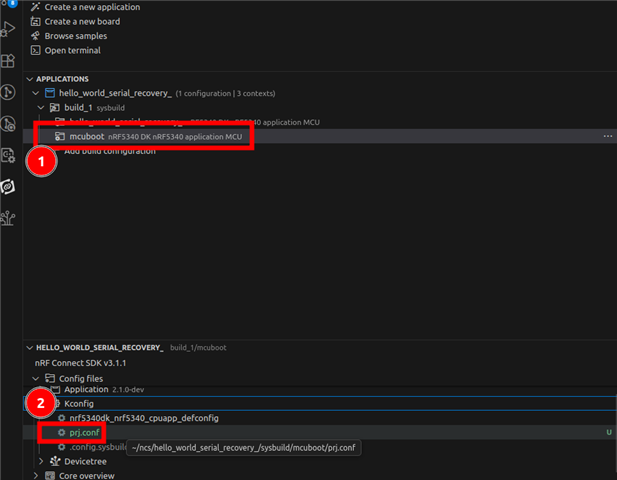
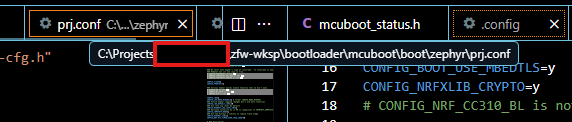
    After continuing to read about mcuboot, nordic, and zephyr, I tried making the change by selecting mcuboot in the vs code/Applications window and then using the nRF kconfig GUI Action. I changed the MCUBoot settings to Single slot and deselected "Validate image in the primary slot on every boot" and then I noticed that setting finally went away in the kconfig and then I loaded the code and it worked. This is great but the problem is it looks like the setting is being applied to the bootloader\mcuboot\boot\zephyr\prj.conf file. I want this setting to be within the project workspace such as within the sysbuild/mcuboot folder. 

    If I change the sdk and do a west update, these files will revert back to their original state and those settings are lost. 

  • Hello,

    I couldn’t reproduce the issue of being unable to unselect the CONFIG_BOOT_VALIDATE_SLOT0 symbol.

    Did you check the build output to see if there were any Kconfig warnings that might explain why the symbol ended up being selected even though it was set to =n in your config? It’s generally easier to troubleshoot Kconfig issues when it’s the other way around where you’re trying to enable something.

    EDIT: I would also recommend considering the BOOT_VALIDATE_SLOT0_ONCE config. It's a bit safer.

    Best regards,

    Vidar

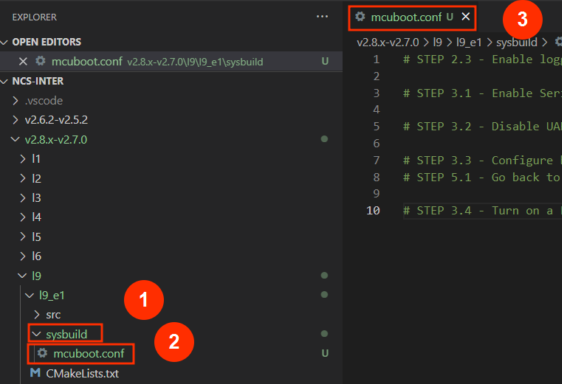
  • Should the folder structure for the West t2 topology look like this in the tutorial or should it be sysbuild->mcuboot->prj.conf like I have read in other locations?

  • Both methods are supported. The difference is that sysbuild->mcuboot->prj.conf replaces the default configuration here https://github.com/nrfconnect/sdk-mcuboot/blob/main/boot/zephyr/prj.conf while sysbuild->mcuboot.conf just becomes an overlay on top of the default configuration file. 

    The UI in the Vs code extension allows you to verify which Kconfig files and fragments are included for the mcuboot build

  • When I select that, it goes to the prj file within the bootloader folder which as I stated earlier, would be overwritten if I did a West Update. This appears to be the problem. This project is not using the prj.conf file inside the sysbuild/mcuboot folder.

  • When I change the default to 'n' in the boot/zephyr/kconfig, then it is no longer set. So it appears for some reason my prj file isn't being applied. 

  • Ok I figured it out. My sysbuild folder was located within the zephyr workspace but the folder structure is a little different. Once I moved the sysbuild to the proper folder, the kconfig in mcuboot/prj.conf started taking effect. Thanks for your help! It led me to the solution.

Reply Children
Related