Bluetooth initialization failed with error -19 (No HCI driver registered) on nRF5340 uing Zypher

Hi,

I am working on a BLE application using the nRF5340  SoC(custom board) and Zephyr RTOS (NCS SDK version v2.9.0)

When I call bt_enable(bt_ready_cb_t cb), Bluetooth initialization fails with the following logs:

Bluetooth initialization failed (err -19)
Bluetooth enable failed (ret -19)

I checked the code and found that the following part of the function bt_enable() in hci.core file, the else part of below code is executing  is being executed:

int bt_enable(bt_ready_cb_t cb)
{
    int err;

#if DT_HAS_CHOSEN(zephyr_bt_hci)
    if (!device_is_ready(bt_dev.hci)) {
        LOG_ERR("HCI driver is not ready");
        return -ENODEV;
    }

    bt_monitor_new_index(BT_MONITOR_TYPE_PRIMARY, BT_HCI_BUS, BT_ADDR_ANY, BT_HCI_NAME);
#else /* !DT_HAS_CHONSEN(zephyr_bt_hci) */
    if (!bt_dev.drv) {
        LOG_ERR("No HCI driver registered");
        return -ENODEV;
    }
#endif


this are the configurations i am using in prj.config file 
CONFIG_BT=y                            
CONFIG_BT_PERIPHERAL=y                
CONFIG_BT_DEVICE_NAME="FYZKS_WDS"      
CONFIG_BT_GATT_CLIENT=y                
CONFIG_BT_ZEPHYR_NUS=y                
CONFIG_BT_USER_DATA_LEN_UPDATE=y        
CONFIG_BT_CTLR_DATA_LENGTH_MAX=251      
CONFIG_BT_BUF_ACL_RX_SIZE=251          
CONFIG_BT_BUF_ACL_TX_SIZE=251          
CONFIG_BT_L2CAP_TX_MTU=247            
CONFIG_BT_USER_PHY_UPDATE=y            
CONFIG_BT_GAP_AUTO_UPDATE_CONN_PARAMS=y


# Connection interval settings
CONFIG_BT_PERIPHERAL_PREF_MIN_INT=6    
CONFIG_BT_PERIPHERAL_PREF_MAX_INT=8    
CONFIG_BT_PERIPHERAL_PREF_LATENCY=0  
CONFIG_BT_PERIPHERAL_PREF_TIMEOUT=400  
CONFIG_BT_CTLR_TX_PWR_PLUS_4=y  
CONFIG_BT_HCI_VS=y    
CONFIG_BT_HCI=y
  • Hi,

    It looks like the BT host cannot communicate with the BT controller. This would typically happen if you are running the main application on the application core (which is what is normally done), but have not programmed the hci_ipc on the nework core? For the DK, this is automatically added from here and here, but perhaps you do not have this for your custom board?


  • Hi,
    You said ,
    main application on the application core (which is what is normally done), but have not programmed the 
    hci_ipc on the nework core?

    how can i add these hci_ipc to my custom board on nrf5340 soc 

  • Hi,

    You can build the hci_ipc sample project separately and program that to the network core. But you should also specify that bt-hci by default use IPC as done by this line in the cpuapp devicetree, and if you have a custom app make sure to copy Kconfig.sysbuild from a BT sample to add the net core hci_ipc.


  • Hi,

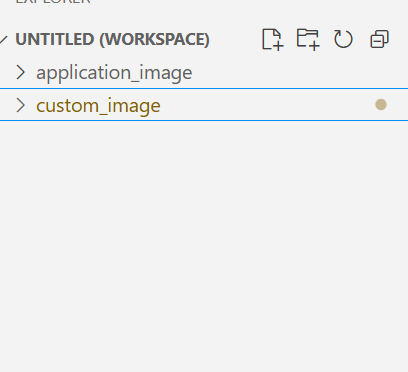
    I have two images:

    1. Application Core (CPUAPP)

      .Contains my main application code.

      .Builds successfully for the custom board .

           2  . Network Core (CPUNET)

    • Based on the hci_ipc sample.

    • Built successfully for the custom board as a custom network core image.

    • What I Did

      • I flashed the custom application image to the application core (CPUAPP).

      • I flashed the custom network image (HCI IPC) to the network core (CPUNET).

      • After flashing both images successfully, I expected BLE to initialize and start advertising.

      • However, nothing appears on the serial monitor — no Bluetooth initialization logs or activity.

    • What I Have Already Tried

      • Verified Kconfig.sysbuild and device tree configurations for both cores

      • My Question

        1. What is the correct procedure to flash the custom network core image and application image on a custom nRF5340 board? required for custom board BLE bring-up?

  • Hi,

    G vandana said:
    Verified Kconfig.sysbuild and device tree configurations for both cores

    I see.

    G vandana said:
    What is the correct procedure to flash the custom network core image and application image on a custom nRF5340 board? required for custom board BLE bring-up?

    There are no special considerations needed for custom board. Fundamentally, you need to program the net core firmware to the net core and the app core firmware to the app core. If you program either both separately or the merged hex file via nrfutil directly or VS Code, nrfutil in any case sees which core it is for from the address.

    1. Can you share a build log and show how you program?
    2. Can you debug to see what is happening on the app core and net core? Particularily the net core, as the app core log indicate problems with the communication with the controller. Does the net core application run? Are there any errors? 

    If you do not make any progress, can you share your project (preferably a stripped down version that shown the issue without added complexities), as well as board files so that I can have a closer look. (You can do that in a private case an refer to this if you do not want to make it public).

Related