nrF5340 Audio DK - Command Line Programming

https://docs.nordicsemi.com/bundle/ncs-3.1.1/page/nrf/applications/nrf5340_audio/doc/building.html#programming_the_application

The examples are given for the default CIS configuration:

nrfutil device x-write --address 0x00FF80F4 --value 0      (left headset)

nrfutil device x-write --address 0x00FF80F4 --value 1      (right headset)

if I am building the Broadcast Source and Broadcast Sink examples from the command line, what should the programming command(s) be please?

Parents Reply Children
  • Hi Susheel,

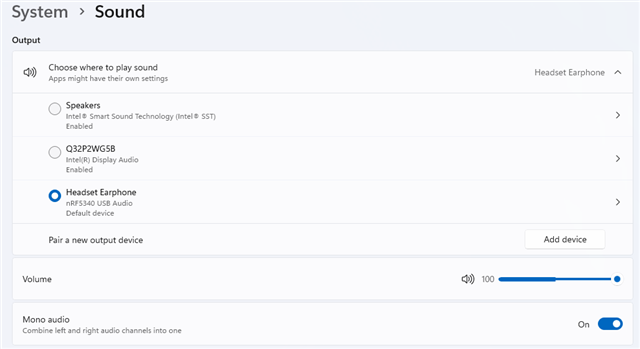
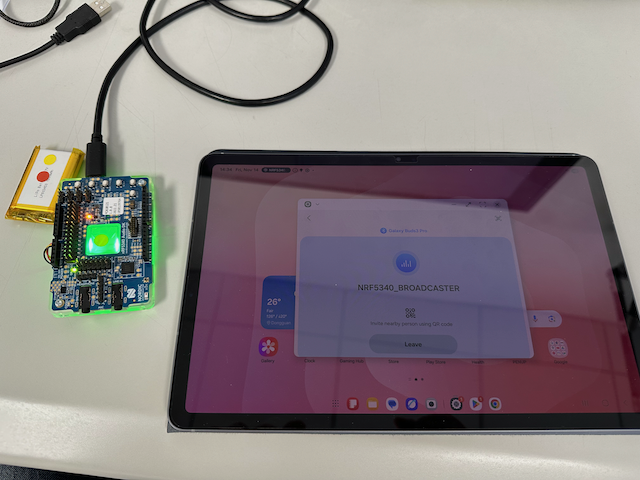
    I programmed a nRF5340 Audio DK to be a Broadcast Source, it is recognised by Windows and I am able to play an audio file to it. It is recognised as an audio source by my Galaxy Tab S11 running Andoid 16 paired to Galaxy Buds3 Pro, the only issue is when I select ''NRF5340_BROADCASTER' as the Auracast Broadcast, I'm not hearing any audio. The Blue LED is flashing on the nRF540 Audio DK indicating that it is playing audio. Any ideas please?

  • Hi Susheel,

    I programmed a nRF5340 Audio DK to be a Broadcast Source, it is recognised by Windows and I am able to play an audio file to it. It is recognised as an audio source by my Galaxy Tab S11 running Andoid 16 paired to Galaxy Buds3 Pro, the only issue is when I select ''NRF5340_BROADCASTER' as the Auracast Broadcast, I'm not hearing any audio. The Blue LED is flashing on the nRF540 Audio DK indicating that it is playing audio. Any ideas please?

  • The nRF5340 Audio DK is configured to use the default USB rather than I2S (CONFIG_AUDIO_SOURCE_I2S is not set =y) and the earbuds are definitely paired with the S11 as I can play audio to them from the Internet.

Related