Disable access port protection and debug access port

Hi, 

I'm using nrf52840 in revision 3, which has protection access port enabled by default. 

My application is built with SDK15.0.0 / SDS S140 6.0.0

In order to get debug session, i have added in my code the following sequence at the beginning of the main function : 

	NRF_NVMC->CONFIG = NVMC_CONFIG_WEN_Wen;
	while (NRF_NVMC->READY == NVMC_READY_READY_Busy){}
				
	NRF_UICR->APPROTECT = UICR_APPROTECT_PALL_HwDisabled;
		
	*(volatile uint32_t *)0x40000558 = 0x0000005A; // SwDisable registre APPROTECT.DISABLE 

	NRF_NVMC->CONFIG = NVMC_CONFIG_WEN_Ren;
	while (NRF_NVMC->READY == NVMC_READY_READY_Busy){}

It had worked few times (i was able to do 10 debug sessions approximatively) and now i can't start debug session. Since i try to start a debug session, i have the following Jlink error : 

JLink info:
------------
DLL: V8.42 , compiled Jun 11 2025 12:15:45
Firmware: J-Link V11 compiled Apr  1 2025 10:02:30
Hardware: V11.00
S/N : 51007305 
Feature(s) : GDB 
 
* JLink Info: ConfigTargetSettings() start
* JLink Info: ConfigTargetSettings(): Enable Monitor Mode Debugging
* JLink Info: ConfigTargetSettings() end - Took 2.72ms
* JLink Info: InitTarget() start
* JLink Info: InitTarget() end - Took 4.74ms
* JLink Info: Found SW-DP with ID 0x2BA01477
* JLink Info: Failed to power up DAP
* JLink Info: ConfigTargetSettings() start
* JLink Info: ConfigTargetSettings(): Enable Monitor Mode Debugging
* JLink Info: ConfigTargetSettings() end - Took 3.92ms
* JLink Info: InitTarget() start
* JLink Info: InitTarget() end - Took 3.19ms
* JLink Info: Found SW-DP with ID 0x2BA01477
* JLink Info: Failed to power up DAP
Error: Flash Download failed  -  Target DLL has been cancelled
Flash Load finished at 09:43:07

After several google researchs, i have found the IN141 v1.1, where it's advised to upgrade the MDK to the lastest version (MDK 8.40.2 or later). In my case, i'm using MDK in 8.16.0 version.

Due to this older version, It seems i have breaked my chip. 

In the information notice, there are steps to recover debug port where the first step is to perform  a CTRL-AP ERASEALL operation.

I have tried to do it with the nrfConnect programmer tool, however it can't to access to the chip (see log above) : 

11:26:42.580	Selected device with the serial number 000051007305
11:26:42.581	Using nrfutil device to communicate with target via JLink
11:26:53.024	Reading readback protection status for Application core
11:26:53.026	Reading readback protection status for Application core 0%
11:27:03.071	Failed "reading readback protection status for application core". Error: code: 1, description: Generic, message: Batch task protection-get failed, Device error: A timeout occured while handling debug power: Timed out trying to power sys and debug region
11:27:03.079	Error: Failed with exit code 1. One or more batch tasks failed: * 51007305: Device error: A timeout occured while handling debug power: Timed out trying to power sys and debug region (Generic) Message: Batch task protection-get failed, Device error: A timeout occured while handling debug power: Timed out trying to power sys and debug region.

Is there any way to recover the nrf chip and the debug access port? 

Thanks in advance,

Antoine

  • Hello Antoine,

    It's not only important to update the MDK to support the approtect handling mechanism, but also to ensure the necessary errata workarounds are applied on startup. The old startup files will not recognize the new silicon revision. However, regardless of the FW you have running on the device, you should still be able to recover the chip by performing the ERASEALL through the CTRL-AP port. It's best to do this through the command line using nRF Util:

    # Recover procedure include the following steps: 
    # - Perform ERASEALL through CTRL-AP port
    # - Write unlock value to UICR.APPROTECT to unlock approtect in HW.
    # - Øoad a small FW binary to disable SW APPROTECT.
    # 
    nrfutil device recover

    Best regards,

    Vidar

  • Hi Vidar,

    Thank you for your reply. 

    In the meantime i have found the tip about the nrfutil tool. 

    I have tried it on my custom board with the jlink probe (base version) and i get this error : 

    C:\Users\antoine\Downloads\Installer>nrfutil.exe device recover --serial-number 51007305
    x Failed to recover 51007305, Device error: A timeout occured while handling debug power: Timed out trying to p
    Error: One or more recover tasks failed:
     * 51007305: Device error: A timeout occured while handling debug power: Timed out trying to power sys and debug region (Generic)

    Also, the led on the jlink probe is always in orange color, which means that the reset signal is always active. 

    Does It look like an HW failure? 

  • Hi,

    Yes, this looks more like a HW or connectivity issue yes unrelated to the approtect mechanism. The debugger is failing to communicate with the chip. Do you have multiple boards with this issue, or only one?

  • Hi,

    I have already met this problem on several boards during an older project.

    The configuration was the same :

    • Nrf52840 in revision 3
    • The same code snippet to disable protection.
    • I was able to do few debug sessions and then i was unable to access debug port (jlink led was also stuck in orange color)
      • At this past, we had conclued on an HW problem due to subcontractor (we had taken advantage of this project to challenge a new pcb manufacturer) and the project has been aborted.

    Now, we encounter the same problem in a new project, with a very basic HW configuration (we are using only the ISP1807 to replace a BlueGiga WT32i module).

    I'm very disturbed because it's worked fine on last monday and now, since this morning (last tuesday was a day-off) , it's failed regardless the HW doesn't change (the same board / jlink probe / SWD cable).

    Since the nrfutil tool  recover command doesn't work, is there an additionnal HW / FW way i can try to recover the chip? 

    Also, Can you confirm that this code snippet will not damage the chip with this suite : SDK15.0.0 / SDS S140 6.0.0 / MDK 8.16.0 ? 

    #define UICR_APPROTECT_PALL_HwDisabled (0x5AUL) /*!< HW Disable */
    
    
    INT32 main(void)
    {	
    	
    	// Gestion Access Port Protection (pour debug)
    	NRF_NVMC->CONFIG = NVMC_CONFIG_WEN_Wen;
    	while (NRF_NVMC->READY == NVMC_READY_READY_Busy){}
    				
    	NRF_UICR->APPROTECT = UICR_APPROTECT_PALL_HwDisabled;
    		
    	*(volatile uint32_t *)0x40000558 = 0x0000005A; // SwDisable registre APPROTECT.DISABLE 
    
    	NRF_NVMC->CONFIG = NVMC_CONFIG_WEN_Ren;
    	while (NRF_NVMC->READY == NVMC_READY_READY_Busy){}
    	
    	...
    	...
    }

  • Hi,

    The error we are seeing is a generic one indicating that the debug probe is unable to communicate with the target chip. There can be many potential reasons for this, but it is not caused by the fw running on the chip. 

    Tonio said:
    Since the nrfutil tool  recover command doesn't work, is there an additionnal HW / FW way i can try to recover the chip? 

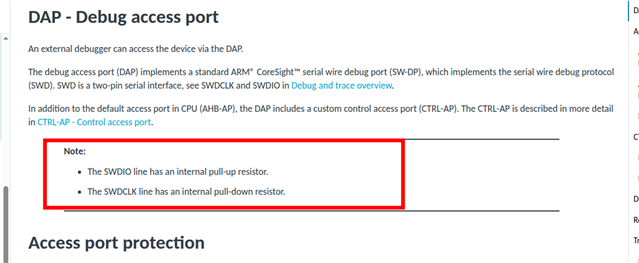
    When recover does not work it indicates that the chip is not operating normally due to a HW problem, or connectivity issue between the debug probe and chip. Could you try measuring the voltage on the SWDIO line just to confirm it matches the exepcted VDD voltage?

Related